Document management tools solve a problem that every organization eventually faces — files scattered across desktops, email attachments, shared drives, and filing cabinets, with no reliable way to find what you need when you need it. If your team has ever wasted an afternoon hunting for a contract or accidentally worked from an outdated version of a proposal, you already understand the cost of poor document management. This guide covers everything you need to know about document management tools: what they are, how they work, what features matter, and how to choose the right one for your organization.
What Are Document Management Tools?
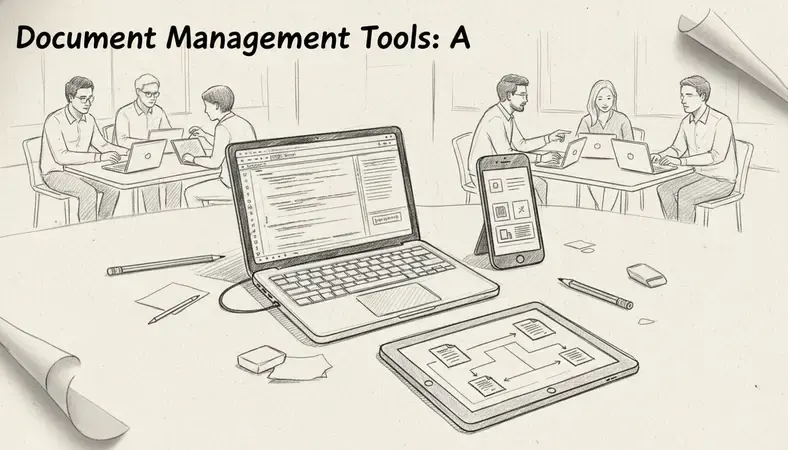
Document management tools are software systems that allow organizations to store, organize, track, and retrieve digital documents from a central location. Rather than saving files to individual computers or relying on a generic cloud folder, these tools give you structured control over every document in your organization — who can access it, which version is current, and exactly where it lives.
A document management system (DMS) goes beyond simple file storage. It adds layers of functionality that turn a passive archive into an active working environment: version tracking, access controls, audit trails, search capabilities, and workflow automation. Think of it as the difference between a cardboard box full of papers and a well-organized filing system with a trained librarian who remembers exactly where everything is.
Organizations in document-intensive sectors — healthcare, legal, finance, construction, government — depend on document management tools to maintain compliance, protect sensitive information, and keep operations running smoothly. But small businesses benefit just as much. When a team of five people stops emailing files back and forth and starts working from a single source of truth, productivity improves immediately.
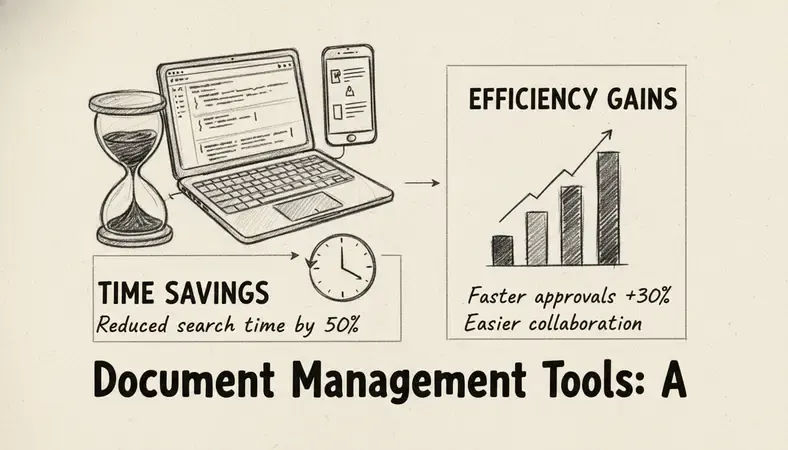
Industry research consistently shows that employees spend roughly 30% of their working day searching for information. Document management tools directly reduce that time by making the right document findable in seconds rather than minutes.
Types of Document Management Tools
Not all document management tools work the same way or serve the same purpose. Understanding the main categories helps you match the right tool to your actual situation.
Comparison of Document Management Tool Types
| Type | Best For | Key Strength | Typical Limitation |
|---|---|---|---|
| Cloud-based DMS | Remote teams, SMBs | Accessible from anywhere, low IT overhead | Dependent on internet connection |
| On-premise DMS | Regulated industries, large enterprises | Full data control, deep customization | Higher upfront cost, IT maintenance required |
| Hybrid DMS | Organizations with mixed needs | Balances control and flexibility | More complex to configure |
| Open-source DMS | Tech-capable teams on tight budgets | Customizable, no licensing fees | Requires technical expertise to deploy |
| Industry-specific DMS | Healthcare, legal, construction | Built-in compliance features | Less flexible outside intended use case |
Cloud-based document management tools store everything on remote servers managed by the vendor. You access your documents through a browser or app. Setup is fast, and you do not need dedicated IT infrastructure. This makes cloud solutions popular with small and medium-sized businesses.
On-premise document management tools run on servers that your organization owns and manages. You have complete control over your data — nothing leaves your building unless you choose to share it. Organizations in regulated sectors, such as healthcare or financial services, often prefer this model because it satisfies strict data residency and compliance requirements.
Open-source document management tools give you access to the source code, which means you can customize the system extensively. LogicalDOC, for example, offers an open-source Community Edition alongside its commercial versions, making it a practical option for organizations that want flexibility without vendor lock-in.
Industry-specific tools come pre-configured for particular sectors. A legal DMS might include court-deadline tracking and matter-based organization. A healthcare DMS might include HIPAA compliance workflows built in. These tools reduce setup time for specialized use cases but are less adaptable if your needs evolve.
Key Features to Look For
When you evaluate document management tools, the feature list can feel overwhelming. These are the capabilities that genuinely matter for most organizations.
Search and Retrieval
Full-text search is non-negotiable. You need to find a document not just by its file name but by the words inside it. Good document management tools index document content automatically, so searching for a specific clause in a contract or a patient name in a record returns results in seconds.
Version Control
Document Version Control ensures that everyone works from the most current file and that previous versions remain accessible. When a colleague opens a document, they should see the latest version — not a copy saved three weeks ago. Version history also provides an audit trail showing who changed what and when, which is critical for compliance and accountability.
Access Controls and Permissions
Not everyone in your organization needs access to every document. Document management tools let you define permissions at the folder, document, or user level. A finance team can see payroll records without exposing them to the entire company. A contractor can access the project files they need without seeing anything else.
Workflow Automation
Approval workflows, document routing, and automated notifications reduce the manual coordination that slows teams down. When a contract needs sign-off from three people in sequence, a workflow engine handles the routing automatically rather than relying on someone to remember to forward the email.
Integration Capabilities
Your document management tool does not work in isolation. It needs to connect with the other software your team uses — email clients, CRM systems, accounting platforms, and collaboration tools. The LogicalDOC platform, for instance, supports integration with tools like OnlyOffice for in-browser document editing, which means you can open, edit, and save documents without ever downloading them. For a deeper look at how this works in practice, the LogicalDOC grows with Onlyoffice integration article covers the technical details of that connection.
Compliance and Audit Trails
For organizations in regulated sectors, document management tools must support compliance requirements. This means tamper-evident audit logs, retention policy enforcement, and the ability to produce complete document histories on demand. ISO 9001, HIPAA, GDPR, and other frameworks all have specific requirements around document control that a proper DMS addresses systematically.

Document Management Tools vs Traditional Filing
The comparison between document management tools and traditional filing — whether physical or basic digital filing — comes down to three practical differences: findability, control, and resilience.
Findability is where traditional filing fails most visibly. A shared drive with folders named by date or department works reasonably well when one person manages it. It breaks down the moment multiple people start saving files using different naming conventions. Document management tools replace ad-hoc organization with metadata tagging, full-text search, and consistent folder structures that the system enforces automatically.
Control is the second major gap. With a shared drive, you generally cannot tell who opened a file, whether they downloaded it, or which version they were looking at. Document management tools log every interaction — views, edits, downloads, shares — and let you revoke access instantly when someone leaves the organization.
Resilience is the third difference. Physical filing is vulnerable to fire, flood, and theft. Basic digital filing is vulnerable to hardware failure and accidental deletion. Document management tools include automated backup, redundant storage, and often disaster recovery features that protect your documents even when something goes wrong. A sudden power outage or a server failure does not mean permanent data loss when your documents are managed by a proper DMS with backup protocols in place.
Key Insight: An interruption in access to the right documents at the wrong moment — during an audit, a client meeting, or a regulatory review — costs far more than the investment in document management tools. Organizations that treat document management as infrastructure rather than overhead consistently outperform those that do not.
Benefits of Using Document Management Tools
The practical benefits of document management tools show up quickly once a system is in place.
- Faster document retrieval: Employees find what they need in seconds rather than minutes. Studies suggest knowledge workers spend up to 2.5 hours per day searching for information — document management tools directly reduce that number.
- Reduced storage costs: Digitizing and centralizing documents eliminates the cost of physical storage space, filing cabinets, and the staff time required to maintain them.
- Improved collaboration: When everyone works from the same document in the same system, version conflicts disappear. Teams in different locations or time zones can collaborate on the same file without emailing copies back and forth.
- Stronger security: Granular permissions, encrypted storage, and audit trails give organizations far more control over sensitive information than shared drives or email attachments ever could.
- Regulatory compliance: Document management tools create the audit trails and retention schedules that compliance frameworks require. This reduces the risk of penalties and makes regulatory audits straightforward rather than stressful.
- Business continuity: Centralized, backed-up document storage means that an interruption in operations — whether from a sudden power failure, a hardware issue, or a natural disaster — does not result in permanent document loss.
For organizations exploring how these benefits apply specifically to their context, the Enhancing Document Management resource covers practical implementation strategies in detail.
How to Choose the Right Document Management Tool
Choosing among the available document management tools requires honest answers to a few key questions about your organization.
Step-by-Step Selection Process
Assess your document volume and types: Count how many documents your organization creates and receives each month. Identify the formats you work with most — PDFs, Word documents, spreadsheets, images, emails. Some document management tools handle certain formats better than others.
Define your compliance requirements: If you operate in a regulated sector, list the specific frameworks you must comply with — HIPAA, GDPR, ISO 9001, SOC 2, or others. Confirm that any tool you consider supports those requirements natively, not through workarounds.
Map your integration needs: List every software system your team currently uses. Email, CRM, ERP, accounting, HR — identify which of these need to connect with your document management tool. Prioritize platforms with open APIs or pre-built connectors for your existing stack.
Determine your deployment preference: Decide whether cloud, on-premise, or hybrid deployment fits your data control requirements, IT capacity, and budget. On-premise solutions require server infrastructure and IT expertise. Cloud solutions require a reliable internet connection and trust in the vendor's security practices.
Evaluate scalability: Choose a tool that handles your current volume and your projected volume three to five years from now. Migrating from one DMS to another is disruptive — getting the scalability decision right upfront saves significant pain later.
Test with a real use case: Before committing, run a pilot using actual documents from your organization. Evaluate how easy it is to upload, tag, find, and share a document. Pay attention to how the system handles your most common document workflows, not just the simple cases.
- Review vendor support and roadmap: A document management tool is a long-term investment. Evaluate the vendor's support quality, release history, and product roadmap. LogicalDOC, for instance, has a consistent development track record — the LogicalDOC 9.0 release introduced significant performance improvements and expanded API capabilities that matter for enterprise deployments.
Popular Document Management Tools Compared
The market for document management tools includes options that range from general-purpose platforms to specialized systems built for specific industries or organization sizes.
Feature Comparison: Leading Document Management Tools
| Tool | Deployment | Best For | Open Source Option | Notable Strength |
|---|---|---|---|---|
| LogicalDOC | Cloud, On-premise, Hybrid | SMBs to enterprise, regulated sectors | Yes (Community Edition) | Deep customization, strong API, OnlyOffice integration |
| M-Files | Cloud, On-premise | Mid to large enterprise | No | Metadata-driven organization |
| SharePoint | Cloud (Microsoft 365) | Organizations already in Microsoft ecosystem | No | Deep Office integration |
| Alfresco | Cloud, On-premise | Large enterprise, developers | Yes (Community) | Scalability, open-source flexibility |
| DocuWare | Cloud, On-premise | SMB to mid-market | No | Workflow automation, AP processing |
| Laserfiche | Cloud, On-premise | Government, healthcare, education | No | Records management, compliance |
LogicalDOC stands out for organizations that want the flexibility of an open-source foundation with the reliability of commercial support. Its on-premise option gives regulated industries full control over data residency, while its cloud option suits teams that want fast deployment without managing infrastructure. The platform supports advanced features like AI-powered document classification — the AI Revolution in Document Management article explores how machine learning is changing how documents get categorized and routed automatically.
SharePoint is the default choice for organizations already running Microsoft 365. Its document management capabilities are solid for basic use cases, but it requires significant configuration to match the depth of a purpose-built DMS. Teams that need advanced version control, complex permission structures, or deep audit trails often find SharePoint's native features insufficient.
Alfresco targets large enterprises and developer teams comfortable working with open-source software. It scales well and integrates broadly, but the learning curve and implementation complexity make it a poor fit for smaller organizations without dedicated IT resources.
The right choice depends on your specific combination of size, compliance requirements, budget, and technical capacity — not on which tool has the most features on paper.
Common Questions About Document Management Tools
What is the difference between a document management tool and cloud storage like Google Drive?
Cloud storage platforms like Google Drive or Dropbox are designed for file sharing and basic collaboration. Document management tools are designed for organizational control. The practical difference shows up in features like version control with full history, granular permission management, audit trails, metadata tagging, workflow automation, and compliance reporting. A small team sharing files casually might get by with cloud storage. An organization that needs to know who accessed a contract, when, and what changes were made needs a proper document management tool.
How long does it take to implement document management tools?
Cloud-based document management tools can be operational within days for small teams. A basic configuration — user accounts, folder structure, permissions — takes a few hours. Full implementation for a medium-sized organization, including data migration, integration with existing systems, and staff training, typically takes four to twelve weeks depending on complexity. On-premise deployments take longer because they require server setup and IT configuration before any documents move into the system.
Are document management tools secure enough for sensitive information?
Purpose-built document management tools are significantly more secure than shared drives or email attachments for sensitive documents. They offer encrypted storage, encrypted transmission, granular access controls, and complete audit trails. Many platforms — including LogicalDOC — support compliance with frameworks like GDPR, HIPAA, and ISO 27001. The key is configuring permissions correctly from the start and reviewing access controls regularly as your team changes.
Can document management tools work for a small business with limited IT resources?
Cloud-based document management tools require no IT infrastructure and minimal technical expertise to deploy. Most modern platforms are designed so that a non-technical administrator can set up the system, create users, and configure basic workflows without developer support. LogicalDOC's cloud offering, for example, is accessible at www.logicaldoc.com and is structured so that small business owners can get a working system in place without an IT team.
What happens to documents if we switch vendors later?
This is one of the most important questions to ask before choosing a platform. Reputable document management tools support data export in standard formats — typically the original file formats plus metadata in structured formats like XML or CSV. Before committing to any platform, confirm the export process and test it. Platforms that make it difficult to export your own documents should be treated with caution.
Key Takeaways
Document management tools replace scattered files and broken workflows with a single, searchable, secure system that your whole team can rely on. The right tool depends on your organization's size, compliance needs, and technical capacity — but the productivity and security benefits are consistent across all of them.
Organize, track, and secure your documents with LogicalDOC — see the full platform in a live demo and find out which deployment option fits your organization in under 30 minutes. Ready to get started? Visit LogicalDOC to learn more.

Latest posts by Cristian Fulger (see all)
- Document Management Tools: A Practical Guide - 10/19/2026
- Open Source Document Management Systems - 10/05/2026
- Document Management Explained - 09/01/2026
- Open Source Document Management System - 08/25/2026
- Business Document Management Explained - 08/19/2026