Choosing the wrong document management system costs more than time — it costs control. Files get lost, versions conflict, compliance deadlines get missed, and the person who “knows where everything is” becomes a single point of failure for the entire organization.
If you are evaluating the best document management options for your business, you need more than a feature list. You need to understand what separates a system that genuinely solves your problem from one that adds another layer of complexity. This guide covers exactly that — what document management is, how the leading systems compare, what features actually matter, and how to pick the right one for your situation.
What Is Document Management?
Document management is the process of capturing, storing, organizing, tracking, and retrieving documents in a controlled, searchable system. A document management system (DMS) replaces the chaos of shared drives, email attachments, and filing cabinets with a single, structured environment where every file has a place, a version history, and an access control policy.
The best document management solutions go beyond simple storage. They handle the full lifecycle of a document — from creation and collaboration through approval workflows, compliance archiving, and eventual disposal. When a regulated business needs to prove it followed the right process, the DMS is the system of record that makes that proof possible.
Think of it this way: a shared folder on a server is a filing cabinet. The best document management software is the entire records room — with an index, an audit trail, access controls, and a librarian who never sleeps.
Top Document Management Systems Compared
The market for the best document management software includes platforms built for very different use cases. Here is how the major options stack up across the dimensions that matter most for small to mid-sized businesses and regulated organizations.
Comparison of leading document management systems
| System | Best For | Deployment | Key Strength | Limitation |
|---|---|---|---|---|
| LogicalDOC | SMBs and regulated sectors | Cloud + On-premise | Full DMS with workflow automation | Requires initial configuration |
| SharePoint | Microsoft-heavy enterprises | Cloud (Microsoft 365) | Deep Office integration | Complex to administer |
| M-Files | Metadata-driven organizations | Cloud + On-premise | Intelligent metadata tagging | Higher cost at scale |
| DocuWare | Document-intensive industries | Cloud + On-premise | Strong capture and workflow | Steeper learning curve |
| Google Drive | Small teams, simple needs | Cloud only | Ease of use, low cost | Limited compliance features |
| Laserfiche | Government and enterprise | Cloud + On-premise | Records management depth | Enterprise pricing |
The right choice depends heavily on your organization’s size, compliance requirements, and how much IT capacity you have available. A five-person accounting firm and a 200-person healthcare organization are both searching for the best document management solution — but they need very different things.
LogicalDOC, available at www.logicaldoc.com, is built specifically for the middle ground: organizations that have outgrown simple cloud storage but do not need the complexity or cost of enterprise-tier platforms. The LogicalDOC 9.0 release introduced significant improvements to performance and user interface that make it one of the most capable options in this category.
Key Features to Look For
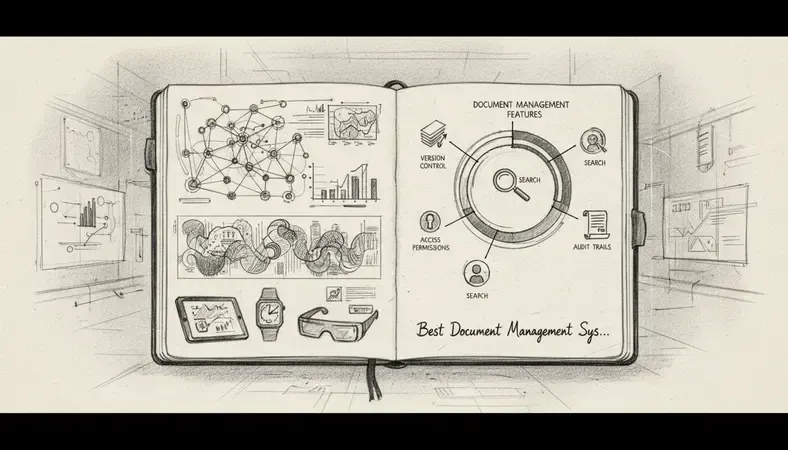
Not every feature in a DMS brochure deserves equal weight. These are the capabilities that separate genuinely useful best document management systems from ones that look good in demos but frustrate users within a month.
Version control
Document Version Control is non-negotiable. Every time someone edits a file, the system should save the previous version automatically. You need to be able to see who changed what, when they changed it, and restore any earlier version without data loss. Without this, a single accidental overwrite can destroy work that took weeks to produce.
Full-text search
The best document management systems index the content inside documents, not just their file names. You should be able to search for a phrase, a contract number, or a client name and retrieve every relevant document in seconds — regardless of how the file was named or where it was stored.
Access controls and permissions
Different people need different levels of access. Your finance team should not be able to edit HR records. An external auditor should be able to read compliance files but not modify them. Granular permission controls — at the folder, document, and user level — are a core feature of any serious DMS.
Workflow automation
The best document management platforms let you build automated approval processes. A contract gets drafted, routed to legal for review, sent to the signing authority, and archived — all without anyone manually forwarding emails. This is where a DMS stops being a storage tool and starts being a process tool.
Audit trails
Regulated organizations — healthcare, finance, legal, government — need to prove that documents were handled correctly. A complete audit trail shows every access event, every edit, every download, and every permission change. This is the feature that makes the difference during a compliance review.
Integration capabilities
The best document management software connects with the tools your team already uses. LogicalDOC’s integration with OnlyOffice (see the LogicalDOC grows with Onlyoffice integration update for details) means users can create and edit documents directly inside the DMS without switching applications — a significant productivity gain for teams that work with documents all day.
Document Management for Small Business vs Enterprise
The best document management approach looks different depending on your organization’s size and complexity.
Small business needs
Small businesses need the best document management solution that is fast to deploy, affordable, and does not require a dedicated IT administrator to maintain. The priorities are:
- Simple folder structure with sensible defaults rather than complex metadata schemas
- Cloud accessibility so team members can work from anywhere
- Basic workflow for approvals and sign-offs without enterprise-level configuration
- Reasonable storage limits that scale as the business grows
For a small business, the biggest risk is over-buying. A platform designed for a 500-person enterprise will overwhelm a 15-person team with configuration options they will never use.
Mid-market and regulated sector needs
Medium-sized organizations and those in regulated sectors need more from the best document management software:
- Compliance-ready audit trails that satisfy industry regulators
- Role-based access controls that reflect organizational hierarchy
- Retention policies that automatically archive or delete documents after defined periods
- Integration with line-of-business applications like ERP, CRM, and HR systems
- On-premise or hybrid deployment options for organizations with data sovereignty requirements
A sudden power interruption or an interruption in cloud service availability should not mean losing access to critical documents. Organizations in regulated sectors often require on-premise or hybrid deployments precisely because they cannot afford that risk. LogicalDOC supports both deployment models, which makes it a strong candidate for organizations that need flexibility without sacrificing compliance capability.
Key Insight: Industry research consistently shows that employees spend an average of 1.8 hours per day searching for documents and information. The best document management system eliminates most of that search time through proper indexing and workflow structure.
Pricing and Cost Comparison
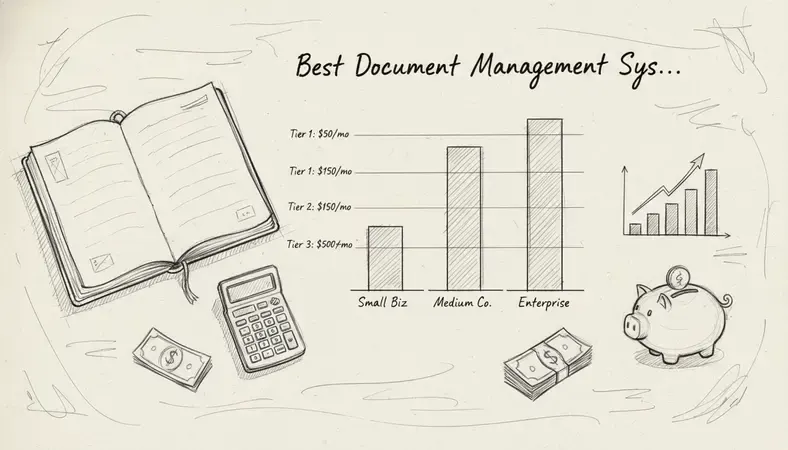
Pricing for the best document management systems varies significantly based on deployment model, user count, and feature tier.
What drives DMS pricing
- Number of users — most platforms charge per user per month
- Storage volume — cloud platforms often tier pricing by storage consumed
- Deployment model — on-premise licenses typically involve a higher upfront cost with lower ongoing fees; cloud subscriptions spread costs over time
- Feature tier — compliance, advanced workflow, and API access features usually sit in higher pricing tiers
General cost categories
| Category | Typical Profile | Cost Range |
|---|---|---|
| Free / Basic | Very small teams, simple storage | No cost, limited features |
| SMB Cloud | 5–50 users, standard features | Contact for a personalized quote |
| Mid-market | 50–500 users, workflow + compliance | Contact for a personalized quote |
| Enterprise | 500+ users, full feature set | Contact for a personalized quote |
Specific pricing for LogicalDOC and most enterprise-grade platforms is customized based on your organization’s requirements. Visit www.logicaldoc.com to request a quote that reflects your actual user count, storage needs, and deployment preference.
One cost factor that most buyers underestimate is the cost of not having the best document management system in place. Regulatory fines for mishandled records, time lost to manual document retrieval, and the productivity drain of version conflicts all represent real financial costs that a well-chosen DMS eliminates.
How to Choose the Best Document Management System
The best document management system for your organization is the one that solves your specific problems without creating new ones. Here is a structured way to make that decision.
Step 1: Define your core problem
Before evaluating any platform, write down the three most painful document-related problems your organization faces right now. Common answers include:
- “We cannot find documents when we need them”
- “Multiple people edit the same file and we lose changes”
- “We have no idea who accessed sensitive documents”
- "Our approval process runs entirely through email and things get lost"
The best document management solution for your situation is the one that directly addresses those three problems.
Step 2: Identify your compliance requirements
If your organization operates in healthcare, finance, legal, or government sectors, you likely have specific regulatory requirements around document retention, access logging, and data residency. List these requirements before you evaluate any platform — they will immediately filter out options that cannot meet them.
Step 3: Assess your deployment constraints
Can you use a cloud-only solution, or do you need on-premise or hybrid deployment? Do you have IT staff to manage an on-premise installation, or do you need a managed cloud service? The best document management software for a company with a strong IT team may be completely wrong for one without.
Step 4: Evaluate integration requirements
List every application your team uses that generates or consumes documents — your CRM, your accounting software, your HR platform, your email system. The best document management system for your organization should connect to at least the most critical of these.
Step 5: Run a structured pilot
Shortlist two or three platforms and run a 30-day pilot with a real team on real documents. Measure search speed, user adoption, and whether the workflow automation tools actually match your approval processes. The best document management software is the one your team will actually use — not the one with the most impressive feature list.
Document Management Best Practices
Choosing the best document management system is only half the work. How you implement and maintain it determines whether you get the promised benefits.
Establish a consistent naming convention
Inconsistent file names are the most common reason document retrieval fails. Define a naming standard before migration and enforce it. A format like [ProjectCode]_[DocumentType]_[YYYYMMDD] makes files sortable and searchable without relying entirely on the DMS's search index.
Build your folder structure around how people retrieve, not how they create
Most organizations structure their folders around the departments that create documents. The best document management practice is to structure them around how documents are retrieved — by project, by client, or by process — because retrieval is what actually costs time.
Set retention policies from day one
Every document category should have a defined retention period. Financial records, HR files, contracts, and compliance documents all have different legal requirements for how long they must be kept. The best document management systems let you automate this — documents are archived or flagged for deletion automatically when their retention period expires.
Train users before go-live, not after problems arise
The most common cause of DMS adoption failure is insufficient training. Users who do not understand how to save documents correctly, how to check out files for editing, or how to use the search function will revert to email and shared drives within weeks. Invest in training before the system goes live.
Review and audit regularly
The best document management practices include periodic reviews of your folder structure, access permissions, and retention policies. Organizations change — people leave, projects end, regulations update. A DMS that was perfectly configured two years ago may have drifted significantly from your current needs. Schedule a quarterly review to keep it aligned.
The AI Revolution in Document Management is already reshaping how the best document management systems handle classification, tagging, and search — with AI-powered tools now able to automatically categorize incoming documents, extract key data fields, and surface relevant files based on context rather than just keywords.
Common Questions About Document Management
What is the difference between a DMS and cloud storage like Google Drive or Dropbox?
Cloud storage platforms store files and make them accessible from anywhere. The best document management systems do that and much more — they add version control, audit trails, workflow automation, access permissions, retention policies, and compliance features. Google Drive is excellent for simple file sharing. It is not designed to meet the records management requirements of a regulated industry or to support complex approval workflows across a 200-person organization.
How long does it take to implement a document management system?
A basic cloud DMS deployment for a small team can be operational in a few days. A full implementation for a mid-sized organization — including data migration, folder structure design, user training, and workflow configuration — typically takes four to twelve weeks. The best document management implementations invest time upfront in planning the folder structure and naming conventions before migrating any documents.
Can a document management system help with regulatory compliance?
Yes — and for many organizations in regulated sectors, compliance is the primary reason to invest in the best document management software. A properly configured DMS provides the audit trails, access controls, retention policies, and document integrity features that regulators in healthcare, finance, and legal industries require. The ISO 15489 records management standard provides a framework that the best document management systems are designed to support.
Is on-premise or cloud deployment better for document management?
Neither is universally better. Cloud deployment is faster to deploy, requires no server infrastructure, and scales easily. On-premise deployment gives you complete control over your data, supports air-gapped environments, and avoids recurring subscription costs for large user counts. The best document management approach for your organization depends on your data sovereignty requirements, IT capacity, and budget structure. LogicalDOC supports both models, which is why it works well for organizations that need flexibility.
What happens to our documents if we switch DMS platforms?
The best document management systems support standard export formats — typically PDF for documents and XML or CSV for metadata — that allow you to migrate to a different platform without losing your files or their metadata. Before committing to any platform, confirm that it supports bulk export and that your documents will not be locked in a proprietary format you cannot extract later.
Conclusion
The best document management system turns document chaos into a controlled, searchable, auditable process — and the right choice depends on your size, compliance requirements, and how your team actually works.
Organize, search, and control your documents with LogicalDOC — see how the platform handles your specific workflow in a live demo, with no complex setup required. Ready to get started? Visit LogicalDOC to learn more.

Latest posts by Cristian Fulger (see all)
- Document Management Tools: A Practical Guide - 10/19/2026
- Open Source Document Management Systems - 10/05/2026
- Document Management Explained - 09/01/2026
- Open Source Document Management System - 08/25/2026
- Business Document Management Explained - 08/19/2026