Most organizations are drowning in documents — contracts buried in email threads, invoices lost in shared drives, compliance records scattered across three different folders nobody can find. The cost is real: research from McKinsey & Company shows that employees spend nearly 20% of their workweek searching for internal information. That is roughly one full day every week, lost to document chaos.
If you manage a small business, a growing team, or an organization with serious compliance requirements, the document management benefits you gain from switching to a structured system are substantial — and measurable. This article walks through every major advantage, compares structured systems against manual filing, and helps you decide whether making the switch makes sense for your situation.
What Are the Benefits of Document Management?
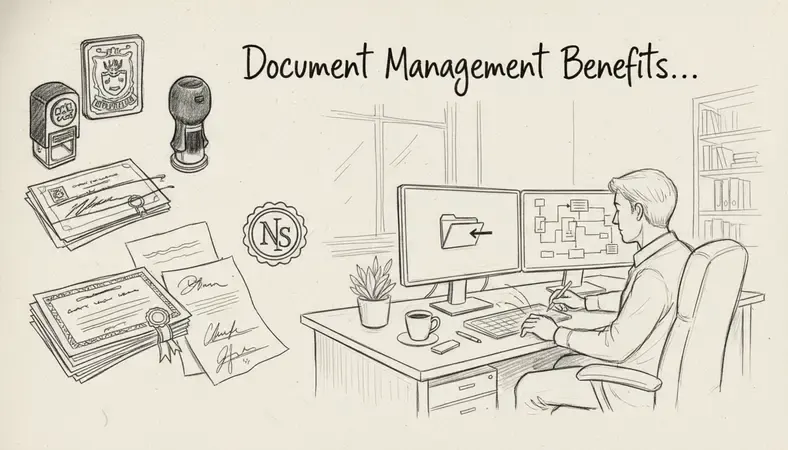
Document management benefits refer to the measurable improvements an organization gains when it replaces ad-hoc filing methods — email folders, shared drives, physical cabinets — with a purpose-built document management system (DMS). A DMS is software that stores, organizes, retrieves, and controls access to documents in a centralized, searchable repository.
The core document management benefits fall into six categories: efficiency, cost reduction, security, compliance, error reduction, and collaboration. Each one addresses a specific operational pain point that grows worse as an organization scales.
Here is a quick overview of where those benefits show up in practice:
Document Management Benefits at a Glance
| Benefit Area | What Improves | Who Feels It Most |
|---|---|---|
| Efficiency | Document retrieval time drops from minutes to seconds | All staff, especially admin-heavy teams |
| Cost Savings | Printing, storage, and rework costs decrease | Finance, operations |
| Security | Access controls prevent unauthorized viewing or editing | IT, legal, HR |
| Compliance | Audit trails and retention schedules are automated | Regulated industries |
| Error Reduction | Version control eliminates duplicate or outdated files | Any team sharing documents |
| Collaboration | Real-time access and co-editing across locations | Remote and hybrid teams |
Each of these areas deserves a closer look, because the specific mechanisms matter as much as the headline outcome.
How Document Management Improves Efficiency
The single biggest document management benefit for most organizations is time recovery. When documents live in a centralized, indexed system, finding any file takes seconds rather than minutes — or hours, in the worst cases.
A well-configured DMS lets you search by document name, content, metadata tag, date, author, or custom attribute. That means a team member looking for a signed supplier contract from 18 months ago does not need to remember which folder it was saved in, who sent it, or what it was named. They type a keyword and the system surfaces it.
Beyond retrieval, a DMS improves efficiency in three additional ways:
- Automated workflows: Approval processes, review cycles, and document routing can be automated. Instead of manually emailing a contract to three people for sign-off, the system routes it automatically and tracks where it sits in the process.
- Simultaneous access: Multiple team members can view or work on documents at the same time, without creating conflicting copies. This alone eliminates a significant source of wasted effort in organizations that currently pass files back and forth by email.
- Document Version Control: Every edit is tracked and stored. You can see exactly who changed what, when, and why — and roll back to any previous version in seconds. For teams that frequently revise contracts, proposals, or policies, this capability is transformative. It is worth exploring how Document Version Control works in depth, as it underpins several of the other efficiency gains described here.
The efficiency gains compound as an organization grows. A team of five can manage documents manually without much friction. A team of 50 cannot — and the cost of that friction shows up in missed deadlines, duplicated work, and frustrated employees.
Cost Savings and ROI of Document Management
The document management benefits that are easiest to quantify are financial. Organizations that switch from manual or semi-manual systems consistently report cost reductions across several line items.
Paper and printing costs are the most visible. A study by PricewaterhouseCoopers found that the average document is photocopied 19 times during its lifecycle. For an organization producing thousands of documents per year, eliminating most of that printing generates meaningful savings on paper, toner, and printer maintenance.
Physical storage costs are less visible but often larger. Filing cabinets, offsite storage facilities, and the floor space they occupy carry real costs. Organizations in document-intensive sectors — healthcare, legal, financial services — sometimes spend tens of thousands of dollars annually on physical records storage that a DMS would eliminate.
Rework and error recovery costs are the hardest to see but often the most significant. When an employee works from an outdated document, the downstream cost of correcting the mistake — redoing work, renegotiating terms, resubmitting filings — can dwarf the original time investment. A DMS with proper version control prevents most of these situations before they start.
The return on investment calculation for a DMS is straightforward: add up the time saved per employee per week, multiply by average hourly cost, then add direct cost reductions in printing and storage. Most organizations find payback within the first year of deployment.
Document Management Security and Compliance Benefits
Security is one of the document management benefits that matters most to organizations in regulated sectors — but it is increasingly relevant to businesses of any size.
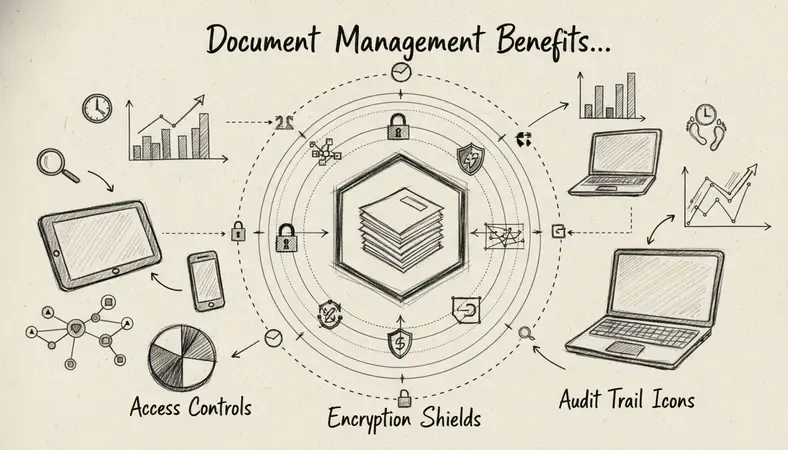
A DMS gives you granular control over who can see, edit, download, or share any document. Access permissions can be set at the folder level, the document level, or even the section level in some systems. That means a junior employee can access the documents they need for their role without ever seeing sensitive HR files, financial records, or legal agreements.
Beyond access control, a DMS creates a complete audit trail. Every action taken on every document — viewed, edited, downloaded, shared, deleted — is logged with a timestamp and the identity of the person who performed it. This audit trail is not just useful for internal accountability; it is often a regulatory requirement.
For organizations subject to compliance frameworks — PIPEDA in Canada, HIPAA in healthcare, SOX for public companies, GDPR for organizations handling European personal data — a DMS provides the documentation infrastructure those frameworks require. Retention schedules can be automated, so documents are kept for exactly as long as regulations require and then flagged for secure disposal. Compliance audits that once required days of manual records retrieval become straightforward when every document is indexed and every action is logged.
Why It Matters: A sudden power outage, a ransomware attack, or a Blackout in the company can destroy years of paper records in minutes. Cloud-based document management systems maintain encrypted backups automatically, so your records survive hardware failures and physical disasters.
How Document Management Reduces Errors and Risk
Manual document handling introduces errors at every step: wrong version sent to a client, outdated policy distributed to new hires, contract signed without the latest amendment included. The document management benefits around error reduction address these failure points directly.
Version control is the primary mechanism. When a document is updated, the previous version is preserved but clearly marked as superseded. The current version is always the one that appears by default. Nobody accidentally works from last month's draft because the system makes the current version unambiguous.
Standardized templates reduce errors at the creation stage. When your DMS stores approved templates for contracts, proposals, HR forms, and compliance documents, employees are not starting from scratch or adapting an old document that may contain outdated terms. They start from the approved version every time.
Workflow automation catches errors before they propagate. An approval workflow that routes a contract through legal review before it goes to a client prevents the mistake of sending an unreviewed document. A system that flags documents approaching their retention expiry prevents the error of keeping records longer than regulations allow — which carries its own compliance risk.
The risk reduction extends to business continuity. Organizations that have experienced a sudden interruption — whether from a natural disaster, a cyberattack, or simply a server failure — understand the value of having documents stored securely off-site with automatic backups. A paper-based or locally stored system offers no recovery path when physical infrastructure fails.
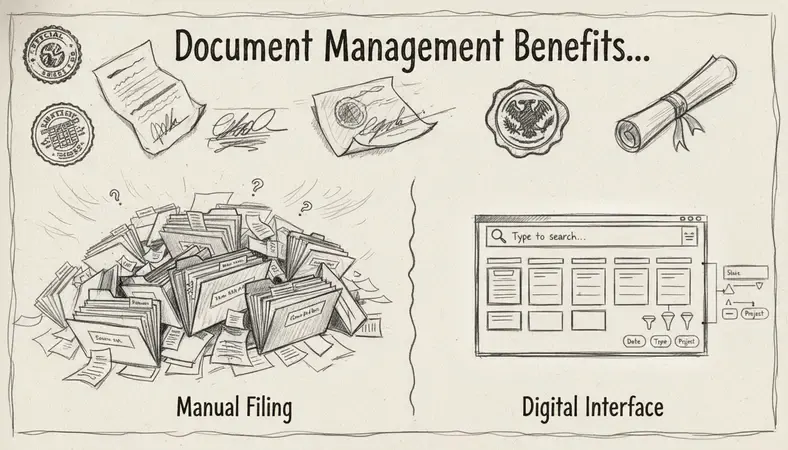
Document Management vs. Manual Filing Systems
The comparison between a structured DMS and manual filing is not just about convenience — it is about organizational capability at scale.
Structured DMS vs. Manual Filing: Key Differences
| Capability | Manual Filing System | Document Management System |
|---|---|---|
| Search and retrieval | Requires knowing exact location; minutes to hours | Full-text and metadata search; seconds |
| Version control | No automatic tracking; duplicates common | Full version history; rollback available |
| Access control | Folder-level permissions at best | Granular permissions by user, role, or document |
| Audit trail | None | Complete log of every action | | Collaboration | Files emailed back and forth; conflicts frequent | Simultaneous access; no conflicting copies | | Disaster recovery | Physical copies vulnerable to loss | Encrypted cloud backups; automatic redundancy | | Compliance support | Manual tracking of retention requirements | Automated retention schedules and audit reports | | Scalability | Breaks down as volume grows | Designed for growth; performance maintained |
The manual system works well enough for a solo operator or a very small team with a low document volume. The moment an organization grows beyond that threshold — or operates in a regulated sector where compliance documentation is non-negotiable — the limitations of manual filing become operational liabilities.
The transition point is different for every organization, but the pattern is consistent: the document management benefits of a structured system become compelling before most organizations realize they need one. By the time the pain is obvious, the backlog of disorganized documents has already accumulated.
Is Document Management Right for Your Organization?
The honest answer is that most organizations with more than ten employees and a meaningful volume of recurring documents will benefit from a DMS. The question is not whether the benefits exist — they do — but whether the specific benefits align with your current pain points.
Here is a practical checklist to evaluate your situation:
- You spend more than 30 minutes per week searching for documents. If this is true for even a few employees, the time cost alone justifies a structured system.
- You have experienced a version control incident. A client received the wrong contract version. A policy was distributed with outdated terms. These incidents are symptoms of a systemic problem.
- You operate in a regulated sector. Healthcare, financial services, legal, government — any sector with documentation compliance requirements benefits immediately from automated retention and audit trails.
- Your team works remotely or across multiple locations. Centralized, cloud-accessible document storage removes the access barriers that fragment remote teams.
- You are growing. A manual system that works today will not work at twice the headcount. Building the infrastructure now is far less disruptive than retrofitting it later.
Organizations using LogicalDOC report that the implementation process itself surfaces document management problems they did not know they had — files stored in multiple conflicting locations, retention policies that were never enforced, access permissions that were far too broad. The audit of what you have is often as valuable as the system you put in place to manage it going forward.
The Enhancing Document Management practices that matter most — centralized storage, version control, automated workflows, and audit trails — are all standard features in a well-configured DMS. The technology is mature, the implementation process is well-understood, and the document management benefits are consistent across industries and organization sizes.
For organizations curious about where AI is taking this space, the AI Revolution in Document Management is already producing practical tools: intelligent classification, automated metadata tagging, and natural language search that makes document retrieval even faster. These capabilities are beginning to appear in production DMS platforms and will become standard features within the next few years.
Common Questions About Document Management Benefits
What is the most important document management benefit for a small business?
Time savings on document retrieval and version control are the most immediately valuable document management benefits for small businesses. When a five-person team is spending collective hours each week searching for files or reconciling conflicting document versions, a DMS pays for itself quickly. Small businesses also benefit from the security features — access controls and audit trails — that protect sensitive client and financial information without requiring a dedicated IT team to manage them.
How long does it take to see document management benefits after implementation?
Most organizations see measurable efficiency gains within the first 30 to 60 days of deployment. Retrieval time improvements are immediate once documents are migrated and indexed. Cost savings from reduced printing and storage take longer to accumulate but typically become visible within the first quarter. Compliance benefits are available from day one — the audit trail begins the moment the system is live.
Do document management benefits apply to organizations that already use cloud storage like Google Drive or Dropbox?
General cloud storage tools provide some document management benefits — centralized access and basic sharing — but they lack the capabilities that matter most for growing organizations: granular access permissions, full audit trails, version control with rollback, automated retention schedules, and workflow automation. A purpose-built DMS is not a replacement for cloud storage; it is a structured layer on top of it that adds the governance and control features that general-purpose tools do not provide.
What industries see the greatest document management benefits?
Regulated industries see the most immediate and measurable document management benefits: healthcare organizations managing patient records, financial services firms handling compliance documentation, legal practices managing case files and contracts, and government agencies processing public records. That said, any organization with a high document volume — construction, real estate, manufacturing, professional services — gains significant operational advantages from a structured DMS.
How does document management software handle document security?
A DMS handles security through layered controls: user authentication, role-based access permissions, encryption at rest and in transit, and a complete audit trail of every document action. Administrators can restrict access to specific documents or folders by user, by team, or by role. Every view, edit, download, and share is logged with a timestamp and user identity. This combination of access control and audit logging is what makes a DMS suitable for compliance-sensitive environments where unauthorized access to documents carries legal or regulatory consequences.
Wrapping Up
The document management benefits covered here — faster retrieval, lower costs, stronger security, better compliance, fewer errors, and scalable collaboration — are not theoretical. They show up in measurable ways within weeks of deployment for organizations that make the switch from manual or ad-hoc systems.
Organize, secure, and retrieve your documents with LogicalDOC — set up your workspace, migrate your existing files, and your team gains full version control and audit-ready compliance from day one. Ready to get started? Visit LogicalDOC to learn more.

Latest posts by Cristian Fulger (see all)
- Document Management Tools: A Practical Guide - 10/19/2026
- Open Source Document Management Systems - 10/05/2026
- Document Management Explained - 09/01/2026
- Open Source Document Management System - 08/25/2026
- Business Document Management Explained - 08/19/2026