Open source document management system options give your organization full control over how documents are stored, accessed, and secured — without the licensing fees that come with proprietary platforms. If you are evaluating options for your business and want flexibility, transparency, and the ability to customize the software to fit your workflows, a document management system open source approach deserves serious consideration.
Managing documents across teams, departments, and regulatory requirements is genuinely complex. The wrong system creates bottlenecks, compliance gaps, and version control nightmares. This guide covers everything you need to evaluate, select, and deploy a document management system open source solution — including a comparison of leading platforms, cost analysis, security considerations, and implementation realities.
What Is an Open Source Document Management System?
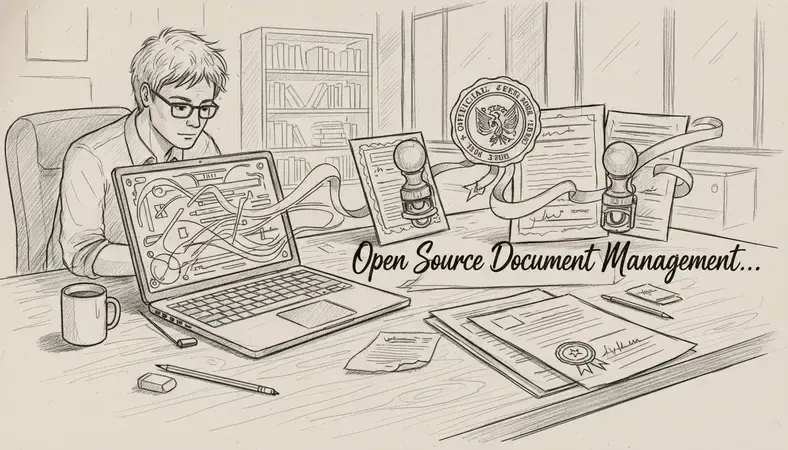
An open source document management system (DMS) is software whose source code is publicly available, allowing organizations to inspect, modify, and distribute the code according to the terms of its license. Unlike proprietary systems, where the vendor controls every aspect of the software, an open source document management system gives your team the ability to adapt the platform to your specific workflows, integrate it with existing tools, and host it on your own infrastructure.
The core function of any document management system open source or otherwise remains the same: centralize document storage, control access, track versions, and support collaboration. What changes with open source is the degree of control you retain over the system itself.
Key Insight: An open source document management system is not simply "free software." The source code is open, but implementation, customization, support, and infrastructure all carry real costs that organizations must plan for carefully.
Open source DMS platforms typically fall into two deployment models. The first is self-hosted, where your team installs and manages the software on your own servers or private cloud. The second is a managed open source model, where the vendor hosts the software but the underlying code remains open. Both approaches are legitimate, and the right choice depends on your technical capacity and compliance requirements.
The most widely recognized open source document management system options include platforms like LogicalDOC Community Edition, Alfresco Community Edition, OpenKM, and Nuxeo Community Edition. Each has a different feature profile, community size, and commercial support ecosystem.
Top Open Source DMS Solutions
Choosing a document management system open source platform requires understanding what each option does well and where it falls short. Here is an honest comparison of the leading platforms available to Canadian businesses and organizations.
Comparing Leading Open Source DMS Platforms
| Platform | Best For | Key Strength | Notable Limitation |
|---|---|---|---|
| LogicalDOC CE | SMBs and mid-market | Clean UI, strong search, REST API | Advanced features in Enterprise edition |
| Alfresco Community | Large enterprises | Scalability, ECM depth | Complex setup, steep learning curve |
| OpenKM | Small teams | Lightweight, fast deployment | Limited enterprise integrations |
| Nuxeo Community | Developer-heavy teams | Highly customizable, API-first | Requires significant technical expertise |
| Mayan EDMS | Budget-conscious orgs | Fully open, active community | UI less polished than commercial options |
LogicalDOC Community Edition, available at www.logicaldoc.com, is particularly well-suited to small and medium-sized businesses that need a capable document management system open source solution without dedicating a large IT team to configuration. The platform supports full-text search, document version control, access control lists, and workflow automation out of the box. LogicalDOC also offers an Enterprise edition for organizations that need advanced features like audit trails, electronic signatures, and deeper integration capabilities.
Alfresco Community Edition is the open source version of a platform originally designed for large enterprise content management. It handles massive document volumes well, but the configuration complexity is significant — most organizations deploying Alfresco require dedicated systems administration resources.
OpenKM is a practical choice for smaller teams that need a document management system open source solution quickly. Deployment is straightforward, and the interface is accessible to non-technical users. The trade-off is a narrower integration ecosystem compared to LogicalDOC or Alfresco.
Nuxeo takes an API-first approach, which makes it extremely flexible for development teams that want to build custom document workflows. If your organization does not have in-house development capacity, Nuxeo's flexibility becomes a liability rather than an asset.
Open Source vs. Proprietary Document Management Systems
The decision between a document management system open source approach and a proprietary platform is not simply about licensing cost. It involves a genuine trade-off across several dimensions that affect your organization's long-term operational capacity.
Side-by-Side Comparison
| Factor | Open Source DMS | Proprietary DMS |
|---|---|---|
| Licensing cost | Free (community editions) | Annual subscription or per-user fees |
| Customization | Full source code access | Limited to vendor-provided options |
| Support | Community forums, paid options | Vendor support included |
| Deployment control | Self-hosted or managed | Typically vendor-hosted (SaaS) |
| Compliance visibility | Full audit of codebase | Dependent on vendor certifications |
| Implementation time | Longer (requires configuration) | Faster (SaaS ready-to-use) |
| Vendor lock-in | Minimal | High |
Proprietary platforms like Microsoft SharePoint or M-Files offer faster time-to-value because they arrive pre-configured with support contracts and established integration libraries. The trade-off is that you are dependent on the vendor's roadmap, pricing decisions, and data portability policies.
A document management system open source approach gives you independence. If the vendor changes direction, raises prices, or discontinues a feature, your organization is not held hostage. You can fork the codebase, hire a third-party integrator, or migrate to another platform on your own timeline.
The honest answer for most Canadian small and medium businesses is this: if you have a capable IT resource or a willingness to engage an implementation partner, a document management system open source solution will deliver more value per dollar over a three-to-five year horizon. If you need a system running within two weeks with zero internal IT involvement, a managed proprietary platform is the faster path.
Features and Capabilities of Open Source DMS
A mature document management system open source platform covers a well-defined feature set. Understanding what to expect — and what varies between platforms — helps you evaluate options against your actual requirements.
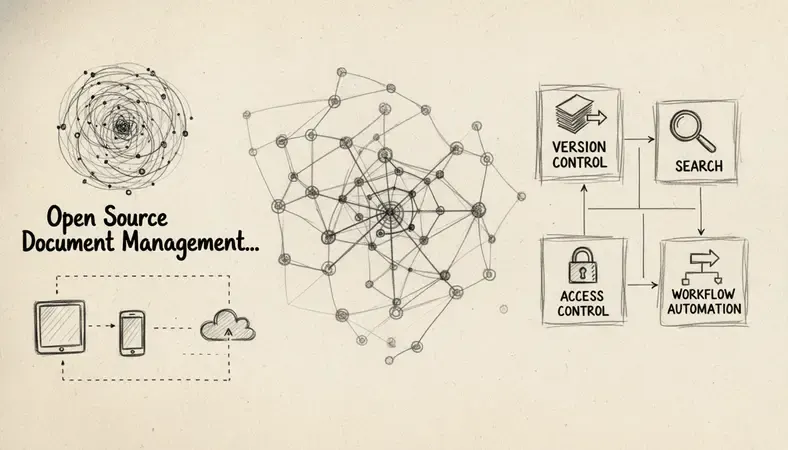
Core capabilities you should expect from any serious document management system open source platform:
- Full-text search: The system indexes document content, not just file names, so you can retrieve a contract by searching for a clause it contains. LogicalDOC uses Apache Lucene for indexing, which handles large document libraries efficiently.
- Document version control: Every edit creates a new version. Previous versions are retained and accessible. This is non-negotiable for regulated industries. For a deeper look at how version tracking works in practice, the section on Document Version Control in LogicalDOC's documentation covers the mechanics in detail.
- Access control lists (ACLs): Permissions are assigned at the folder, document, or user-group level. You control exactly who can view, edit, download, or delete each document.
- Workflow automation: Documents move through defined approval stages automatically. A purchase order can route to a manager for approval, then to finance for payment, without manual email chains.
- Audit trails: Every action — view, edit, download, share — is logged with a timestamp and user identity. This is the foundation of compliance in regulated sectors.
- Integration via API: REST APIs allow the document management system open source platform to connect with your ERP, CRM, HR system, or custom applications. LogicalDOC's REST API is well-documented and actively maintained.
- Mobile access: Documents accessible from any device with a browser or mobile app. Field teams, remote workers, and executives all need this.
One capability worth highlighting separately is the integration ecosystem. LogicalDOC grows with Onlyoffice integration, which means users can open, edit, and save Office-format documents directly within the DMS without downloading files locally. This closes a significant workflow gap that forces users to break out of the system to make edits.
Implementation and Deployment Considerations
Deploying a document management system open source solution is not a download-and-run exercise. The implementation phase determines whether the system delivers its promised value or becomes an expensive source of frustration.
Deployment Architecture Options
Self-hosted on-premises: Your team installs the software on your own servers. You control everything — hardware, network, backup, updates. This is the right choice for organizations with strict data residency requirements or sensitive regulated data that cannot leave your physical infrastructure. The risk is that a sudden power outage or hardware failure becomes your problem to resolve, not the vendor's.
Self-hosted cloud (IaaS): You run the document management system open source platform on a cloud provider like AWS, Azure, or Google Cloud. You get the flexibility of open source with the reliability of cloud infrastructure. Backup, redundancy, and scaling are easier to manage than on-premises. This is the most common deployment model for mid-sized organizations using LogicalDOC or Alfresco.
Vendor-managed open source: Some vendors, including LogicalDOC, offer hosted versions of their open source platform. You get the benefits of open source architecture without managing the infrastructure yourself. This is worth considering if your team lacks dedicated server administration capacity.
Implementation Steps
Requirements mapping: Document your use cases before touching the software. Which departments will use it? What document types need to be managed? What compliance requirements apply? What integrations are mandatory?
Infrastructure provisioning: Allocate server resources based on expected document volume and concurrent users. A small team of 25 users with modest document volumes needs far less compute than a 200-person organization processing thousands of documents daily.
Installation and configuration: Install the document management system open source platform, configure the database, set up the directory structure, and define user roles and permission groups.
Migration of existing documents: Moving documents from shared drives, email attachments, and legacy systems into the new DMS is typically the most time-consuming phase. Plan for metadata tagging, folder structure decisions, and quality checks.
Integration with existing systems: Connect the DMS to your email platform, ERP, or other business applications via API. Test each integration thoroughly before go-live.
User training and adoption: A document management system open source platform only delivers value when people use it consistently. Budget time for training, and designate internal champions in each department.
Go-live and monitoring: Launch with a defined rollback plan. Monitor system performance, user adoption rates, and error logs in the first 30 days.
An interruption in the migration process — for example, a network failure during a bulk document import — can create duplicate records or incomplete metadata. Always run migrations in batches with verification checks between each batch.
Security and Compliance in Open Source DMS
Security is where open source document management systems often face skepticism — and where they often outperform proprietary alternatives when properly configured.
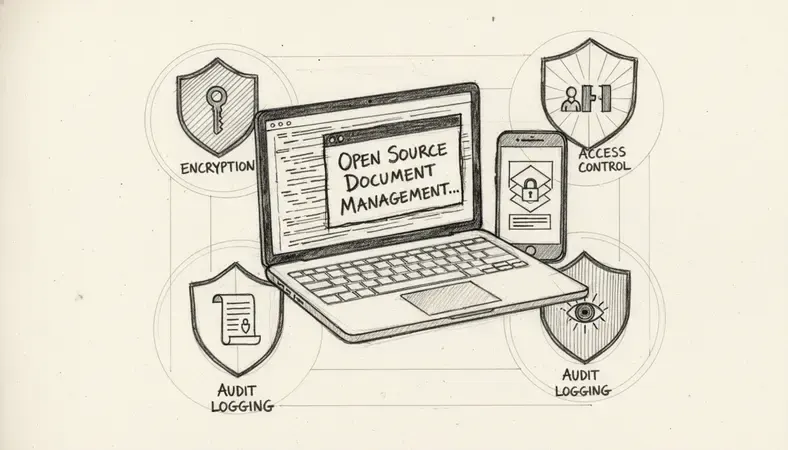
The open-source software model means the codebase is publicly auditable. Security researchers, developers, and organizations worldwide can inspect the code for vulnerabilities. This transparency is a genuine security advantage — vulnerabilities are identified and patched faster in active open source communities than in closed proprietary systems where only the vendor's internal team reviews the code.
Key security capabilities to verify in any document management system open source platform:
- Encryption at rest and in transit: Documents stored on the server should be encrypted. All data transmitted between the server and client should use TLS 1.2 or higher.
- Role-based access control: Granular permissions ensure that a user in the marketing department cannot access legal contracts or HR files.
- Audit logging: Every document interaction is recorded. In regulated industries, this log is often a compliance requirement, not just a best practice.
- Single sign-on (SSO) support: Integration with LDAP, Active Directory, or SAML-based identity providers reduces password management risk and simplifies access revocation when employees leave.
- Two-factor authentication (2FA): An additional layer of identity verification before granting access to the document repository.
For Canadian organizations subject to PIPEDA — the Personal Information Protection and Electronic Documents Act — a document management system open source platform must support data residency controls, access logging, and breach notification capabilities. Self-hosted deployments give you the clearest path to PIPEDA compliance because you control where data physically resides and who can access it.
Healthcare organizations in Canada subject to provincial health privacy legislation (such as PHIPA in Ontario) have additional requirements around consent, data minimization, and patient record access. A document management system open source solution with strong ACLs, audit trails, and encryption can satisfy these requirements — but the configuration must be validated against the specific regulation, not assumed to be compliant out of the box.
Cost Analysis and ROI
The financial case for a document management system open source solution is compelling — but only when you account for the full cost of ownership, not just the licensing fee.
Total Cost of Ownership: Open Source vs. Proprietary
| Cost Category | Open Source DMS | Proprietary DMS (SaaS) |
|---|---|---|
| Software licensing | Free (community) | Per-user monthly/annual fee |
| Infrastructure | Your hardware or cloud costs | Included in SaaS fee |
| Implementation | Moderate to high (partner or internal) | Low to moderate |
| Customization | Low (if in-house) / Moderate (partner) | High (vendor-dependent) |
| Ongoing support | Community or paid support contract | Included in subscription |
| Training | Internal or partner-delivered | Often vendor-provided |
A 50-user organization paying per-user SaaS fees for a proprietary document management platform might spend considerably more over three years than the same organization deploying LogicalDOC Community Edition on a cloud server, even after accounting for implementation and support costs. The gap widens as user count grows, because open source licensing does not scale with headcount.
The ROI case for a document management system open source deployment typically rests on three measurable outcomes:
- Time saved on document retrieval: Studies in document management research consistently show that employees spend significant time searching for documents in unstructured storage environments. Full-text search in a properly configured DMS reduces retrieval time dramatically.
- Reduced compliance risk: The cost of a regulatory audit finding — or a data breach — dwarfs the cost of implementing proper document controls. Organizations in regulated sectors often find that a document management system open source deployment pays for itself through audit readiness alone.
- Elimination of version confusion: Enhancing Document Management through proper version control eliminates the productivity loss and error risk that comes from teams working from outdated document versions.
The AI Revolution in Document Management is also beginning to affect ROI calculations. Platforms that integrate AI-powered classification, extraction, and search are reducing manual metadata tagging work — a significant labor cost in document-intensive organizations. Open source platforms with active development communities are incorporating these capabilities faster than many proprietary vendors.
Common Questions About Open Source Document Management Systems
Is a document management system open source actually free to use?
The software itself is free to download and use in community editions. The real costs come from infrastructure (servers or cloud hosting), implementation time, customization work, and ongoing support. A small organization with internal IT capacity can deploy a document management system open source platform at very low cost. A larger organization without internal technical resources will need to budget for implementation partners and support contracts.
Can a document management system open source handle regulated industries like healthcare or legal?
Yes — with proper configuration. The platform itself provides the technical controls (encryption, access control, audit logging) required by regulations like PIPEDA or provincial health privacy laws. Compliance is not automatic, however. You must configure the system correctly and validate that configuration against your specific regulatory requirements. Many legal and healthcare organizations in Canada use open source document management systems successfully in production environments.
How does document version control work in an open source DMS?
Every time a document is edited and saved, the system creates a new version while retaining all previous versions. Users can view the full version history, compare versions, and restore any previous version. Permissions can restrict who is allowed to create new versions versus who can only view existing ones. This is one of the most valuable capabilities in any document management system open source platform, particularly for organizations that manage contracts, policies, or compliance documentation.
What is the difference between LogicalDOC Community and LogicalDOC Enterprise?
LogicalDOC Community Edition is the open source version, available free of charge with community-based support. It covers core document management system open source functionality including full-text search, version control, access control, and workflow automation. LogicalDOC Enterprise adds capabilities like advanced audit trails, electronic signatures, barcode recognition, digital signatures, and dedicated vendor support. Organizations that start with Community Edition can migrate to Enterprise as their requirements grow.
How long does it take to deploy a document management system open source platform?
A basic deployment for a small team can be completed in one to two weeks. A full enterprise deployment including document migration, system integrations, user training, and compliance configuration typically takes two to four months. The migration of existing documents from shared drives or legacy systems is usually the longest phase. Organizations that invest in thorough requirements mapping before starting the technical deployment consistently complete projects faster and with fewer problems.
Key Takeaways
Open source document management systems give you control, flexibility, and long-term cost advantages that proprietary platforms cannot match — provided you plan the implementation carefully and account for the full cost of ownership. The right platform depends on your team size, technical capacity, compliance requirements, and integration needs.
Organize, search, and secure your documents with LogicalDOC — start with the Community Edition and see how a properly configured document management system open source platform transforms how your team works with documents. Ready to get started? Visit LogicalDOC to learn more.

Latest posts by Cristian Fulger (see all)
- Document Management Tools: A Practical Guide - 10/19/2026
- Open Source Document Management Systems - 10/05/2026
- Document Management Explained - 09/01/2026
- Open Source Document Management System - 08/25/2026
- Business Document Management Explained - 08/19/2026