Most businesses are drowning in documents without realizing it. Contracts buried in email threads, invoices scattered across shared drives, compliance records no one can find when an audit arrives — this is what poor document management looks like in practice.
If you have ever wasted an afternoon hunting for a file, or worried about who has access to sensitive information, this guide explains exactly what document management is, how it works, and what to look for when choosing a system.
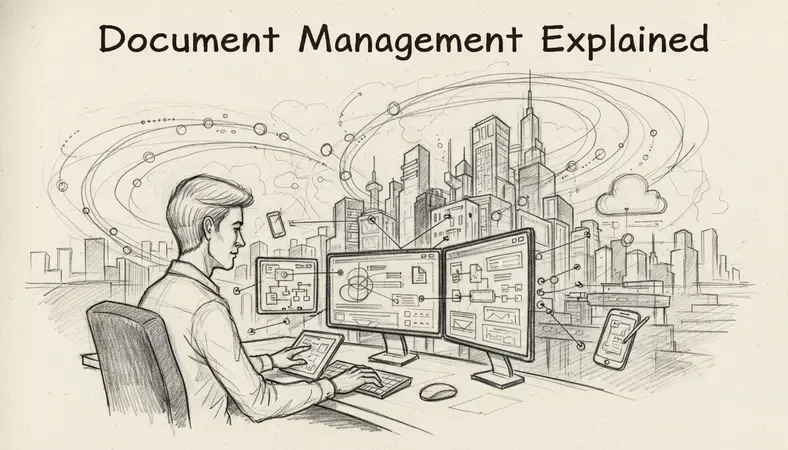
What Is Document Management?
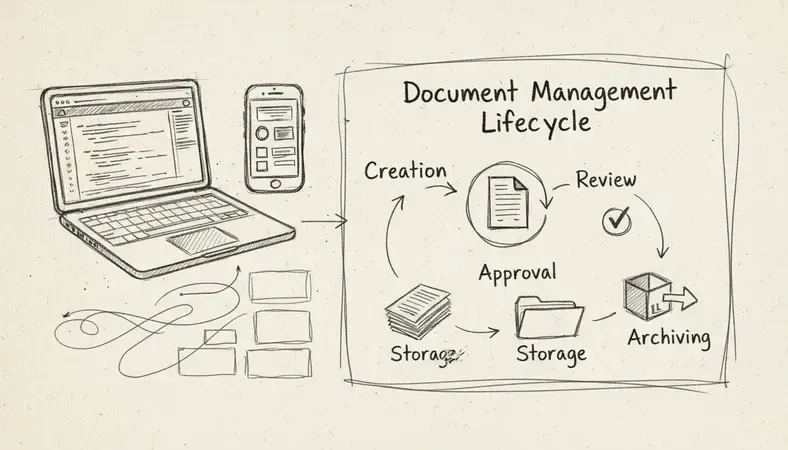
Key Insight: Document management is the process of capturing, storing, organizing, and controlling access to documents throughout their entire lifecycle — from creation to archiving or deletion.
A document management system (DMS) is the software that makes this process systematic rather than ad hoc. Think of it as a highly organized digital filing cabinet that also knows who opened each drawer, when, and what they did inside it.
The term covers both physical and digital documents, but modern document management is almost entirely focused on electronic files. A DMS handles everything from Word documents and PDFs to spreadsheets, images, and emails — centralizing them in one searchable, secure location.
Organizations in regulated industries such as healthcare, legal services, and finance rely heavily on document management to meet compliance requirements. However, any business that creates, receives, or shares documents — which is every business — benefits from having a structured approach.
Why Document Management Matters
The numbers tell a clear story. Studies indicate that employees spend an average of 1.8 hours per day searching for information, and organizations with poor document management lose up to 20% of their productivity to document-related inefficiencies.
Beyond productivity, document management addresses three real business risks:
- Compliance and legal exposure: Regulatory frameworks in Canada and internationally require organizations to retain certain documents for defined periods and demonstrate controlled access. Without proper document management, meeting these requirements is guesswork.
- Security breaches: Uncontrolled documents — files emailed around freely, stored on personal drives, or shared without audit trails — create serious data security vulnerabilities.
- Business continuity: An interruption in operations, a sudden power failure, or an unexpected departure of a key employee should not mean critical documents become inaccessible. Proper document management ensures continuity regardless of circumstances.
For small businesses, the stakes are just as real. A missing contract or an untracked version of a proposal can cost time, money, and client trust.
Document Management vs File Storage
This is one of the most common points of confusion, and the distinction matters.
How They Compare
| Feature | File Storage (e.g., Dropbox, Google Drive) | Document Management System |
|---|---|---|
| File organization | Folders and subfolders | Metadata, tags, and intelligent indexing |
| Version control | Limited or manual | Automatic version history with rollback |
| Access permissions | Basic sharing controls | Granular role-based permissions |
| Audit trails | Minimal | Full activity logs per document |
| Search capability | Filename search | Full-text search within documents |
| Compliance tools | None | Retention policies, legal hold, e-signatures |
| Workflow automation | None | Approval workflows, notifications, routing |
File storage is a place to put files. Document management is a system for controlling what happens to those files over time. A shared drive tells you where a file lives. A DMS tells you who created it, every version ever saved, who reviewed it, who approved it, and when it is scheduled for archiving.
For teams handling sensitive information, regulatory requirements, or high document volumes, file storage alone is not sufficient.
Key Features of Document Management Systems
Not all document management software is equal. Here are the capabilities that separate a genuine DMS from a glorified cloud folder:
- Full-text search: The ability to search inside documents, not just by filename. This is the difference between finding a contract in seconds versus spending twenty minutes clicking through folders.
- Document version control: Every time someone edits a file, the system saves a new version while preserving the history. You can always see what changed, when, and who made the change — and roll back if needed. This is especially valuable for teams collaborating on contracts, policies, or technical documents.
- Access controls and permissions: Define exactly who can view, edit, download, or delete each document or folder. Role-based permissions mean a new hire sees only what they need to see.
- Audit trails: A complete log of every action taken on every document. This is non-negotiable for compliance-heavy industries.
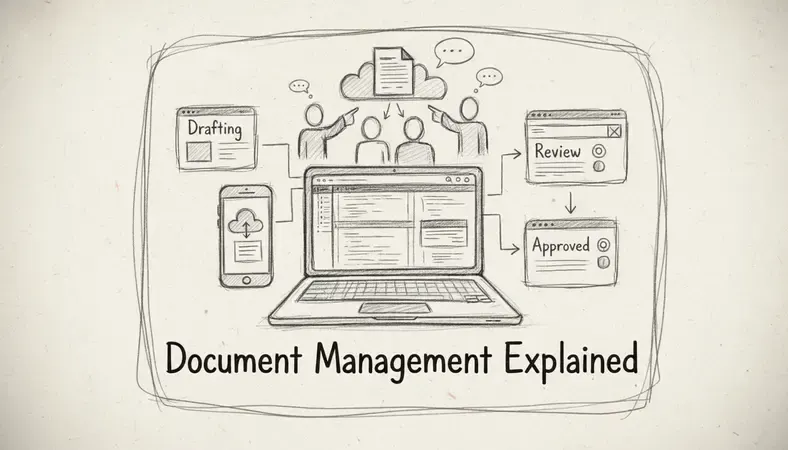
- Workflow automation: Route documents for review and approval automatically. Instead of chasing signatures over email, the system notifies the right person at the right time.
- Metadata and tagging: Attach structured information to documents — client name, project code, document type, expiry date — making retrieval fast and reliable.
- Retention policies: Automatically flag documents for review, archiving, or deletion based on rules you define. This keeps your system clean and keeps you compliant.
Benefits of Document Management
The practical benefits of structured document management extend across every part of a business:
- Time savings: Employees find documents faster, spend less time on administrative tasks, and eliminate duplicate work caused by version confusion.
- Reduced errors: When everyone works from the same current version of a document, errors caused by outdated files disappear.
- Improved collaboration: Teams in different locations access the same documents simultaneously, with changes tracked and conflicts prevented.
- Stronger security: Centralized access controls and audit trails mean you always know who has access to sensitive information — and you can revoke it instantly when needed.
- Compliance confidence: Retention schedules, access logs, and document trails make regulatory audits far less stressful.
- Business resilience: Documents stored in a managed system survive hardware failures, a sudden power outage, or an interruption in normal operations that would otherwise cause data loss.
The AI Revolution in Document Management is also reshaping what these systems can do — intelligent classification, automated data extraction, and smart search are becoming standard features rather than premium add-ons.
Common Document Management Challenges and Solutions
Even organizations that implement a DMS encounter predictable friction points. Here is what comes up most often and how to address it:
Challenge: Low adoption from staff
People revert to familiar habits — emailing files, saving to desktops — when the new system feels complicated. The solution is choosing software with a clean interface and investing in onboarding. A system that mirrors how people already think about files reduces resistance significantly.
Challenge: Inconsistent naming and tagging
If every person organizes documents differently, the system becomes as chaotic as the shared drive it replaced. The fix is establishing clear naming conventions and metadata standards before migration, and enforcing them through templates and required fields.
Challenge: Migration from legacy systems
Moving years of documents into a new platform is daunting. The practical approach is to migrate active documents first, archive historical records separately, and avoid trying to reorganize everything at once.
Challenge: Integration with existing tools
A DMS that does not connect with your email, CRM, or accounting software creates more friction than it solves. Look for systems with open APIs and pre-built integrations. Enhancing Document Management through integrations — such as built-in document editing capabilities — dramatically increases day-to-day usefulness.
How to Choose a Document Management System
With dozens of options available, the decision comes down to a few key questions:
- What document types do you handle? A legal firm managing contracts has different needs than a manufacturer tracking quality certifications. Make sure the system supports your file types and workflows.
- What are your compliance requirements? If you operate in a regulated sector, verify that the DMS supports the specific retention, audit, and security standards your industry requires.
- How many users, and at what scale? Some systems are built for small teams; others are designed for enterprise deployments. Choose a platform that handles your current volume and can grow with you.
- Does it integrate with your existing tools? Check compatibility with your email client, ERP, CRM, and any other core systems before committing.
- What does implementation actually involve? Ask vendors about migration support, training, and ongoing customer service. A powerful system you cannot implement effectively delivers no value.
- Is it hosted in the cloud, on-premise, or both? Organizations with strict data sovereignty requirements — common in Canadian regulated industries — often need on-premise or private cloud options.
Why It Matters: The best document management system is the one your team will actually use. Prioritize usability alongside features, and involve the people who will use it daily in the evaluation process.
Common Questions About Document Management
What is the difference between a DMS and an ECM?
A document management system (DMS) focuses specifically on managing documents — storage, retrieval, version control, and access. Enterprise content management (ECM) is a broader category that includes document management but also covers records management, business process automation, and content lifecycle management across an entire organization. For most small and medium-sized businesses, a DMS is the right starting point.
Do small businesses really need document management software?
The honest answer is yes — once a business has more than a handful of employees or handles any sensitive client information. The cost of lost documents, version errors, and compliance gaps scales quickly. Cloud-based document management platforms have made professional-grade systems accessible without large upfront investment.
How secure is a cloud-based document management system?
Reputable cloud DMS platforms use encryption at rest and in transit, role-based access controls, and regular security audits. In many cases, a well-maintained cloud DMS is more secure than files stored on local servers or shared drives with minimal access controls. Always verify where data is stored and whether the vendor meets relevant standards such as ISO 27001.
Can a DMS help with regulatory compliance?
This is one of the strongest use cases for document management. A properly configured DMS enforces retention schedules, maintains complete audit trails, controls access to sensitive records, and generates the documentation needed during regulatory audits. Industries subject to frameworks like PIPEDA in Canada, HIPAA, or ISO standards benefit significantly from systematic document management.
What is document version control and why does it matter?
Document version control is the practice of automatically saving a new copy of a document each time it is modified, while preserving the complete history of previous versions. It matters because it eliminates the confusion of files named “contractfinalv3REVISEDUSE THIS ONE” — everyone works from the same current version, and you can always recover an earlier state if something goes wrong.
Final Thoughts
Document management is not a luxury for large enterprises — it is the foundation of an organized, secure, and efficient operation at any size. The right system eliminates wasted time, reduces risk, and gives your team reliable access to the information they need.
See how LogicalDOC organizes, secures, and automates your document workflows — explore the platform with a live demo and see what structured document management looks like in practice. Ready to get started? Visit LogicalDOC to learn more.

Latest posts by Cristian Fulger (see all)
- Document Management Tools: A Practical Guide - 10/19/2026
- Open Source Document Management Systems - 10/05/2026
- Document Management Explained - 09/01/2026
- Open Source Document Management System - 08/25/2026
- Business Document Management Explained - 08/19/2026