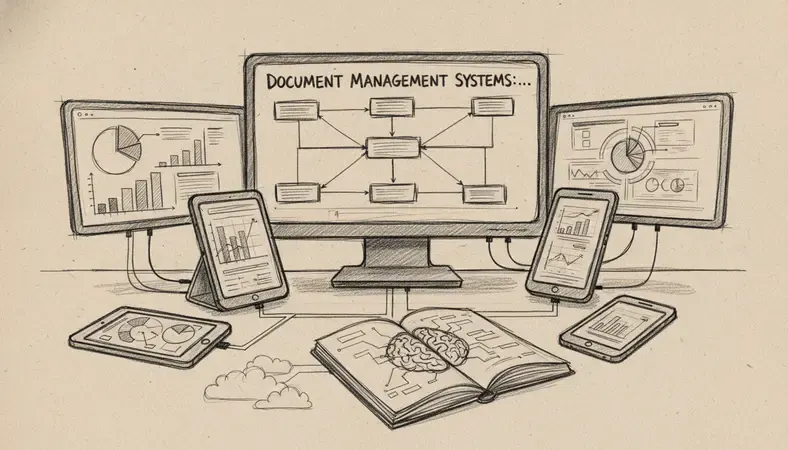
Managing documents without a system is like running a library with no catalogue. Files get lost, versions conflict, and compliance deadlines sneak up on you. If your team is still hunting through shared drives or email threads to find the right contract, this resource guide is for you.
Below you will find the essential tools, guides, and frameworks to help you understand, evaluate, and implement document management systems — whether you are a small business owner, a growing mid-sized company, or an organization working in a regulated sector.
What Is a Document Management System?
A document management system (DMS) is software that stores, organizes, tracks, and controls access to digital documents across an organization. Think of it as a central, intelligent filing cabinet — one that remembers where everything is, who touched it last, and what version you are looking at.
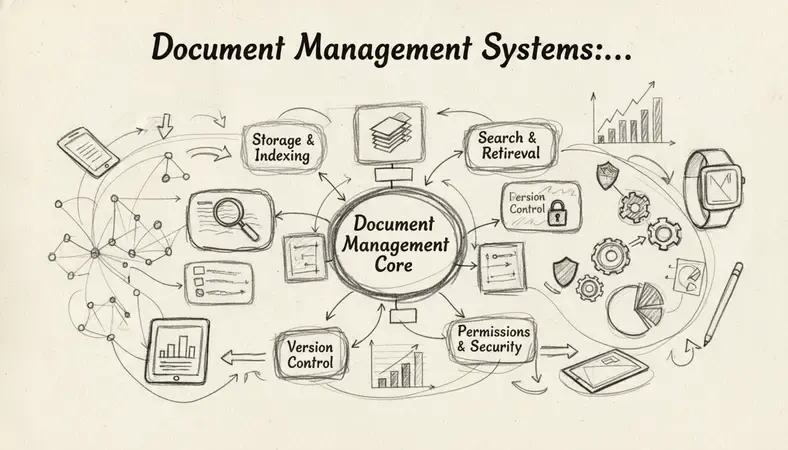
Document management systems go well beyond simple cloud storage. They handle document version control, access permissions, audit trails, workflow automation, and compliance recordkeeping — all in one place.
Key Insight: According to industry research, employees spend an average of 1.8 hours per day searching for information. Document management systems are designed to eliminate that waste entirely.
Modern document management systems serve three broad audiences particularly well:
- Small businesses that need to stop relying on email attachments and shared folders
- Medium-sized companies that have outgrown basic cloud storage and need workflow controls
- Regulated sectors — healthcare, legal, finance, construction — where document compliance is non-negotiable
Key Features of Document Management Systems
Not all document management systems are built the same. When you evaluate any platform, look for these core capabilities:
- Centralized storage: One searchable repository for all files, replacing scattered drives and inboxes
- Version control: Every edit is tracked, and previous versions are always recoverable — a concept explored further in our guide on Document Version Control
- Access permissions: Control who can view, edit, download, or delete specific documents
- Full-text search: Find any document by content, not just by filename
- Audit trails: A timestamped log of who accessed or changed every document
- Workflow automation: Route documents for review and approval without manual follow-up
- Integration support: Connect with tools your team already uses — email, CRM, ERP, accounting software
Comparison of Document Management System Types
| Type | Best For | Deployment | Key Strength |
|---|---|---|---|
| Cloud-based DMS | Small to mid-sized businesses | SaaS / hosted | Low upfront cost, remote access |
| On-premise DMS | Enterprises, regulated sectors | Internal servers | Full data control, custom security |
| Hybrid DMS | Organizations with mixed needs | Both | Flexibility across locations |
| Open-source DMS | Tech-savvy teams, tight budgets | Self-hosted | Customizable, no licensing fees |
Each type suits a different situation. A small accounting firm may thrive on a cloud-based system, while a hospital network with strict data residency rules will likely need an on-premise or hybrid solution.
Document Management Systems vs. Traditional Filing
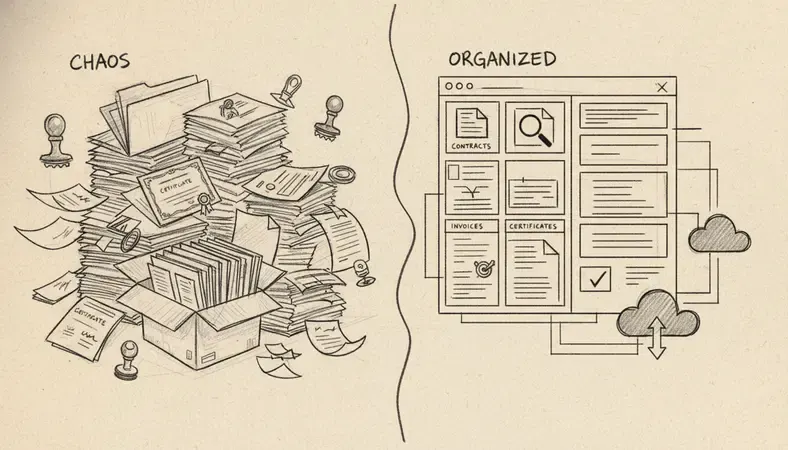
The difference between document management systems and traditional filing is not just about going paperless. It is about what becomes possible when your documents are structured, searchable, and governed.
Side-by-Side Comparison
| Factor | Traditional Filing | Document Management Systems |
|---|---|---|
| Search speed | Minutes to hours | Seconds |
| Version tracking | Manual or nonexistent | Automatic |
| Access control | Physical or basic folder permissions | Granular, role-based |
| Disaster recovery | Vulnerable to fire, flood, loss | Backed up, redundant |
| Compliance support | Manual recordkeeping | Automated audit trails |
| Remote access | Limited or impossible | Full access from anywhere |
A sudden power outage, a flood, or even a ransomware attack can wipe out years of paper records or unstructured digital files. Document management systems protect against an interruption in business continuity by keeping your records safe, backed up, and accessible even when something goes wrong.
Benefits of Using Document Management Systems
The business case for document management systems is straightforward once you look at the numbers. Studies from information management research consistently show that organizations with structured document systems reduce retrieval time by up to 40% and cut document-related errors significantly.
Here is what you gain in practice:
- Time savings: Staff stop hunting for files and spend that time on actual work
- Reduced errors: Version control means no one is working from an outdated contract or policy
- Compliance readiness: Audit trails and retention policies are built in, not bolted on afterward
- Better collaboration: Multiple people can work on the same document without overwriting each other
- Lower costs: Less paper, less storage space, fewer manual processes
- Scalability: As your organization grows, your document management system grows with it
For organizations in regulated sectors — healthcare, legal, financial services, construction — the compliance benefits alone often justify the investment. Regulators want to see who approved what, when, and why. Document management systems make that answer instant.
How to Choose the Right Document Management System
Choosing the wrong system is an expensive mistake. Here is a practical framework to guide your evaluation:
- Define your document types: Are you managing contracts, invoices, HR files, engineering drawings, patient records? Different industries have different needs.
- Identify your compliance requirements: Canadian organizations handling personal data must consider PIPEDA compliance. Healthcare organizations face additional obligations. Your system must support these.
- Assess your team size and growth: A five-person team has different needs than a 500-person organization. Choose a system that scales without forcing a platform migration later.
- Evaluate integration requirements: Does the system connect with your accounting software, CRM, or email platform? Poor integration creates new silos.
- Consider deployment preference: Cloud-based systems are faster to deploy and lower in upfront cost. On-premise systems give you full control but require IT resources.
- Test the search functionality: Full-text search is the feature you will use every single day. Test it with real documents before committing.
- Review security and permissions: Can you restrict access at the folder, document, and field level? This matters for HR files, legal documents, and financial records.
LogicalDOC, available at www.logicaldoc.com, addresses all of these considerations with a platform built for organizations that need serious document governance without enterprise-level complexity.
Document Management System Implementation Best Practices
A good system poorly implemented still fails. These practices will help you get it right from the start.
- Start with a document audit: Before migrating anything, understand what you have. Identify which documents are active, which are archived, and which can be deleted.
- Design your folder structure before you build it: A logical taxonomy saves years of frustration. Involve the people who actually use the documents in this design process.
- Set permissions from day one: Do not give everyone access to everything. Role-based permissions protect sensitive information and reduce clutter for users who do not need it.
- Train your team thoroughly: The best document management systems fail when people revert to email attachments because they were never shown a better way.
- Establish naming conventions: Consistent file naming makes search faster and reduces duplicate documents.
- Plan your retention policy: How long do you keep contracts? Tax records? HR files? Build retention rules into the system so documents are archived or deleted automatically.
- Review and improve: After 90 days, gather feedback. What is working? What is creating friction? Document management systems should evolve with your organization.
The topic of Enhancing Document Management is one that LogicalDOC addresses directly through its workflow automation and integration capabilities — worth exploring as your implementation matures.
Essential Tools and Resources for Document Management Systems
Here are the verified, active resources worth bookmarking as you research and implement document management systems.
Standards and Regulatory Resources
- ISO 15489 (Records Management Standard): The international standard governing records management practices. Relevant for any organization building a compliance-grade document management system.
- PIPEDA (Personal Information Protection and Electronic Documents Act): Canada's federal privacy law governing how organizations collect, use, and disclose personal information in digital documents. Find official guidance at canada.ca.
- ARMA International: A professional association dedicated to records and information management. Publishes practical guidance, standards, and training resources for document management professionals.
Software Platforms Worth Evaluating
- LogicalDOC (www.logicaldoc.com): A full-featured document management system designed for small to medium-sized businesses and regulated sectors. Offers cloud and on-premise deployment, full-text search, version control, workflow automation, and audit trails.
- Open-source DMS platforms: Several well-established open-source options exist for organizations with in-house technical resources. These require more setup but offer full customization.
- Enterprise content management (ECM) suites: Larger organizations may evaluate enterprise platforms from established vendors, though these typically carry higher licensing and implementation costs.
Learning Resources
- AIIM (Association for Intelligent Information Management): Publishes research, training courses, and certification programs specifically focused on information management and document management systems.
- Gartner Content Services Platform research: Gartner regularly evaluates document management and content services platforms. Their reports provide structured comparisons for organizations making significant purchasing decisions.
Common Questions About Document Management Systems
What is the difference between a DMS and cloud storage like Google Drive?
Cloud storage gives you a place to put files. Document management systems give you a governed, searchable, auditable system for managing those files throughout their entire lifecycle. The difference is control — version tracking, access permissions, workflow routing, and compliance recordkeeping are all absent from basic cloud storage but central to document management systems.
How long does it take to implement a document management system?
For a small business with a straightforward document structure, a cloud-based system can be operational in one to two weeks. Medium-sized organizations with complex workflows and large existing document libraries typically need four to twelve weeks, including migration, configuration, and training.
Are document management systems secure?
Well-designed document management systems are significantly more secure than shared drives or email. They offer role-based access control, encryption at rest and in transit, audit trails, and backup redundancy. The AI Revolution in Document Management is also introducing intelligent threat detection and anomaly monitoring to further strengthen security.
Do document management systems work for small businesses?
Absolutely. Small businesses often benefit most from document management systems because they eliminate the chaos of shared drives and email threads that grows worse as the team expands. Cloud-based systems are affordable and require no dedicated IT staff to maintain.
What happens to my documents if the system goes down?
Reputable cloud-based document management systems maintain high uptime guarantees (typically 99.9% or better) and keep redundant backups. An interruption in service should not result in data loss. On-premise systems require your own backup and disaster recovery planning.
Final Thoughts
Document management systems are not a luxury for large enterprises — they are a practical necessity for any organization that wants to work efficiently, stay compliant, and protect its records. The resources above will help you build the knowledge to choose and implement the right system with confidence.
Organize, search, and secure your documents with LogicalDOC — schedule a demo and see how your team can stop hunting for files and start working with them. Ready to get started? Visit LogicalDOC to learn more.

Latest posts by Cristian Fulger (see all)
- Document Management Tools: A Practical Guide - 10/19/2026
- Open Source Document Management Systems - 10/05/2026
- Document Management Explained - 09/01/2026
- Open Source Document Management System - 08/25/2026
- Business Document Management Explained - 08/19/2026