Most organizations have documents everywhere — shared drives, email threads, printed copies in binders, and versions that nobody can confirm are current. When an auditor asks for the approved revision of a procedure, or a regulator requests proof that employees worked from the correct version, that scattered approach becomes a serious liability.
Document control is the discipline that prevents exactly that situation. This guide explains what document control is, how it differs from general document management, and how to implement it in a way that actually works — whether you run a small business or a compliance-heavy operation.
What Is Document Control?
Document control is the systematic process of managing the creation, review, approval, distribution, and retirement of documents within an organization, ensuring that only authorized and current versions are in use at any given time.
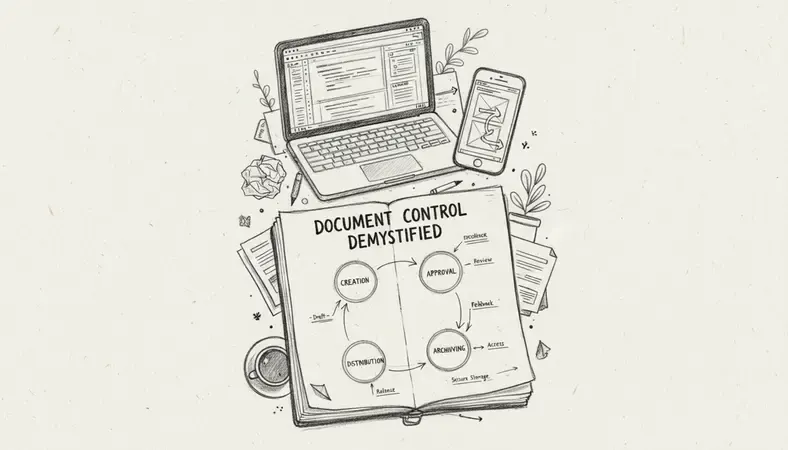
Key Insight: Document control is not just about storing files. It is about guaranteeing that the right people have access to the right version of the right document — and that outdated versions cannot be mistakenly used.
Think of it as the traffic management system for your organization's information. Without it, two employees could be working from different versions of the same procedure, each convinced theirs is correct. With it, there is one authoritative source, and everyone knows where to find it.
Document control applies to a broad range of materials: standard operating procedures (SOPs), engineering drawings, quality manuals, safety instructions, contracts, regulatory submissions, and any document where version accuracy has real consequences.
Document Control vs. Document Management
These two terms are often used interchangeably, but they describe different scopes of activity.
Comparing Document Control and Document Management
| Dimension | Document Control | Document Management |
|---|---|---|
| Primary focus | Version accuracy and authorization | Storage, retrieval, and organization |
| Who it serves | Regulated industries, quality teams | All departments and business types |
| Key outputs | Audit trails, approval workflows | Search results, file access |
| Compliance role | Central and mandatory | Supporting, often optional |
| Typical standards | ISO 9001, ISO 13485, FDA 21 CFR Part 11 | Varies widely |
| Document lifecycle | Formally managed from creation to retirement | Managed at the storage and retrieval level |
Document management is the broader category. It covers how your organization stores, organizes, and retrieves information. Document control is a discipline within document management, focused specifically on ensuring documents are accurate, approved, and traceable.
A company can have excellent document management — fast search, clean folder structures, cloud backups — and still fail a regulatory audit because nobody controlled which version was active or who approved the last revision.
Document Control Workflows and Processes
A document control workflow defines the path every document takes from initial draft to official release and eventual retirement. The core stages look like this:
- Initiation: A document is requested or created in response to a process requirement, regulatory need, or internal decision.
- Drafting: The document owner produces the content, following templates and formatting standards defined by the organization.
- Review: Subject matter experts and stakeholders review the draft for accuracy, completeness, and compliance with applicable standards.
- Approval: Designated approvers — often department heads or quality managers — formally authorize the document for release. Without this step, no document enters active use.
- Distribution: The approved document is made available to the people who need it, in the format they need it, with access controls that prevent unauthorized editing.
- Periodic review: Documents are reviewed on a defined schedule (often annually) to confirm they remain accurate and relevant.
- Revision or retirement: If a document needs updating, the revision process begins again from drafting. Obsolete documents are formally retired and removed from active circulation.
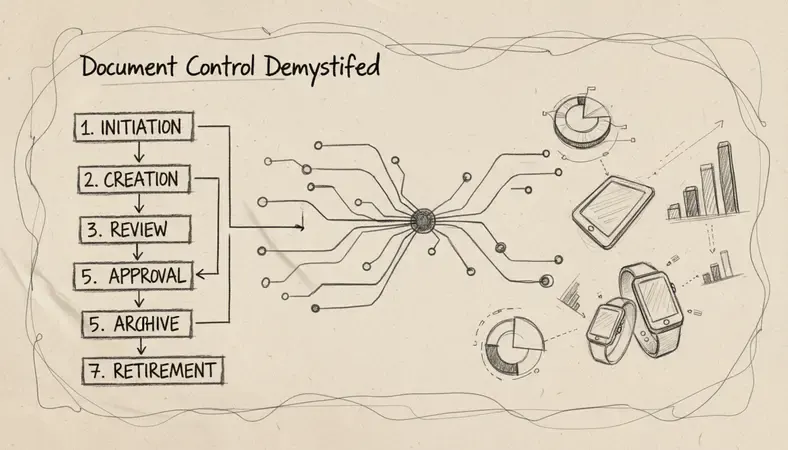
The critical element in each stage is the audit trail — a timestamped record of who did what and when. This is what regulators and auditors look for when they assess your document control system.
Document Control Compliance and Standards
Document control is not optional in many industries. Several major quality management system standards and regulatory frameworks mandate it explicitly.
- ISO 9001: The international quality management standard requires organizations to maintain documented information as evidence of conformity and to control documents to ensure they are available, suitable for use, and adequately protected.
- ISO 13485: The medical device quality standard has stricter document control requirements, including controlled distribution and formal change management.
- FDA 21 CFR Part 11: Governs electronic records and electronic signatures for pharmaceutical and life sciences companies operating in the United States, requiring audit trails and access controls.
- Good Manufacturing Practice (GMP): Requires that all production and quality documents be controlled, with clear version histories and distribution records.
- AS9100: The aerospace quality standard includes rigorous document control requirements aligned with ISO 9001 but with additional aerospace-specific obligations.
For Canadian organizations, standards from the Standards Council of Canada align with ISO frameworks, and regulated sectors such as healthcare, pharmaceuticals, and aerospace face direct compliance obligations tied to document control practices.
Failing to maintain adequate document control in these environments can result in audit findings, warning letters, production shutdowns, or loss of certification.
Document Control Best Practices
Getting document control right does not require a massive system overhaul from day one. These practices apply whether you are a small business building your first system or a mid-sized company tightening existing processes.
- Assign clear document ownership: Every controlled document should have a named owner responsible for its accuracy, review schedule, and update requests. Ownership without accountability produces stale documents.
- Use a document numbering system: A consistent numbering convention (for example, QMS-SOP-001) makes documents easy to reference, track, and retrieve without ambiguity.
- Control access by role: Not everyone needs edit access. Separate read, comment, and edit permissions based on job function. This prevents accidental changes and unauthorized modifications.
- Never allow informal updates: Changes to controlled documents must go through the formal revision workflow. A handwritten note on a printed copy is not a controlled change.
- Retire obsolete documents formally: Removing old versions from active locations is as important as releasing new ones. Obsolete documents that remain accessible are a compliance risk.
- Train employees on the system: A document control system is only as effective as the people using it. Regular training ensures staff know where to find current documents and understand why version discipline matters.
Document Control Software and Tools
Manual document control — spreadsheets, shared network folders, paper-based logs — works at very small scale but breaks down quickly as document volume and team size grow. Dedicated document control software addresses this by automating the workflow steps that are most prone to human error.
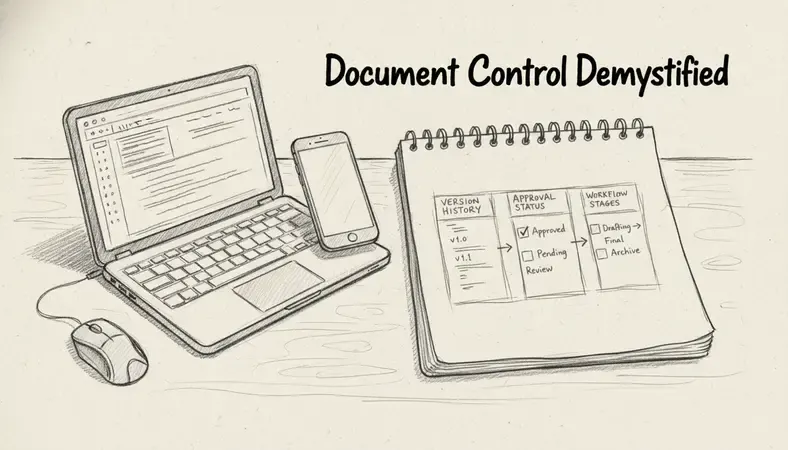
Key capabilities to look for in document control software include:
- Version control with automatic numbering: The system tracks every revision, who made it, and when, without relying on manual file naming conventions. Document Version Control is a foundational feature that prevents the single most common document control failure — working from the wrong version.
- Configurable approval workflows: Route documents to the right reviewers and approvers automatically, with deadline tracking and escalation rules.
- Access control and permissions: Role-based access ensures that only authorized users can edit, approve, or distribute documents.
- Audit trails: Every action on every document is logged automatically, creating the evidence trail that auditors require.
- Search and retrieval: Full-text search across all controlled documents, with filtering by status, owner, revision, and category.
- Integration with other systems: Connection to ERP, HRIS, or other business systems reduces duplicate data entry and keeps document metadata consistent.
LogicalDOC provides all of these capabilities in a document management system designed for organizations that need both usability and compliance-grade document control. The platform supports configurable workflows, role-based permissions, and complete audit trails — making it practical for small businesses and medium-sized companies without the implementation complexity of enterprise-only systems. The AI Revolution in Document Management is also reshaping how platforms like LogicalDOC help teams find, classify, and act on controlled documents faster than traditional keyword search allows.
Implementing a Document Control System
Starting a document control system from scratch feels daunting, but the process becomes manageable when broken into clear phases.
- Audit your current document landscape: Identify what documents exist, who owns them, and which ones need to be controlled. Not every file requires formal document control — focus on documents that affect quality, safety, compliance, or critical operations.
- Define your document categories and numbering scheme: Establish a consistent taxonomy before you create any controlled documents. Changing this later is painful.
- Set review and approval roles: Decide who can author, review, and approve documents in each category. Document this in a roles and responsibilities matrix.
- Select your platform: Whether you choose LogicalDOC or another system, the platform must support your workflow requirements before you migrate documents into it. Enhancing Document Management with the right tool from the start saves significant rework later.
- Migrate and classify existing documents: Bring current documents into the system with accurate metadata, ownership, and version history where it exists.
- Train your team: Conduct role-specific training so that authors, reviewers, and end users each understand their part of the process.
- Run a pilot before full rollout: Test the system with one department or document category. Identify gaps in the workflow before scaling organization-wide.
Common Questions About Document Control
What is the difference between a controlled document and an uncontrolled document?
A controlled document is subject to a formal review, approval, and revision process. Only the current approved version is in active use, and all changes go through a defined workflow. An uncontrolled document — often marked with a watermark or stamp — is a copy distributed for reference only, with no guarantee it reflects the latest revision. Uncontrolled copies should never be used to perform work in a regulated environment.
How often should controlled documents be reviewed?
The review frequency depends on the document type and applicable standards. Most quality management systems require at minimum an annual review for critical procedures and SOPs. High-risk documents in regulated industries may require more frequent review. The review schedule should be documented and tracked, with automated reminders to prevent documents from lapsing without review.
Can small businesses benefit from document control?
Absolutely. Small businesses that operate in regulated sectors — healthcare, food production, construction, financial services — face the same compliance obligations as larger organizations. Even outside regulated industries, document control prevents the version confusion and knowledge loss that slow growing companies down. The key is implementing a system that scales with you rather than one designed exclusively for enterprise environments.
What happens when a document control system fails?
Failures typically show up as employees working from outdated procedures, audit findings citing missing approval records, or incidents traced back to incorrect work instructions. A sudden power interruption or system outage can also expose gaps if there is no backup or access continuity plan. Robust document control software mitigates these risks through cloud hosting, automated backups, and offline access capabilities.
Is electronic document control legally acceptable?
Yes, in most jurisdictions and under most standards, electronic document control is fully acceptable and often preferred. Regulations such as FDA 21 CFR Part 11 specifically govern electronic records and signatures, establishing the requirements that make them legally equivalent to paper-based systems. The key requirements are audit trails, access controls, and signature integrity — all of which modern document control software supports natively.
Conclusion
Document control is what separates organizations that can prove their processes from those that only hope they are following them. Implement it with a clear workflow, defined ownership, and the right software, and compliance audits become routine rather than stressful.
Organize, approve, and track your controlled documents with LogicalDOC — built for teams that need real document control without the complexity of enterprise-only systems. Ready to get started? Visit LogicalDOC to learn more.

Latest posts by Cristian Fulger (see all)
- Document Management Tools: A Practical Guide - 10/19/2026
- Open Source Document Management Systems - 10/05/2026
- Document Management Explained - 09/01/2026
- Open Source Document Management System - 08/25/2026
- Business Document Management Explained - 08/19/2026