Project management softwares have transformed how teams plan, execute, and track their work. These digital platforms centralize task management, resource allocation, and team collaboration in one accessible workspace. Whether you're running a small business project or coordinating complex organizational initiatives, the right project management software can streamline your workflow and boost productivity.
What Is Project Management Software?
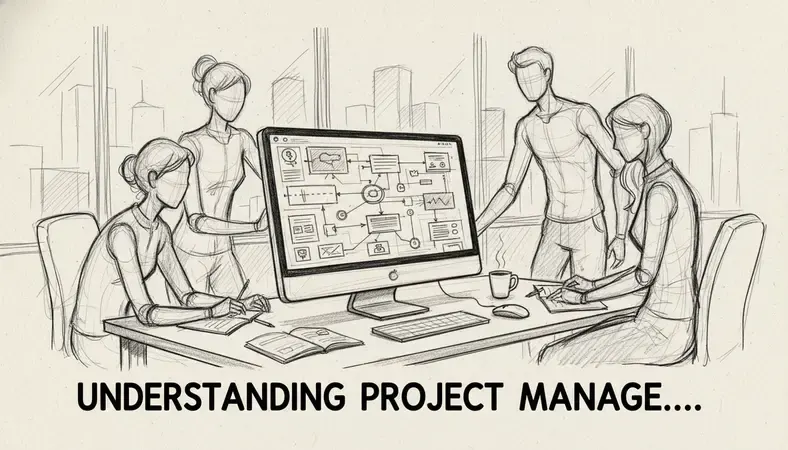
Project management software is a digital platform that helps teams plan, organize, execute, and monitor projects from start to finish. These tools provide a centralized hub where team members can track tasks, deadlines, resources, and progress in real-time.
Think of project management software as your project's command center. Instead of juggling emails, spreadsheets, and sticky notes, everything lives in one organized space. Team members can see what needs to be done, who's responsible, and when it's due.
The software typically includes features like task assignment, deadline tracking, file sharing, team communication, and progress reporting. Some platforms focus on specific methodologies like Agile or Kanban, while others offer flexible frameworks that adapt to different project types.
Key Insight: Modern project management software replaces the chaos of scattered communication with organized, transparent workflows that keep everyone aligned.
Types of Project Management Tools
Project management tools come in several distinct categories, each designed for specific workflow preferences and project types.
Traditional Project Management Software
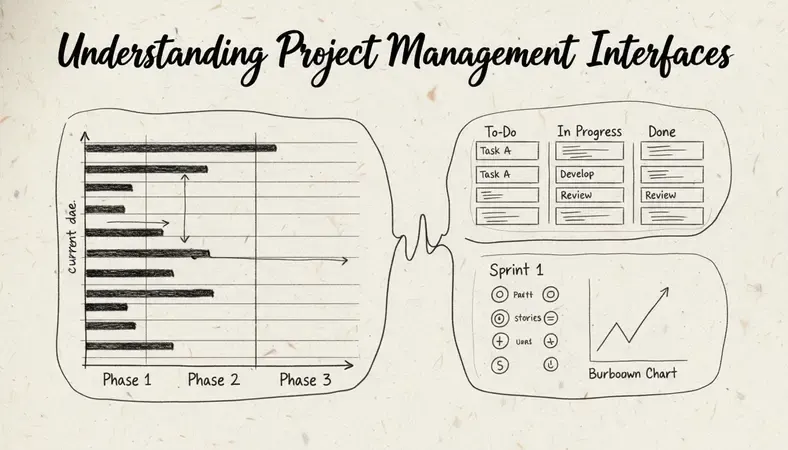
Traditional tools follow waterfall methodology with linear project phases. These platforms excel at detailed planning, resource allocation, and timeline management. They're ideal for construction projects, manufacturing, or any work requiring sequential completion of tasks.
Agile Project Management Tools
Agile-focused platforms support iterative development with features like sprint planning, backlog management, and burndown charts. Software development teams and marketing agencies often prefer these tools for their flexibility and rapid iteration capabilities.
Kanban Board Systems
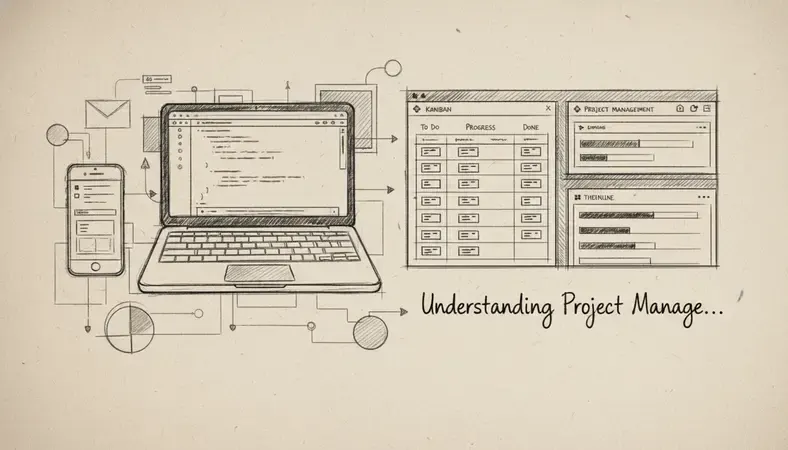
Kanban tools visualize work as cards moving through columns representing different stages. This visual approach works well for content creation, customer support, and any process-driven work where tasks flow through predictable stages.
Collaboration-First Platforms
These tools prioritize team communication and file sharing alongside basic project tracking. They're perfect for remote teams or creative projects where collaboration matters more than rigid project structure.
Key Features to Look For
When evaluating project management softwares, certain features determine whether a platform will actually improve your workflow or create more complexity.
Task Management and Assignment
Effective task management goes beyond simple to-do lists. Look for platforms that allow task dependencies, subtasks, and clear assignment capabilities. The system should make it obvious who owns what and when it's due.
Timeline and Scheduling Tools
Visual timeline features like Gantt charts help teams understand project flow and identify potential bottlenecks. The best platforms automatically adjust timelines when dependencies change or delays occur.
Team Collaboration Features
Modern project work requires constant communication. Essential collaboration features include:
- Real-time commenting: Team members can discuss tasks without email chains
- File sharing and version control: Everyone works from the latest document versions
- @mentions and notifications: Important updates reach the right people immediately
- Activity feeds: Teams stay informed about project progress without micromanaging
Reporting and Analytics
Data-driven project management requires robust reporting capabilities. Look for platforms that track time spent, budget utilization, team productivity, and project completion rates. Custom dashboards help managers spot trends and make informed decisions.
Integration Capabilities
Your project management software shouldn't exist in isolation. The best platforms integrate seamlessly with tools your team already uses – email systems, file storage, accounting software, and communication platforms.
Best Project Management Software Options
The project management software market offers solutions for every team size and project type. Here are the leading platforms and their strengths.
Comparison of Top Project Management Platforms
| Platform | Best For | Key Strength | Pricing Model |
|---|---|---|---|
| Asana | Small to medium teams | User-friendly interface | Freemium with paid tiers |
| Monday.com | Visual project tracking | Customizable workflows | Per-user monthly pricing |
| Trello | Simple Kanban workflows | Ease of use | Freemium with paid features |
| Jira | Software development | Agile methodology support | Per-user pricing |
| Microsoft Project | Enterprise planning | Advanced scheduling | Subscription-based |
| Basecamp | Client collaboration | Simplicity and communication | Flat-rate pricing |
Enterprise-Level Solutions
Large organizations need project management softwares that handle complex hierarchies, multiple departments, and extensive reporting requirements. Enterprise platforms typically offer advanced security features, custom integrations, and dedicated support.
Small Business Focused Tools
Small businesses benefit from project management softwares that balance functionality with simplicity. These platforms often include built-in time tracking, basic invoicing, and client communication features that eliminate the need for multiple tools.
Project Management Software vs Document Management
While project management softwares excel at task coordination and team collaboration, they often fall short in document organization and version control. Understanding this distinction helps teams choose complementary tools.
Project management platforms typically handle documents as attachments or links within tasks. This approach works for simple file sharing but becomes problematic when teams need sophisticated document workflows, approval processes, or compliance tracking.
Document management systems like LogicalDOC specialize in organizing, securing, and controlling access to business documents. These platforms offer features like automated version control, document approval workflows, and detailed access permissions that project management tools rarely match.
Many successful organizations use both types of software together. Project management softwares coordinate the work, while document management systems organize the deliverables and maintain institutional knowledge.
Why It Matters: Teams that rely solely on project management software for document handling often struggle with version confusion, lost files, and compliance issues as projects scale.
How to Choose the Right Project Management Tool
Selecting project management software requires honest assessment of your team's actual needs versus wishful thinking about ideal workflows.
Assess Your Team Size and Structure
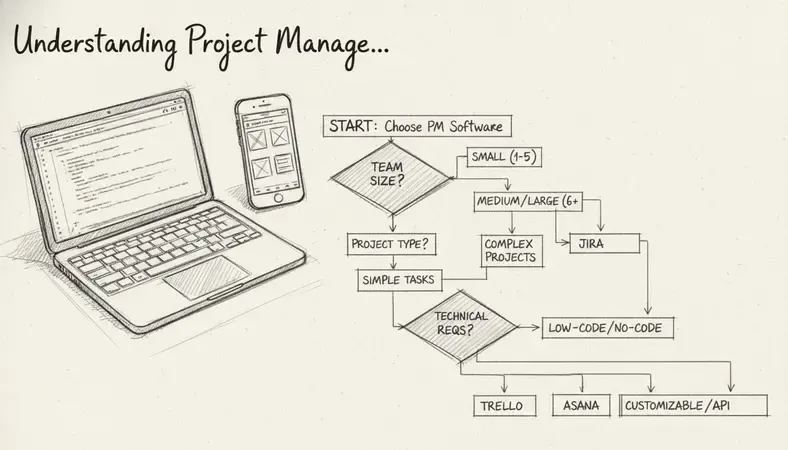
Small teams (under 10 people) often succeed with simple, intuitive platforms that minimize administrative overhead. Large teams need robust permission systems, detailed reporting, and integration capabilities that support complex organizational structures.
Evaluate Your Project Types
Different project types demand different software approaches:
- Creative projects benefit from visual collaboration tools and flexible workflows
- Software development requires Agile-specific features like sprint planning and bug tracking
- Client work needs external sharing capabilities and professional reporting features
- Manufacturing or construction demands detailed resource planning and timeline management
Consider Your Technical Comfort Level
The most feature-rich platform becomes useless if your team won't adopt it. Evaluate your team's technical skills honestly. Some platforms require significant setup and training, while others work immediately with minimal configuration.
Budget and Scalability Planning
Project management software costs can escalate quickly as teams grow. Factor in not just current pricing but how costs will scale with additional users, storage needs, and advanced features. Some platforms offer better value for growing teams, while others penalize expansion with steep per-user fees.
Project Management Software Pricing
Understanding project management software pricing models helps teams budget appropriately and avoid unexpected costs as they scale.
Common Pricing Structures
Most project management softwares use per-user monthly or annual billing. Typical ranges include:
- Free tiers: Limited users (3-5) with basic features
- Starter plans: $5-15 per user per month for small teams
- Professional plans: $15-30 per user per month with advanced features
- Enterprise plans: Custom pricing for large organizations
Hidden Costs to Consider
Beyond base subscription fees, consider these additional expenses:
- Setup and training time: Complex platforms require significant onboarding investment
- Integration costs: Connecting to existing tools may require paid add-ons or custom development
- Storage overages: File-heavy projects can trigger additional storage fees
- Support costs: Premium support often requires higher-tier subscriptions
ROI Calculation
Effective project management software should pay for itself through improved efficiency. Calculate potential savings from reduced email communication, faster project completion, and decreased missed deadlines. Most teams see positive ROI within 3-6 months of implementation.
Common Questions About Project Management Software
What's the difference between project management and task management software?
Project management software handles complete project lifecycles including planning, resource allocation, timeline management, and team coordination. Task management tools focus primarily on individual and team to-do lists without comprehensive project oversight features.
Project management platforms typically include Gantt charts, resource management, budget tracking, and detailed reporting. Task management tools excel at simple assignment, due dates, and completion tracking.
Can project management software work for non-business projects?
Absolutely. Many people use project management softwares for personal projects like home renovations, event planning, or creative endeavors. The key is choosing platforms with appropriate complexity levels for your needs.
Simple tools like Trello work well for personal use, while more robust platforms might be overkill unless you're managing complex personal projects with multiple stakeholders.
How do I get my team to actually use project management software?
Successful adoption requires gradual implementation and clear value demonstration. Start with basic features that solve immediate pain points rather than implementing every feature at once.
Provide adequate training and establish clear expectations about how the tool fits into existing workflows. Most importantly, leadership must model consistent usage – teams follow what they see practiced, not what they're told to do.
Should I choose cloud-based or on-premise project management software?
Cloud-based solutions offer easier setup, automatic updates, and better remote access capabilities. They're ideal for most small to medium businesses and distributed teams.
On-premise solutions provide greater security control and customization options but require significant IT resources for maintenance and updates. They make sense for large organizations with specific security requirements or regulatory compliance needs.
How many project management tools should a team use?
Most successful teams standardize on one primary project management platform to avoid fragmentation and confusion. However, specialized tools for specific functions (time tracking, document management, or client communication) can complement your main platform effectively.
The key is ensuring all tools integrate well together and serve distinct purposes rather than overlapping functionality that creates redundant work.
Wrapping Up
Project management softwares have become essential tools for teams seeking organized, efficient project execution. The right platform centralizes communication, clarifies responsibilities, and provides visibility into project progress that traditional methods simply cannot match.
Success depends on choosing software that matches your team's actual working style and project requirements, not the most feature-rich option available. Streamline your document workflows at LogicalDOC — organize, share, and secure your project documents with our comprehensive document management system. Ready to get started? Visit LogicalDOC to learn more.

Latest posts by Cristian Fulger (see all)
- Document Management Explained - 09/01/2026
- Open Source Document Management System - 08/25/2026
- Business Document Management Explained - 08/19/2026
- Document Management Benefits Explained - 08/11/2026
- Best Document Management Systems Compared - 08/05/2026