Most organizations have more knowledge than they realize — and less access to it than they need. Processes live in one person's head, documents scatter across shared drives, and critical institutional knowledge walks out the door every time someone leaves. Knowledge management is the discipline that fixes this problem systematically.
If you are running a small business, scaling a mid-sized company, or operating in a regulated sector where documentation is non-negotiable, this guide compares the core approaches to knowledge management, explains how systems and strategy differ, and shows you how to build something that actually works.
What Is Knowledge Management?
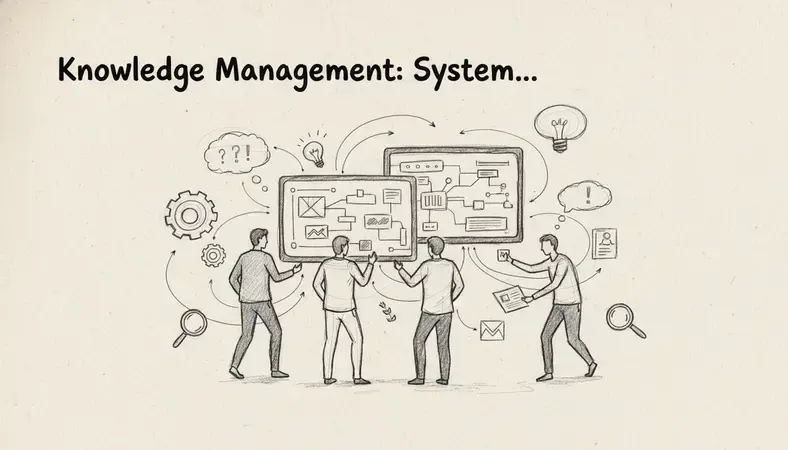
Knowledge management is the systematic process of capturing, organizing, sharing, and applying information within an organization so that the right people can access the right knowledge at the right time.
The concept covers two distinct types of knowledge:
- Explicit knowledge: Documented information — policies, procedures, manuals, contracts, reports. This is the knowledge you can write down and store.
- Tacit knowledge: Know-how that lives in people's heads — judgment calls, professional intuition, relationship context. This is harder to capture but often more valuable.
Effective knowledge management addresses both. Organizations that only manage explicit knowledge end up with well-organized document repositories that still cannot answer the question "what would Sarah have done here?"
The Core Problem Knowledge Management Solves
Research from McKinsey & Company suggests that employees spend roughly 20% of their working week searching for internal information or tracking down colleagues who can help them. That is one full day per person, per week, lost to friction that knowledge management directly eliminates.
The cost compounds in regulated or document-intensive sectors. A compliance team that cannot locate the current version of a policy, or a legal department that cannot trace document revision history, faces real operational and legal risk — not just inconvenience.
Knowledge Management Systems and Tools
A knowledge management system (KMS) is the technology infrastructure that makes knowledge management possible at scale. These systems range from simple shared wikis to enterprise-grade platforms with AI-powered search, version control, and access permissions.
Comparison of Knowledge Management Approaches
| Approach | Best For | Key Strength | Primary Limitation |
|---|---|---|---|
| Wiki / Intranet | Small teams, startups | Low barrier to entry, flexible | Becomes disorganized without governance |
| Document Management System (DMS) | Regulated industries, document-heavy workflows | Version control, audit trails, access permissions | Requires structured implementation |
| Knowledge Base Software | Customer-facing support, internal FAQs | Fast search, self-service | Less suited for complex document workflows |
| Enterprise Knowledge Platform | Large organizations, cross-department sharing | Deep integration, AI search | Higher cost and implementation complexity |
For most small to medium-sized organizations, a document management system provides the strongest foundation for knowledge management. It handles the explicit knowledge layer — structured documents, version histories, access controls — while remaining practical to implement without a dedicated IT team.
LogicalDOC, for example, is built specifically for organizations that need to manage documents with precision. It brings together document version control, search, and collaboration features in a single platform designed for teams that cannot afford to lose track of critical information.
Knowledge Management vs. Document Management
This is one of the most common points of confusion, and the distinction matters when you are choosing tools.
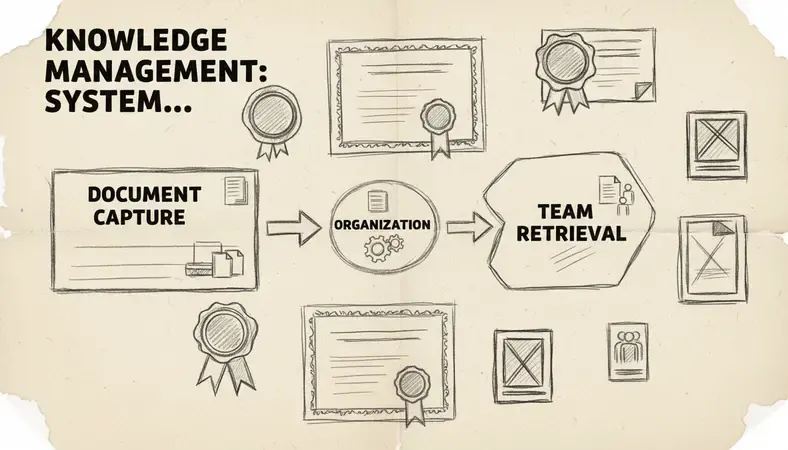
Document management focuses on the lifecycle of specific documents — creation, storage, version control, retrieval, and archiving. It answers the question: "Where is this document, and is this the right version?"
Knowledge management is broader. It encompasses document management but also includes processes for capturing tacit knowledge, building organizational learning, and ensuring that institutional expertise is accessible across the organization. It answers the question: "What does our organization know, and can the right people access it?"
Key Insight: Document management is a critical component of knowledge management — but knowledge management without strong document management is built on an unstable foundation.
The practical implication: you need a strong document management system before broader knowledge management initiatives will succeed. Trying to build a knowledge-sharing culture on top of disorganized, unsearchable documents creates frustration, not capability.
Enhancing document management is often the highest-leverage first step an organization can take on the path to mature knowledge management.
Benefits of Knowledge Management for Organizations
The business case for knowledge management is concrete, not abstract.
- Reduced time searching for information: Structured knowledge systems cut retrieval time dramatically. Employees find what they need without interrupting colleagues or digging through outdated folders.
- Faster onboarding: New hires access documented processes, past decisions, and institutional context from day one. The knowledge transfer that used to take months through informal mentoring happens in weeks.
- Lower risk in regulated environments: Audit trails, version histories, and access logs satisfy compliance requirements and protect the organization during reviews or disputes.
- Business continuity: When a key employee leaves — or when there is an interruption in normal operations such as a sudden power outage, system failure, or unexpected departure — documented knowledge keeps processes running. Organizations without this suffer what is sometimes called "key person dependency."
- Better decision-making: Decisions made with access to the organization's full documented history are better than decisions made from memory or incomplete information.
- Reduced duplication of effort: Teams stop re-solving problems that have already been solved. Solutions, templates, and processes get reused rather than rebuilt.
Knowledge Management Best Practices
Knowing what knowledge management is and having the right tools are necessary but not sufficient. Implementation determines whether a knowledge management initiative delivers value or becomes another abandoned system.
Start With Explicit Knowledge
Do not try to capture everything at once. Begin with the documents and processes that are most frequently accessed, most likely to change, or most critical to compliance. Get these organized, versioned, and accessible before expanding scope.
Assign Clear Ownership
Every knowledge asset needs an owner — someone responsible for keeping it accurate and current. Without ownership, documents go stale and the system loses credibility.
Build Retrieval Into Workflows
Knowledge management fails when accessing the system feels like extra work. The goal is to make finding information easier than asking a colleague. This means good search functionality, logical folder structures, and tagging that reflects how people actually think about documents — not how they were originally filed.
Govern Access Carefully
Not all knowledge should be accessible to everyone. A strong knowledge management system allows you to set permissions at the document, folder, or user level. This is especially important in regulated industries where access to the right version of a document is itself a compliance requirement.
Review and Retire Regularly
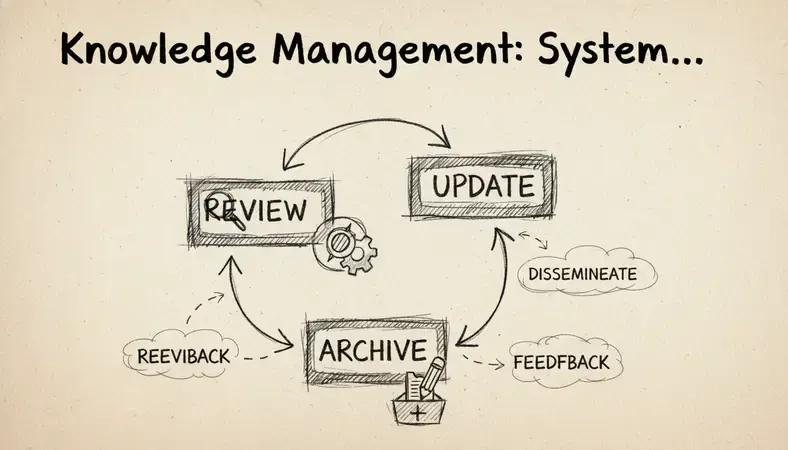
Outdated information is worse than no information. Schedule regular reviews of your knowledge assets. Archive or delete what is no longer current. A lean, accurate knowledge base is more valuable than a large, unreliable one.
Implementing a Knowledge Management Strategy
A knowledge management strategy connects your tools and practices to your organizational goals. Here is a practical implementation sequence:
- Audit your current state: Identify where knowledge currently lives — shared drives, email threads, individual hard drives, people's heads. Understand what is documented and what is not.
- Define your priorities: Which knowledge gaps create the most risk or inefficiency? Start there. A compliance team might prioritize policy documentation. A customer service team might prioritize resolution procedures.
- Choose the right system: Match your tools to your needs. For most organizations managing documents at scale, a dedicated document management system provides the right combination of structure, search, and access control.
- Establish governance: Define who owns what, how documents get named and tagged, who has access to what, and how often content gets reviewed.
- Migrate and organize: Move existing knowledge into the new system. This is the most labor-intensive step, but it is also where you discover what you actually have versus what you thought you had.
- Train your team: A system nobody uses is worthless. Invest in onboarding people to the new workflows. Make adoption easy by demonstrating how the system saves them time.
- Measure and iterate: Track usage, gather feedback, and improve. Knowledge management is not a one-time project — it is an ongoing organizational practice.
Knowledge Management Software Solutions
The software landscape for knowledge management is broad. Here is how the main categories compare for small and medium-sized organizations:
Comparison of Knowledge Management Software Categories
| Software Type | Ideal Organization Size | Document Control | Search Quality | Compliance Support |
|---|---|---|---|---|
| Shared drives (Google Drive, OneDrive) | Small teams | Basic | Moderate | Minimal |
| Wiki tools (Confluence, Notion) | Small to medium | Limited | Good | Limited |
| Document Management Systems | Small to large | Strong | Strong | Strong |
| Enterprise KM Platforms | Large organizations | Strong | Very strong | Strong |
For organizations in regulated or document-intensive sectors — healthcare, legal, finance, manufacturing, government — a document management system is the most appropriate foundation. It provides the version control, audit trails, and access permissions that compliance requires, while also serving as the central repository for organizational knowledge.
LogicalDOC is designed for exactly this context. The platform supports the AI Revolution in Document Management with intelligent search and automated workflows, making it practical for teams that need to manage large volumes of documents without adding administrative overhead. You can explore the full platform at www.logicaldoc.com.
Common Questions About Knowledge Management
What is the difference between a knowledge base and a document management system?
A knowledge base is typically optimized for searchable, self-service content — FAQs, how-to articles, troubleshooting guides. A document management system is built for managing the full lifecycle of formal documents, including version control, access permissions, and audit trails. For organizations with compliance requirements, a DMS provides capabilities a knowledge base cannot match.
How do you capture tacit knowledge before employees leave?
The most effective methods are structured exit interviews, documented process walkthroughs, and mentorship programs where experienced employees document their decision-making frameworks before transitioning. The goal is converting tacit knowledge into explicit knowledge that lives in your system, not in a person.
How long does it take to implement a knowledge management system?
A focused implementation for a small to medium-sized organization typically takes four to twelve weeks, depending on the volume of existing content and the complexity of your governance requirements. Starting with a defined scope — one department, one document category — produces faster results than trying to implement organization-wide simultaneously.
Does knowledge management apply to small businesses?
Absolutely. Small businesses are often more vulnerable to knowledge loss than large ones because critical knowledge is concentrated in fewer people. A small business where the founder holds all the process knowledge in their head has significant operational risk. Even a basic, well-organized document management system dramatically reduces that risk.
What makes a knowledge management initiative fail?
The most common failure modes are: no clear ownership of knowledge assets, poor search functionality that makes retrieval harder than asking a colleague, lack of governance leading to outdated content, and treating implementation as a one-time project rather than an ongoing practice.
What This Means for You
If your team is losing time searching for documents, re-doing work that has already been done, or facing compliance gaps because knowledge is scattered — the fix starts with structured document management. Connect with LogicalDOC to see how a dedicated document management system can serve as the foundation for your organization's knowledge management strategy — with version control, audit trails, and search built in from day one. Ready to get started? Visit LogicalDOC to learn more.

Latest posts by Cristian Fulger (see all)
- Document Management Tools: A Practical Guide - 10/19/2026
- Open Source Document Management Systems - 10/05/2026
- Document Management Explained - 09/01/2026
- Open Source Document Management System - 08/25/2026
- Business Document Management Explained - 08/19/2026