Project management software transforms scattered tasks, missed deadlines, and communication chaos into organized workflows that actually work. Instead of hunting through email chains and sticky notes, you get one central hub where every project detail lives, every team member stays aligned, and nothing falls through the cracks. This guide breaks down exactly what project management software is, how it works, and whether your team needs it.

What Is Project Management Software?
Project management software is a digital platform that helps teams plan, organize, and execute projects from start to finish. Think of it as your project's command center — it tracks tasks, deadlines, resources, and progress all in one place.
At its core, project management software replaces the traditional mix of spreadsheets, emails, and meetings with a streamlined system. Instead of wondering who's working on what or when something is due, you see everything at a glance. Team members update their progress in real-time, managers spot bottlenecks before they become problems, and everyone stays on the same page without endless status meetings.
The software typically includes task management, scheduling tools, file sharing, communication features, and reporting dashboards. Some focus on specific methodologies like Agile or Kanban, while others offer flexible frameworks that adapt to any workflow.
Key Insight: Project management software doesn't just organize work — it makes work visible. When everyone can see project status, dependencies, and deadlines clearly, teams naturally collaborate better and deliver faster.
Modern project management software has evolved far beyond simple to-do lists. Today's platforms integrate with other business tools, automate routine tasks, and provide analytics that help teams improve over time.
Key Features of Project Management Tools
Project management software typically includes several core features that work together to keep projects on track:
Task management forms the foundation of any project management software. You create tasks, assign them to team members, set due dates, and track completion. Good task management goes beyond simple checklists — it handles task dependencies, subtasks, and priority levels. When one task depends on another, the software automatically adjusts schedules if delays occur.
Project scheduling helps teams visualize timelines and deadlines. Most tools offer multiple views like Gantt charts, calendars, and timeline views. Gantt charts show how tasks connect and depend on each other, while calendar views help team members see their daily and weekly workloads.
Team collaboration features keep communication organized and accessible. Instead of important decisions getting buried in email threads, project management software centralizes discussions around specific tasks or projects. Team members can comment on tasks, share files, and get notifications about updates.
File management eliminates the confusion of version control and scattered documents. Team members upload files directly to projects or tasks, ensuring everyone works with the latest versions. No more "finalfinalv3" document names or hunting through email attachments.
Reporting and Analytics provide insights into team performance and project health. Managers can see which projects are on track, which are falling behind, and where bottlenecks typically occur. This data helps teams improve their processes over time.
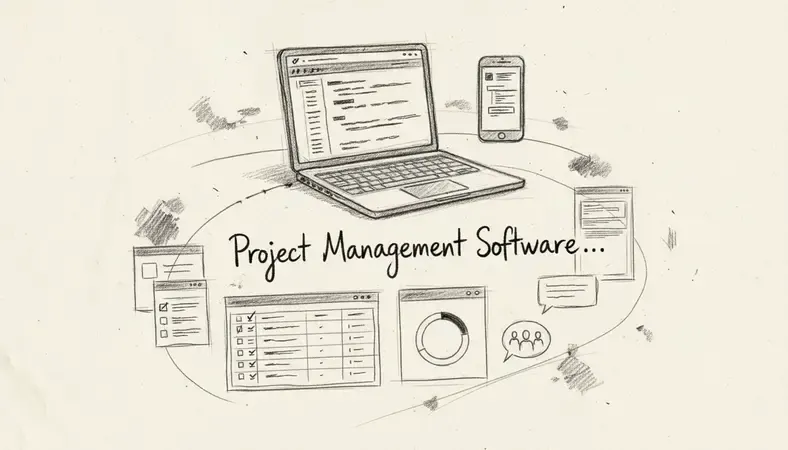
Resource management helps teams understand workload distribution and capacity. You can see who's overloaded, who has availability, and how to balance work across the team. This prevents burnout and ensures realistic project timelines.
Integration capabilities connect project management software with other business tools. Most platforms integrate with email, calendar apps, file storage services, and communication tools like Slack or Microsoft Teams.
Types of Project Management Software
Project management software comes in several distinct types, each designed for different team sizes, industries, and working styles:
Comparison of Project Management Software Types
| Type | Best For | Key Strengths | Typical Users |
|---|---|---|---|
| Traditional/Waterfall | Complex projects with fixed requirements | Detailed planning, Gantt charts, resource allocation | Construction, manufacturing, large enterprises |
| Agile/Scrum Tools | Software development and iterative projects | Sprint planning, backlog management, velocity tracking | Development teams, startups, tech companies |
| Kanban Boards | Visual workflow management | Simple drag-and-drop interface, continuous flow | Marketing teams, support teams, creative agencies |
| All-in-One Platforms | Teams needing multiple business functions | Project management plus CRM, invoicing, time tracking | Small businesses, consultancies, service providers |
| Industry-Specific | Specialized workflows and compliance needs | Built-in templates, regulatory compliance, industry terminology | Healthcare, legal, construction, architecture |
Traditional project management software follows the classic waterfall methodology. These tools excel at detailed project planning with comprehensive Gantt charts, resource allocation, and milestone tracking. They work best for projects with well-defined requirements and linear workflows.
Agile project management tools support iterative development methodologies like Scrum and Kanban. They emphasize collaboration, adaptability, and rapid delivery cycles. Features include sprint planning, user story management, and burndown charts.
Kanban-Based Systems visualize work as cards moving through columns representing different stages. This approach works well for teams that handle continuous streams of work rather than discrete projects with fixed endpoints.
All-in-One Business Platforms combine project management with other business functions like CRM, invoicing, and time tracking. These integrated solutions work well for small businesses that want to manage everything in one system.
Industry-Specific Solutions cater to particular sectors with specialized needs. Construction project management software includes features for job costing and compliance tracking, while creative project management tools focus on asset management and client approval workflows.
Project Management Software vs Traditional Methods
The shift from traditional project management methods to software-based solutions represents a fundamental change in how teams organize and execute work.
Traditional methods typically rely on a combination of spreadsheets, email, phone calls, and in-person meetings. Project managers might use Excel or Google Sheets to track tasks, send status update emails weekly, and hold regular meetings to discuss progress. While these methods can work for small teams or simple projects, they become unwieldy as projects grow in complexity.
Communication challenges plague traditional approaches. Important decisions get buried in email threads, team members miss critical updates, and project status becomes unclear between formal meetings. When someone needs to know the current status of a task, they often have to interrupt colleagues or hunt through multiple communication channels.
Version control issues create confusion and errors. When project documents live in email attachments or shared drives without proper organization, team members often work with outdated information. This leads to duplicate work, missed changes, and coordination problems.
Limited visibility means project managers struggle to get real-time insights into project health. They rely on team members to proactively report problems, which doesn't always happen until issues become serious.
Project management software solutions address these traditional pain points systematically:
- Centralized Communication: All project discussions happen in context, attached to specific tasks or projects
- Real-Time Updates: Team members see changes immediately, eliminating the lag time of email-based communication
- Automatic Version Control: Files uploaded to the platform are automatically versioned and organized
- Dashboard Visibility: Project managers see current status, bottlenecks, and progress without asking for updates
- Searchable History: Past decisions, files, and conversations remain accessible and searchable
The transition to project management software typically reduces the time spent on project coordination by 25-40%, according to industry studies. Teams report fewer missed deadlines, better resource utilization, and improved client satisfaction.
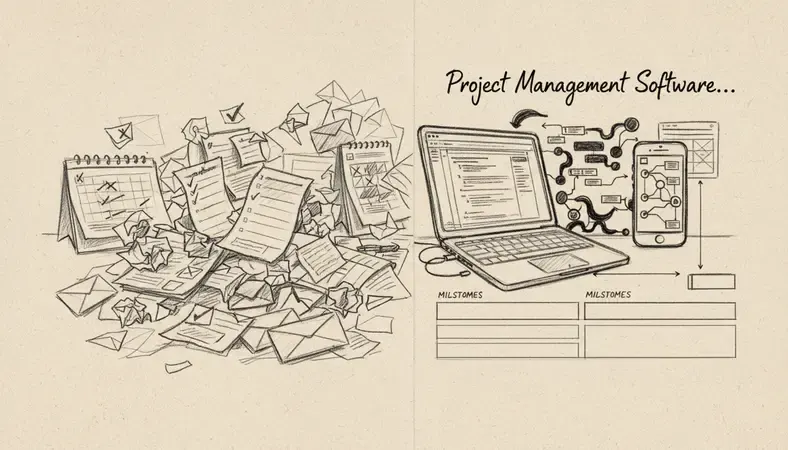
However, software solutions aren't automatically better. They require team adoption, proper setup, and ongoing maintenance. Some teams, particularly those working on very simple projects or in environments with limited technology access, may find traditional methods more practical.
How to Choose the Right Project Management Software
Selecting project management software requires matching your team's specific needs with the right feature set and complexity level. The wrong choice leads to low adoption rates and wasted investment.
Start with Team Size and Structure. Small teams (5-15 people) often benefit from simple, visual tools that don't require extensive setup or training. Larger organizations typically need more sophisticated features like advanced reporting, custom fields, and integration capabilities. Consider whether your team works in one location or distributed across multiple time zones.
Evaluate your project types. Software development teams need different features than marketing agencies or construction companies. Agile teams require sprint planning and backlog management, while creative teams might prioritize proofing and approval workflows. Manufacturing or construction projects often need resource scheduling and budget tracking capabilities.
Consider integration requirements. Most teams use multiple software tools daily. Your project management software should integrate seamlessly with existing tools like email, calendar applications, file storage, and communication platforms. Poor integration creates data silos and forces team members to work across multiple disconnected systems.
Assess technical comfort level. Some platforms require significant setup and customization, while others work well out of the box. Consider your team's technical expertise and appetite for learning new tools. Complex platforms offer more flexibility but require more investment in training and setup.
Budget and Scalability Factors: * Per-user pricing: Most platforms charge monthly fees per team member * Feature tiers: Basic plans may lack essential features like time tracking or advanced reporting
- Storage limits: Consider file storage needs, especially for creative or document-heavy projects
- Growth planning: Ensure the platform can scale as your team grows
Trial period strategy. Most project management software offers free trials or freemium versions. Use these to test real workflows with your actual team members, not just evaluate features in isolation. Pay attention to adoption rates during the trial — if team members resist using the tool, it won't succeed long-term.
Security and Compliance Needs. Teams in regulated industries or those handling sensitive client data need platforms with appropriate security certifications and compliance features. Consider data location requirements, access controls, and audit trail capabilities.
Popular Project Management Software Options
The project management software market includes hundreds of options, from simple task managers to enterprise-grade platforms. Here's a breakdown of the most widely-used solutions and what makes each distinctive:
Asana excels at balancing simplicity with powerful features. Teams can start with basic task lists and gradually adopt more advanced features like custom fields, portfolios, and automation. The platform offers multiple project views (lists, boards, timeline, calendar) and strong integration capabilities. It works particularly well for marketing teams, creative agencies, and cross-functional projects.
Monday.com stands out for its visual approach and customization options. The platform uses colorful, intuitive boards that teams can customize extensively. It includes built-in time tracking, automation workflows, and comprehensive reporting. Monday.com works well for teams that want flexibility in how they organize and visualize their work.
Trello pioneered the Kanban board approach for project management. Its card-based system makes it extremely easy to learn and adopt. While simpler than other options, Trello's Power-Ups extend functionality significantly. It's ideal for small teams, personal productivity, and projects that fit naturally into a card-and-board workflow.
Microsoft project remains the standard for traditional project management, especially in enterprise environments. It offers sophisticated scheduling, resource management, and reporting capabilities. The platform integrates deeply with other Microsoft tools and handles complex project dependencies well. It's best suited for large, complex projects with detailed planning requirements.
Jira dominates software development project management. Built specifically for Agile methodologies, it excels at issue tracking, sprint planning, and release management. Jira integrates with development tools and provides detailed analytics for software teams. However, its complexity can overwhelm non-technical users.
ClickUp positions itself as an all-in-one productivity platform. Beyond project management, it includes docs, goals, chat, and other business functions. This comprehensive approach appeals to teams wanting to consolidate multiple tools, though the extensive feature set can feel overwhelming initially.
The choice between these platforms often comes down to team preferences, existing tool ecosystems, and specific workflow requirements rather than objective superiority.
Benefits of Using Project Management Software
Project management software delivers measurable improvements in team productivity, project success rates, and overall business outcomes when implemented effectively.
Improved project visibility represents one of the most immediate benefits. Instead of wondering about project status or hunting for updates, team members and managers see real-time progress dashboards. This transparency reduces the time spent in status meetings and helps identify problems before they become critical. Teams report spending 30-50% less time on project coordination activities.
Enhanced team collaboration occurs naturally when project communication moves from scattered emails to centralized, context-aware discussions. Team members can see the full history of decisions, access relevant files immediately, and contribute to discussions without scheduling meetings. Remote and hybrid teams particularly benefit from this structured collaboration approach.
Better resource allocation helps managers understand team capacity and workload distribution. Instead of accidentally overloading certain team members while others have availability, managers can balance work more effectively. This leads to more realistic project timelines and reduced team burnout.
Reduced project delays result from better visibility into task dependencies and potential bottlenecks. When the software automatically identifies that one delayed task will impact three others, project managers can intervene quickly. Teams using project management software report 25-35% fewer missed deadlines compared to traditional methods.
Bottom Line: The most successful project management software implementations don't just organize existing workflows — they help teams identify and eliminate inefficiencies they didn't know existed.
Data-Driven Decision Making becomes possible when project management software tracks performance metrics over time. Teams can identify patterns in their work, understand which types of projects tend to run over budget or behind schedule, and make process improvements based on actual data rather than assumptions.
Client communication benefits extend beyond internal team coordination. Many platforms include client portal features that let external stakeholders see project progress without accessing internal systems. This transparency builds trust and reduces the time spent creating manual status reports.
Scalability advantages become apparent as organizations grow. Adding new team members to existing projects becomes straightforward, and successful project templates can be reused across similar initiatives. The software grows with the organization rather than becoming a constraint.
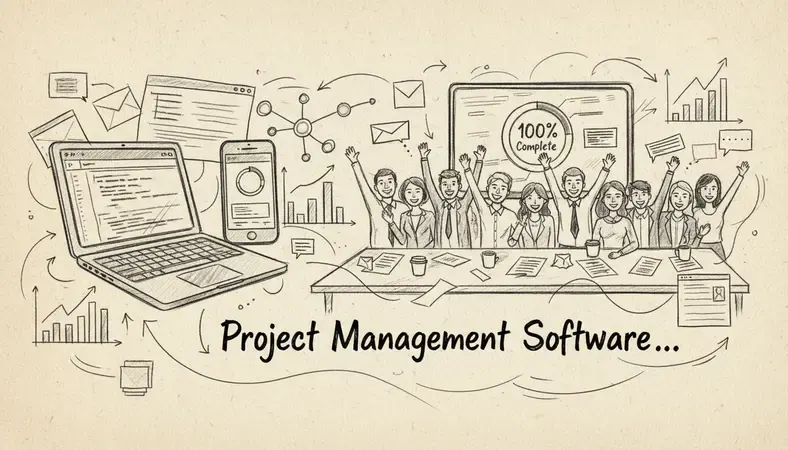
However, these benefits require proper implementation and team adoption. Organizations that simply install project management software without changing their underlying processes often see minimal improvement. The software enables better project management, but teams still need to develop good project management habits and practices.
Common Questions About Project Management Software
What's the difference between project management software and task management apps?
Project management software handles complete project lifecycles with features like resource allocation, budget tracking, timeline management, and team collaboration. Task management apps focus primarily on creating, assigning, and tracking individual tasks or to-do items.
While task management apps work well for personal productivity or simple team coordination, project management software addresses the complexity of multi-phase projects with dependencies, deadlines, and resource constraints. Most project management platforms include robust task management capabilities, but the reverse isn't typically true.
The distinction matters when choosing tools. If your team primarily needs to track individual assignments and simple deadlines, a task management app might suffice. If you're coordinating complex projects with multiple team members, phases, and deliverables, project management software becomes essential.
How long does it take for teams to adopt new project management software?
Typical adoption timelines range from 2-6 weeks for basic functionality, with full utilization often taking 2-3 months. The timeline depends heavily on software complexity, team size, and change management approach.
Simple, visual tools like Kanban boards often see faster adoption (1-2 weeks) because they mirror familiar workflows. More complex platforms with extensive customization options require longer adoption periods but offer greater long-term benefits.
Successful implementations focus on gradual rollout rather than trying to use every feature immediately. Start with core functionality like task assignment and progress tracking, then gradually introduce advanced features like reporting and automation.
Can project management software work for non-technical teams?
Modern project management software is designed for general business use, not just technical teams. Many platforms prioritize user-friendly interfaces and require no technical expertise to use effectively.
Non-technical teams often benefit significantly from project management software because it eliminates many manual coordination tasks. Marketing teams use it for campaign management, sales teams for deal pipeline tracking, and HR teams for onboarding processes.
The key is choosing software that matches your team's comfort level with technology. Visual, drag-and-drop interfaces tend to work better for non-technical teams than complex configuration-heavy platforms.
What happens to our data if we switch project management software?
Most reputable project management software providers offer data export capabilities, though the ease and completeness of exports vary significantly between platforms. Before committing to any platform, understand their data export policies and test the export process during your trial period.
Common exportable data includes task lists, project timelines, team assignments, and file attachments. However, custom configurations, automation rules, and integration settings typically don't transfer between platforms.
Plan for migration time and potential data cleanup when switching platforms. Some organizations run parallel systems temporarily to ensure data integrity during transitions.
How much should we expect to spend on project management software?
Project management software costs typically range from $5-50 per user per month, depending on features and platform sophistication. Basic plans often start around $5-10 per user monthly, while enterprise-grade solutions can exceed $50 per user monthly.
Consider total cost of ownership beyond subscription fees. Factor in setup time, training costs, integration expenses, and potential productivity loss during adoption. Many organizations find that mid-tier plans ($15-25 per user monthly) offer the best balance of features and value.
Free plans exist for most major platforms but usually include significant limitations on users, storage, or features. These work well for very small teams or trial purposes but rarely meet growing organization needs long-term.
Do we need IT support to implement project management software?
Most modern project management software is designed for business users to implement without extensive IT support. Cloud-based solutions typically require no server setup or technical installation.
However, IT involvement becomes valuable for enterprise implementations, complex integrations, or organizations with strict security requirements. IT teams can help with single sign-on setup, data migration, and integration with existing business systems.
Small to medium teams can usually implement project management software independently, while larger organizations benefit from IT collaboration during the setup process.
Wrapping Up
Project management software transforms how teams coordinate work, communicate progress, and deliver results. The right platform centralizes scattered information, improves team visibility, and reduces the coordination overhead that bogs down many projects.
Streamline your project workflows with LogicalDOC — organize tasks, share documents, and keep your team aligned in one powerful platform designed for growing businesses. Ready to get started? Visit LogicalDOC to learn more.

Latest posts by Cristian Fulger (see all)
- Inventory Management Software: Top Solutions - 04/06/2026
- Best Content Management Systems Worth Trying - 04/05/2026
- Warehouse System Tools and Resources - 04/04/2026
- What Are Warehouse Management Systems? - 04/03/2026
- Project Management Tools Explained - 04/02/2026