
Choosing the right software for inventory management can make or break your business operations. With over 73% of businesses reporting inventory discrepancies that cost them revenue, the stakes are higher than you think. Whether you're managing a small retail shop or coordinating complex supply chains across multiple locations, the wrong choice leads to stockouts, overstocking, and frustrated customers.
This comparison breaks down the top inventory management software options, their strengths, and which situations call for each approach. You'll walk away knowing exactly which solution fits your business size, industry, and budget.
Types of Inventory Management Software
Software for inventory management falls into several distinct categories, each designed for different business needs and operational scales.
Cloud-Based Solutions run entirely online, offering real-time access from any device. These systems excel at multi-location management and automatic updates, making them ideal for growing businesses. Popular options include Zoho Inventory, TradeGecko, and inFlow Inventory.
On-Premise Systems install directly on your company's servers, giving you complete control over data and customization. While requiring higher upfront costs and IT maintenance, they offer superior security for sensitive operations. Examples include Fishbowl Inventory and QuickBooks Enterprise.
Industry-Specific Platforms target particular sectors with specialized features. Manufacturing businesses benefit from MRP (Material Requirements Planning) capabilities, while retail operations need point-of-sale integration and seasonal demand forecasting.
Enterprise Resource Planning (ERP) Modules integrate inventory management with accounting, HR, and customer management. SAP, Oracle, and Microsoft Dynamics offer comprehensive solutions for large organizations requiring seamless data flow across departments.
Comparison of Inventory Software Types
| Type | Best For | Key Advantage | Main Limitation |
|---|---|---|---|
| Cloud-Based | Growing businesses | Scalability and accessibility | Ongoing subscription costs |
| On-Premise | Security-conscious companies | Complete data control | High upfront investment |
| Industry-Specific | Specialized operations | Tailored functionality | Limited flexibility |
| ERP Modules | Large enterprises | Complete business integration | Complex implementation |
The choice between these types depends on your business size, technical requirements, and growth trajectory. Small businesses typically start with cloud-based solutions for their low barrier to entry, while established companies often prefer on-premise systems for data control.
Key Features and Functionality
Modern software for inventory management goes far beyond simple stock counting. Understanding these core features helps you identify what your business actually needs versus what sounds impressive in sales presentations.
Real-Time Tracking forms the foundation of effective inventory management. This feature updates stock levels instantly across all sales channels, preventing overselling and providing accurate availability data. Look for systems that sync with your existing sales platforms automatically.
Barcode and RFID Integration eliminates manual data entry errors and speeds up receiving, picking, and shipping processes. Advanced systems support multiple barcode formats and can generate custom labels for internal tracking.
Automated reordering uses preset minimum stock levels and supplier lead times to generate purchase orders automatically. This feature prevents stockouts while avoiding excessive inventory carrying costs. The best systems learn from historical data to optimize reorder points.
Multi-Location Management becomes crucial as businesses expand. Quality software tracks inventory across warehouses, retail locations, and third-party fulfillment centers while maintaining unified reporting and transfer capabilities.
Demand forecasting analyzes sales patterns, seasonal trends, and market factors to predict future inventory needs. This functionality helps optimize purchasing decisions and reduces both stockouts and excess inventory.
Integration capabilities determine how well your inventory system works with existing business tools. Essential integrations include:
- Accounting Software: Automatic cost of goods sold calculations and financial reporting
- E-commerce Platforms: Real-time stock updates across online stores
- Point-of-Sale Systems: Unified inventory tracking for retail operations
- Shipping Carriers: Automated tracking and delivery notifications
Reporting and Analytics provide insights beyond basic stock levels. Advanced systems offer ABC analysis, turnover ratios, and profitability reports by product, category, or location.
Key Insight: The most expensive software isn't always the best choice. Focus on features that solve your specific inventory challenges rather than impressive capabilities you'll never use.
Integration with Document Management Systems
Software for inventory management increasingly relies on seamless document handling to maintain accurate records and ensure compliance. This integration becomes critical when managing purchase orders, receiving documents, quality certificates, and supplier contracts.
Purchase order management requires storing and tracking multiple document versions throughout the procurement cycle. Modern systems automatically generate POs, route them for approval, and maintain audit trails of all changes and communications.
Receiving documentation must be captured and linked to specific inventory batches for traceability. This includes packing slips, inspection reports, and certificates of analysis that prove product quality and compliance.
Supplier documentation encompasses contracts, certifications, insurance documents, and performance records. Effective integration allows inventory managers to verify supplier compliance before accepting shipments.
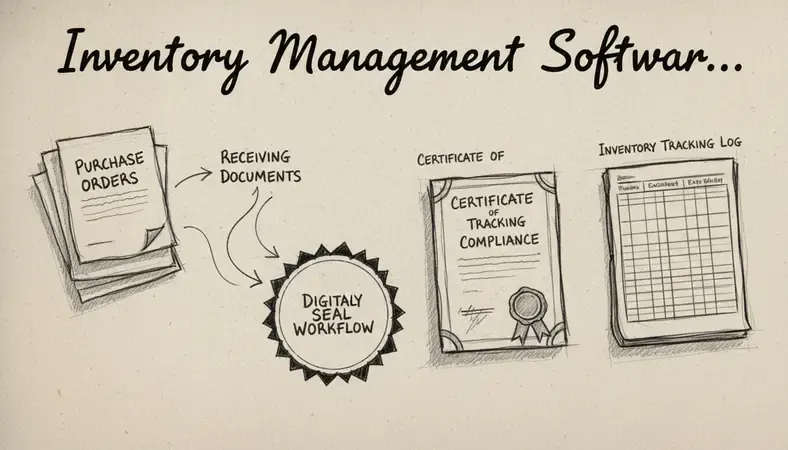
Quality control records become increasingly important in regulated industries. The system should automatically link quality certificates, test results, and inspection reports to specific inventory lots for complete traceability.
Compliance documentation varies by industry but often includes FDA registrations, safety data sheets, and environmental certifications. Integration ensures these documents are readily accessible during audits or regulatory inspections.
For businesses using LogicalDOC or similar document management platforms, inventory software should offer API connections that automatically file documents in the correct folders while maintaining searchable metadata. This eliminates manual filing and ensures nothing gets lost in email chains or local folders.
Audit trail requirements demand that every document change, approval, and access event be recorded with timestamps and user identification. This level of documentation proves essential during regulatory reviews or internal audits.
Inventory Management Software Comparison
Choosing between leading software for inventory management requires understanding how each platform handles your specific business requirements. Here's how the top solutions stack up across critical evaluation criteria.
Detailed Platform Analysis
Zoho inventory targets small to medium businesses with its user-friendly interface and affordable pricing. The platform excels at multi-channel selling with native integrations to major e-commerce platforms. Zoho inventory software includes built-in CRM functionality, making it ideal for businesses that sell both B2B and B2C.
Best for: Growing businesses needing integrated sales and inventory management Pricing: Starts at $39/month for basic features Strengths: Easy setup, comprehensive integrations, included CRM Limitations: Advanced reporting requires higher-tier plans
TradeGecko (now QuickBooks Commerce) focuses on wholesale and distribution businesses with sophisticated pricing controls and customer management. The platform handles complex pricing structures, volume discounts, and territory-based pricing with ease.
Best for: Wholesale distributors with complex pricing needs Pricing: $79-$399/month depending on features Strengths: Advanced pricing controls, B2B functionality, strong reporting Limitations: Steeper learning curve, higher cost for small businesses
Fishbowl inventory serves as the leading QuickBooks-integrated inventory solution for manufacturing and warehousing operations. The on-premise deployment offers complete customization and robust manufacturing features.
Best for: Manufacturing companies using QuickBooks Pricing: $4,395 one-time license plus annual support Strengths: Deep QuickBooks integration, manufacturing capabilities, customizable Limitations: High upfront cost, requires dedicated IT support
inFlow Inventory provides mid-market functionality at competitive pricing, with strong multi-location capabilities and comprehensive reporting. The platform balances ease of use with advanced features.
Best for: Multi-location retailers and distributors Pricing: $71-$521/month based on user count Strengths: Intuitive interface, strong multi-location support, detailed reporting Limitations: Limited manufacturing features, fewer third-party integrations

Feature Comparison Matrix
| Feature | Zoho Inventory | TradeGecko | Fishbowl | inFlow |
|---|---|---|---|---|
| Multi-Location | Yes | Yes | Yes | Excellent |
| Manufacturing | Basic | No | Excellent | Limited |
| E-commerce Integration | Excellent | Good | Limited | Good |
| Mobile App | Yes | Yes | Limited | Yes |
| API Access | Yes | Yes | Yes | Limited |
| Customization | Moderate | Good | Excellent | Moderate |
The right choice depends heavily on your industry, business size, and technical requirements. Manufacturing operations typically need Fishbowl's robust production planning, while e-commerce businesses benefit from Zoho's seamless online integrations.
Implementation and Deployment Options
Successful software for inventory management implementation requires careful planning and realistic timelines. Most businesses underestimate the complexity of data migration and staff training, leading to extended rollout periods and temporary productivity losses.
Cloud deployment offers the fastest implementation path, typically requiring 2-6 weeks from purchase to full operation. The vendor handles server setup, security configurations, and software updates automatically. However, you'll need reliable internet connectivity and must trust the vendor's data security measures.
On-Premise Installation demands 6-12 weeks for complete deployment, including server procurement, software installation, and network configuration. This approach provides maximum control but requires dedicated IT resources and ongoing maintenance responsibilities.
Hybrid solutions combine cloud accessibility with on-premise data storage, offering a middle ground for security-conscious businesses. Implementation timelines fall between pure cloud and on-premise options, typically requiring 4-8 weeks.
Implementation Timeline Breakdown
- Data Preparation (Week 1-2): Clean existing inventory data, standardize part numbers, and verify supplier information
- System Configuration (Week 2-3): Set up locations, users, pricing rules, and integration connections
- Data Migration (Week 3-4): Import inventory records, customer data, and historical transactions
- Testing Phase (Week 4-5): Conduct parallel operations to verify accuracy and identify issues
- Staff Training (Week 5-6): Train users on new processes and system functionality
- Go-Live Support (Week 6+): Monitor performance and address immediate issues
Change management often determines implementation success more than technical factors. Staff resistance to new processes can derail even well-planned deployments. Involve key users in system selection and provide comprehensive training before launch.
Data migration challenges include inconsistent part numbering, duplicate records, and incomplete supplier information. Plan for data cleanup activities that may extend implementation timelines by 2-4 weeks.
Pro Tip: Start with a single location or product category before rolling out company-wide. This phased approach identifies issues early and builds user confidence in the new system.
Pricing and ROI Analysis
Software for inventory management costs vary dramatically based on features, user count, and deployment model. Understanding total cost of ownership helps justify the investment and avoid budget surprises.
Subscription pricing dominates the cloud-based market, with costs ranging from $39-$500+ per month depending on functionality and user count. These fees typically include software updates, customer support, and basic data backup services.
License-Based Pricing applies to on-premise solutions, requiring upfront payments of $2,000-$50,000+ plus annual maintenance fees of 15-20% of license cost. Additional costs include server hardware, IT support, and periodic upgrades.
Per-User Pricing scales with team size, making it predictable for growing businesses. Costs typically range from $25-$100 per user per month, with volume discounts available for larger teams.
ROI Calculation Framework
Inventory carrying cost reduction represents the largest potential savings. Businesses typically reduce inventory levels by 15-25% while maintaining service levels, freeing up significant working capital. For a company carrying $500,000 in inventory, a 20% reduction saves $100,000 annually.
Labor cost savings result from automated processes and reduced manual data entry. Businesses report 30-50% reductions in inventory management labor, translating to $15,000-$40,000 annual savings for typical operations.
Stockout prevention eliminates lost sales and customer dissatisfaction. Even preventing one major stockout per year can justify the entire software investment for many businesses.
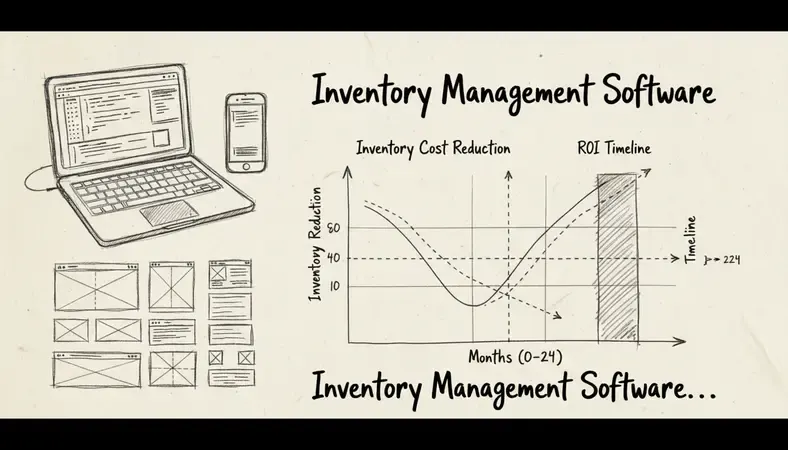
Accuracy improvements reduce shrinkage, obsolescence, and emergency purchasing costs. Businesses typically see 2-5% improvements in inventory accuracy, directly impacting profitability.
Most businesses achieve positive ROI within 6-18 months, with larger operations seeing faster payback periods due to scale advantages. The key is selecting software that matches your current needs while providing room for growth.
Best Practices for Inventory Tracking
Effective software for inventory management requires more than just technology—it demands disciplined processes and consistent execution. These proven practices maximize system effectiveness and ensure accurate data.
Cycle counting replaces disruptive annual physical inventories with ongoing accuracy verification. Count 20-50 items daily using ABC analysis to prioritize high-value products. This approach maintains accuracy while minimizing operational disruption.
Standardized procedures ensure consistent data entry across all users and locations. Document receiving procedures, stock adjustment protocols, and transfer processes in detail. Train all staff on these procedures and conduct regular compliance audits.
Real-Time Updates prevent the data lag that causes inventory discrepancies. Require immediate system updates for all receipts, shipments, and adjustments. Mobile devices enable real-time updates from warehouse floors and retail locations.
Exception reporting identifies problems before they impact operations. Set up automated alerts for negative stock levels, excessive aging inventory, and unusual transaction patterns. Regular review of these reports prevents small issues from becoming major problems.
Essential Inventory Metrics
- Inventory Turnover Ratio: Measures how efficiently you convert inventory to sales
- Days Sales Outstanding: Tracks how long inventory sits before selling
- Stockout Frequency: Monitors service level performance
- Carrying Cost Percentage: Calculates total cost of holding inventory
- Forecast Accuracy: Measures prediction reliability for demand planning
Supplier performance tracking ensures reliable inventory replenishment. Monitor delivery times, quality ratings, and fill rates for all suppliers. Use this data to optimize purchasing decisions and identify backup suppliers for critical items.
Integration maintenance keeps all connected systems synchronized. Regularly test integrations between inventory management, accounting, and e-commerce platforms. Schedule periodic data reconciliation to identify and correct synchronization issues.
User access controls protect data integrity while enabling efficient operations. Assign role-based permissions that limit access to sensitive functions like cost adjustments and supplier management. Regular access reviews ensure former employees can't access the system.
Common Questions About Inventory Management Software
What's the difference between inventory management and warehouse management software?
Inventory management software tracks what you have and where it's located, focusing on stock levels, reordering, and basic location tracking. Warehouse management systems (WMS) optimize how products move through your facility, including picking routes, storage optimization, and labor management.
Most small to medium businesses need inventory management capabilities, while large operations with complex warehousing requirements benefit from dedicated WMS functionality. Some enterprise solutions combine both capabilities in integrated platforms.
How long does it take to implement inventory management software?
Cloud-based solutions typically require 2-6 weeks for full implementation, including data migration and staff training. On-premise systems need 6-12 weeks due to hardware setup and configuration requirements.
The key factors affecting timeline include data quality, integration complexity, and staff training needs. Businesses with clean, well-organized data can implement faster than those requiring extensive data cleanup.
Can inventory software integrate with my existing accounting system?
Most modern software for inventory management offers pre-built integrations with popular accounting platforms like QuickBooks, Xero, and Sage. These integrations automatically sync inventory costs, cost of goods sold, and purchase transactions.
Custom integrations are possible for specialized accounting systems, but may require additional development time and costs. Evaluate integration capabilities early in your selection process to avoid compatibility issues.
What happens if my internet connection goes down with cloud-based software?
Most cloud-based inventory systems offer offline modes that cache critical data locally and sync when connectivity returns. However, real-time features like multi-location updates and e-commerce synchronization require active internet connections.
Businesses with unreliable internet should consider hybrid solutions or on-premise systems with cloud backup capabilities. Mobile hotspots can provide backup connectivity for critical operations during outages.
How much does inventory management software typically cost?
Pricing varies significantly based on features and business size. Small business solutions start around $39-$100 per month, while enterprise systems can cost $500-$2,000+ monthly. On-premise licenses range from $2,000-$50,000+ with additional annual maintenance fees.
Factor in implementation costs, training time, and ongoing support when calculating total cost of ownership. Many businesses find that productivity gains and inventory optimization justify the investment within the first year.
Do I need special hardware for inventory management software?
Cloud-based systems work with standard computers, tablets, and smartphones. Barcode scanning requires compatible scanners, which range from $50-$500 depending on durability and features.
RFID tracking needs specialized readers and tags, representing a higher upfront investment but offering faster scanning and automated data collection. Most businesses start with barcode scanning and upgrade to RFID as volumes increase.
What This Means for You
The right software for inventory management transforms chaotic stock tracking into streamlined operations that grow with your business. Whether you choose cloud-based flexibility or on-premise control, focus on solutions that solve your specific challenges rather than impressive features you'll never use.
Streamline your document workflow at LogicalDOC — integrate inventory documentation, purchase orders, and compliance records in one secure platform that scales with your business growth. Ready to get started? Visit LogicalDOC to learn more.

Latest posts by Cristian Fulger (see all)
- Top Project Management Software Worth Trying - 04/09/2026
- Best Project Management Software Picks - 04/09/2026
- How to Set Up an Inventory Management Program - 04/08/2026
- Essential Program Management Software Resources - 04/07/2026
- Inventory Management Software: Top Solutions - 04/06/2026