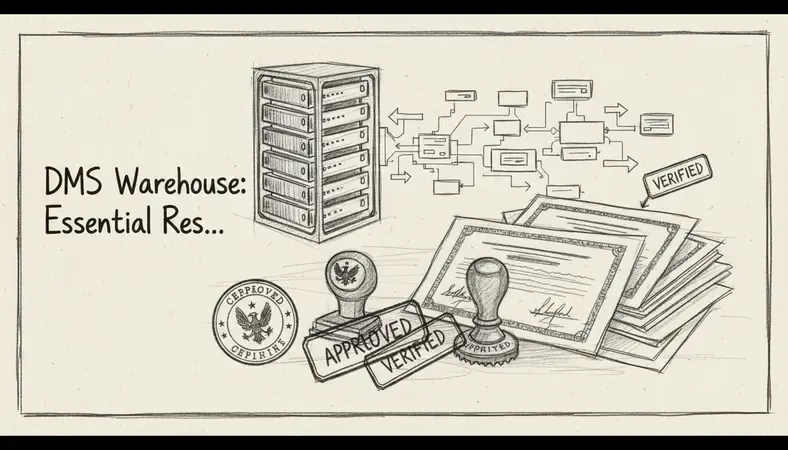
A DMS warehouse isn't just document storage — it's a centralized repository that transforms how organizations manage, access, and scale their document operations. Unlike traditional file systems that scatter documents across multiple locations, a DMS warehouse creates a unified hub where documents flow seamlessly between departments, systems, and users. This resource guide covers the tools, platforms, and best practices you need to build and optimize your document management warehouse.
What Is a DMS Warehouse?
A Document Management System (DMS) warehouse serves as the central repository for an organization's digital documents, combining storage, processing, and distribution capabilities in one unified platform. Think of it as the command center for your document ecosystem — where files are stored, indexed, processed, and made available to authorized users across your organization.
The warehouse concept goes beyond simple storage. It includes metadata management, version control, automated workflows, and integration capabilities that connect your documents to business processes. When properly implemented, a DMS warehouse becomes the single source of truth for organizational knowledge, supporting everything from compliance requirements to daily operational efficiency.
Core Components of a DMS Warehouse
- Central Repository: Unified storage location for all document types
- Metadata Engine: Automated tagging and classification systems
- Workflow Automation: Process routing and approval mechanisms
- Integration Layer: APIs and connectors for enterprise systems
- Security Framework: Access controls and audit trails
- Search and Retrieval: Advanced indexing and discovery tools
DMS Warehouse vs Traditional Document Storage
Traditional document storage typically involves file servers, shared drives, or basic cloud storage solutions. While these approaches work for simple file sharing, they lack the sophisticated features needed for enterprise document management.
Comparison of Document Storage Approaches
| Feature | Traditional Storage | DMS Warehouse | Cloud-Only Solution |
|---|---|---|---|
| Metadata Management | Manual file naming | Automated tagging and classification | Basic properties only |
| Version Control | File naming conventions | Automated versioning with rollback | Limited version history |
| Workflow Integration | Email-based approvals | Automated routing and notifications | Third-party workflow tools |
| Search Capabilities | File name search only | Full-text and metadata search | Basic text search |
| Compliance Features | Manual audit trails | Automated compliance reporting | Limited audit capabilities |
| Scalability | Hardware limitations | Elastic scaling with demand | Vendor-dependent scaling |
Traditional storage systems often create information silos, where documents exist in isolation without proper context or connections to business processes. A DMS warehouse breaks down these silos by creating a unified environment where documents are treated as valuable business assets with proper governance and lifecycle management.
The key difference lies in intelligence. While traditional storage is passive, a DMS warehouse actively manages documents through their entire lifecycle — from creation and collaboration to archival and disposal.
Essential DMS Warehouse Tools
Enterprise Platforms
Microsoft SharePoint remains one of the most widely deployed DMS warehouse platforms, particularly in organizations already using Microsoft 365. It provides document libraries, workflow automation, and integration with Office applications. SharePoint works best for organizations that need tight integration with Microsoft's ecosystem and have dedicated IT resources for configuration and maintenance.
Alfresco offers both open-source and commercial versions, making it attractive for organizations wanting flexibility in deployment and customization. The platform provides strong content modeling capabilities and supports complex document workflows. Alfresco excels in environments where custom development and integration with existing systems are priorities.
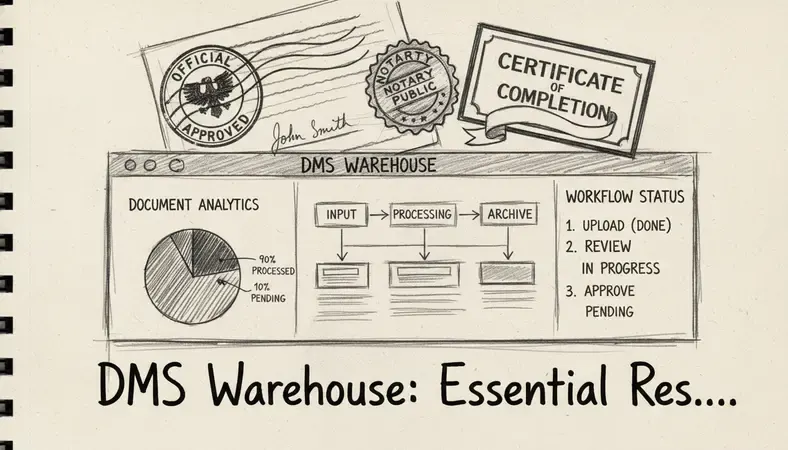
OpenText Content Suite targets large enterprises with complex compliance requirements. It provides comprehensive records management, automated retention policies, and advanced security features. The platform works well for heavily regulated industries like healthcare, finance, and government.
Cloud-Native Solutions
Box focuses on secure file sharing and collaboration while providing API-driven integration capabilities. It's particularly strong for organizations that need to share documents externally while maintaining security controls. Box works well for companies with distributed teams and external collaboration requirements.
Dropbox business offers simplified deployment with enterprise-grade security features. While not as feature-rich as dedicated DMS platforms, it provides good integration capabilities and user adoption rates. It's suitable for organizations prioritizing ease of use over advanced document management features.
Specialized DMS Warehouse Components
Elasticsearch serves as a powerful search engine for document warehouses, providing full-text search capabilities across multiple document types. It's often integrated with other platforms to enhance search and discovery capabilities.
Apache solr offers another enterprise search option with strong text analysis and faceted search capabilities. It works well for organizations building custom DMS solutions or needing advanced search customization.
Implementation Best Practices
Planning and Architecture
Start with a comprehensive document audit to understand your current document landscape. Identify document types, volumes, access patterns, and compliance requirements. This information drives architecture decisions and helps prioritize features.
Design your taxonomy and metadata schema before importing documents. A well-structured taxonomy makes documents discoverable and supports automated classification. Consider both current needs and future growth when designing your information architecture.
Migration Strategies
- Phased Migration: Move document types in stages, starting with the most critical or frequently accessed content
- Parallel Systems: Run old and new systems simultaneously during transition periods
- Pilot Programs: Test with small user groups before organization-wide deployment
- Data Cleansing: Remove duplicate, outdated, or irrelevant documents before migration
User Adoption
Training programs should focus on daily workflows rather than system features. Show users how the DMS warehouse improves their specific tasks and reduces friction in document-related processes.
Create champions within each department who can provide peer support and gather feedback for continuous improvement. These champions often become the most effective trainers for new users.
Integration with Enterprise Systems
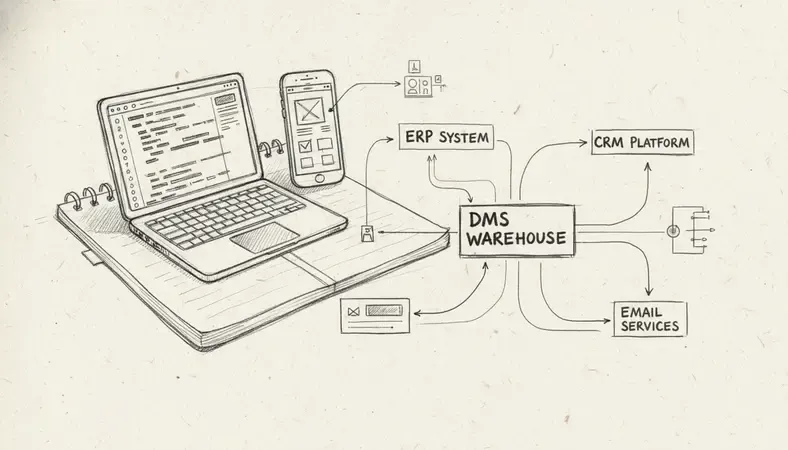
Modern DMS warehouses don't operate in isolation — they integrate with ERP systems, CRM platforms, email systems, and business applications to create seamless workflows.
ERP Integration
Document warehouses integrate with ERP systems to attach supporting documentation to financial transactions, purchase orders, and customer records. This creates complete audit trails and supports compliance requirements.
Popular integration patterns include:
- Invoice Processing: Automatically route invoices from email or scanning systems into approval workflows
- Contract Management: Link contracts to customer records and set up renewal notifications
- Quality Documentation: Attach specifications and test results to product records
CRM Integration
Sales teams benefit from having proposal templates, contracts, and customer communications stored in the DMS warehouse while remaining accessible through their CRM interface. This eliminates the need to switch between systems and ensures all customer-related documents are properly organized.
Email Integration
Email integration allows users to save important communications directly to the document warehouse with proper metadata and filing. Advanced systems can automatically classify and route emails based on content analysis.
Scalability and Performance Considerations
Storage Architecture
Plan for both current storage needs and future growth. Document volumes typically grow exponentially as organizations mature and adopt digital processes. Consider tiered storage approaches where frequently accessed documents remain on high-performance storage while archived content moves to lower-cost options.
Performance Optimization
- Indexing Strategies: Balance search performance with storage requirements
- Caching Policies: Cache frequently accessed documents and metadata
- Load Balancing: Distribute user requests across multiple servers
- Database Optimization: Tune database queries and indexes for document metadata
Monitoring and Maintenance
Implement comprehensive monitoring to track system performance, user activity, and storage utilization. Regular maintenance schedules should include index optimization, database maintenance, and storage cleanup procedures.
Security and Compliance Standards
Access Control
Implement role-based access control (RBAC) that aligns with your organizational structure. Users should have access only to documents relevant to their job functions, with additional controls for sensitive or confidential content.
Consider these access control strategies:
- Department-Based Access: Organize permissions around organizational structure
- Project-Based Access: Grant temporary access for specific initiatives
- Document Classification: Use sensitivity labels to control access automatically
- External User Access: Secure sharing with partners and customers
Audit and Compliance
Comprehensive audit trails track who accessed which documents, when changes were made, and what actions were performed. This information supports compliance requirements and security investigations.
Key audit capabilities include:
- User Activity Tracking: Monitor document access and modifications
- System Changes: Track configuration and permission changes
- Export Activities: Monitor document downloads and sharing
- Retention Compliance: Automatically enforce retention policies and legal holds
Data Protection
Implement encryption for data at rest and in transit. Consider additional protection measures like digital rights management (DRM) for highly sensitive documents that need protection even after download.
Common Questions About DMS Warehouses
What's the difference between a DMS warehouse and cloud storage?
A DMS warehouse provides comprehensive document management capabilities including workflow automation, metadata management, and business process integration. Cloud storage focuses primarily on file synchronization and sharing. While cloud storage works well for basic file access, a DMS warehouse treats documents as business assets with proper governance, lifecycle management, and integration with business processes.
How do you handle document version control in a warehouse environment?
Version control in DMS warehouses typically involves automatic versioning where the system creates new versions when documents are modified while maintaining access to previous versions. Users can compare versions, roll back changes, and track who made specific modifications. Advanced systems provide branching and merging capabilities for collaborative editing scenarios.
What are the typical costs for implementing a DMS warehouse?
Costs vary significantly based on organization size, feature requirements, and deployment approach. Cloud-based solutions typically range from $10-50 per user per month, while on-premises enterprise platforms can require significant upfront licensing and infrastructure investments. Factor in implementation services, training, and ongoing maintenance when calculating total cost of ownership.
How long does a typical DMS warehouse implementation take?
Implementation timelines depend on organization size, document volumes, and complexity requirements. Simple cloud deployments might take 2-3 months, while complex enterprise implementations can require 6-12 months or more. Key factors affecting timeline include data migration complexity, integration requirements, and user training needs.
Final Thoughts
Building an effective DMS warehouse requires careful planning, the right technology choices, and a focus on user adoption. Start with a clear understanding of your document management challenges and business requirements, then select tools and approaches that align with your organizational goals.
Streamline your document management at LogicalDOC — organize, share, and secure your documents effortlessly with our user-friendly DMS solution. Ready to get started? Visit LogicalDOC to learn more.

Latest posts by Cristian Fulger (see all)
- Best Content Management Systems Worth Trying - 04/05/2026
- Warehouse System Tools and Resources - 04/04/2026
- What Are Warehouse Management Systems? - 04/03/2026
- Project Management Tools Explained - 04/02/2026
- Top CMMS Solutions Worth Trying - 03/31/2026