When it comes to choosing an inventory system for your business, the decision between cloud-based and on-premise solutions can make or break your operational efficiency. Both approaches have their place in today's market, but the right choice depends on your specific business needs, budget constraints, and technical requirements. Understanding the fundamental differences between these two deployment models will help you make an informed decision that supports your long-term growth objectives.
This comprehensive comparison will walk you through everything you need to know about cloud versus on-premise inventory systems. We'll explore how each option works, examine their key features and limitations, and provide a clear framework for determining which approach aligns best with your organization's goals.

Understanding Your Inventory System Options
The landscape of inventory management has evolved dramatically over the past decade. Traditional on-premise inventory systems once dominated the market, requiring businesses to purchase, install, and maintain software on their own servers. Today, cloud-based alternatives offer compelling advantages that have shifted the balance for many organizations.
Cloud-Based Inventory Systems Explained
A cloud-based inventory system operates entirely through internet-connected servers managed by a third-party provider. Instead of installing software on your local computers, you access the system through a web browser or mobile application. The software, data storage, and processing power all reside in remote data centers maintained by the service provider.
This model follows a Software-as-a-Service (SaaS) approach, where you typically pay a monthly or annual subscription fee based on the number of users, features, or transaction volume. Popular cloud inventory systems include solutions from companies like Fishbowl, inFlow Inventory, and Zoho Inventory, each offering different feature sets and pricing structures.
The cloud model eliminates the need for significant upfront hardware investments and reduces the technical expertise required to maintain the system. Updates and security patches are handled automatically by the provider, ensuring you always have access to the latest features and security improvements.
On-Premise Inventory Systems Defined
On-premise inventory systems require you to purchase and install software directly on your company's computers and servers. You own the software license outright and maintain complete control over the system's configuration, data storage, and security protocols. This traditional approach has been the standard for decades, particularly among larger enterprises with dedicated IT departments.
With an on-premise solution, you're responsible for hardware procurement, software installation, system maintenance, security updates, and data backups. While this requires more technical resources, it provides maximum control over your inventory data and system customization options.
Key Insight: The choice between cloud and on-premise isn't just about technology—it's about aligning your inventory system with your business model, growth plans, and operational philosophy.
Many established inventory management software providers like Sage, Microsoft Dynamics, and Oracle offer robust on-premise solutions designed for complex business environments. These systems often integrate deeply with existing enterprise resource planning (ERP) systems and can handle sophisticated inventory tracking requirements.
Comparing Cloud and On-Premise Inventory Systems
To make an informed decision, you need to understand how these two approaches differ across critical business factors. Each deployment model offers distinct advantages and presents unique challenges that can significantly impact your operations.
Cost Structure Analysis
The financial implications of your inventory system choice extend far beyond the initial purchase price. Cloud-based systems typically follow an operational expense (OpEx) model, while on-premise solutions require significant capital expenditure (CapEx) upfront.
Cloud-Based Cost Structure: – Monthly or annual subscription fees ranging from $50 to $500+ per user – Minimal upfront costs beyond implementation and training – Predictable ongoing expenses that scale with business growth – No hardware purchase or maintenance costs – Automatic updates and support included in subscription
On-Premise Cost Structure: – Significant upfront software licensing fees, often $5,000 to $50,000+ – Hardware costs for servers, networking equipment, and workstations – Ongoing maintenance fees (typically 15-20% of license cost annually) – Internal IT staff costs for system administration and support – Periodic upgrade costs for new software versions
Comparison of Key Features and Capabilities
| Feature | Cloud-Based | On-Premise | Best For |
|---|---|---|---|
| Initial Setup | Quick deployment, often within days | Lengthy implementation, weeks to months | Businesses needing rapid deployment |
| Customization | Limited to provider's options | Extensive customization possible | Organizations with unique requirements |
| Data Control | Provider manages data security | Complete control over data | Companies with strict compliance needs |
| Scalability | Easy to scale up or down | Requires hardware upgrades | Growing businesses with changing needs |
| Integration | API-based, may have limitations | Deep integration capabilities | Enterprises with complex systems |
| Mobility | Excellent mobile access | Limited mobile capabilities | Businesses with mobile workforce |
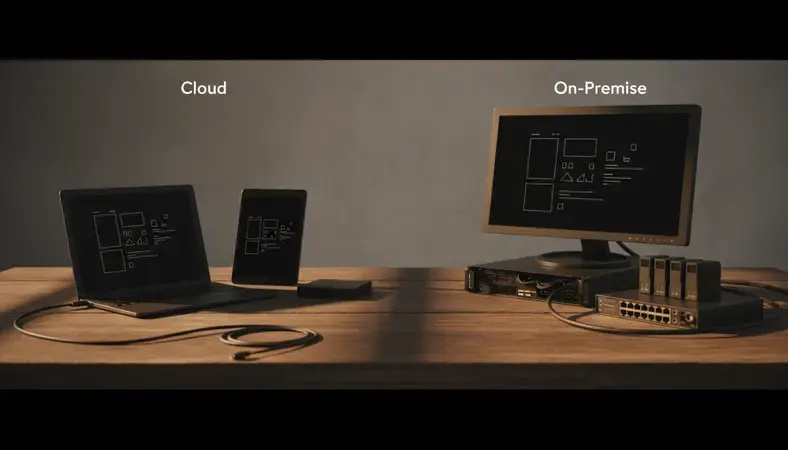
The feature comparison reveals that cloud systems excel in areas like deployment speed, scalability, and mobile access, while on-premise solutions offer superior customization and integration capabilities. Your business priorities should guide which features matter most for your specific use case.
Deep Dive: Cloud-Based Inventory Systems
Cloud-based inventory systems have revolutionized how businesses manage their stock, offering unprecedented flexibility and accessibility. Understanding the intricacies of cloud deployment will help you evaluate whether this approach aligns with your operational needs.
How Cloud Systems Operate
When you use a cloud-based inventory system, your data and applications reside on servers in professional data centers managed by the software provider. These facilities typically feature redundant power supplies, climate control, advanced security measures, and multiple internet connections to ensure maximum uptime and reliability.
The multi-tenant architecture of most cloud systems means multiple customers share the same underlying infrastructure while maintaining complete data separation. This shared model enables providers to offer sophisticated features at a fraction of the cost of maintaining dedicated systems.
Data Synchronization and Real-Time Updates: Cloud systems excel at providing real-time inventory visibility across multiple locations. When an employee at one warehouse updates stock levels, that information immediately becomes available to users at other locations, remote sales teams, and integrated e-commerce platforms.
This real-time synchronization eliminates the data lag common in traditional systems where updates might take hours or days to propagate across different locations. For businesses with multiple warehouses, retail locations, or sales channels, this immediate visibility can significantly improve decision-making and customer service.
Security and Compliance Considerations
Many business owners initially worry about data security in cloud environments, but professional cloud providers typically offer superior security compared to what most small to medium-sized businesses can implement internally. Leading providers invest millions in cybersecurity measures, employ dedicated security teams, and undergo regular third-party security audits.
Enterprise-Grade Security Features: – Advanced encryption for data in transit and at rest – Multi-factor authentication and role-based access controls – Regular security updates and patch management – Continuous monitoring for suspicious activities – Disaster recovery and business continuity planning
For businesses in regulated industries, cloud providers often maintain compliance certifications like SOC 2, HIPAA, or PCI DSS, which can be expensive and complex for individual companies to achieve independently.
Why It Matters: Professional cloud providers can often deliver better security than internal IT teams because security is their core business focus, not a secondary responsibility.
Scalability and Growth Accommodation
One of the most compelling advantages of cloud-based inventory systems is their ability to scale effortlessly with your business growth. Whether you're adding new product lines, opening additional locations, or experiencing seasonal demand fluctuations, cloud systems can accommodate these changes without significant infrastructure investments.
Scaling Scenarios: – User Growth: Adding new employees typically requires just a few clicks and an additional monthly fee – Location Expansion: New warehouses or retail locations can be integrated within days – Product Diversification: Expanding inventory categories doesn't require system modifications – Transaction Volume: Most cloud systems handle increased order volumes automatically
This scalability proves particularly valuable for growing businesses that might outgrow an on-premise system's capacity, requiring expensive hardware upgrades or complete system replacements.
Deep Dive: On-Premise Inventory Systems
On-premise inventory systems continue to serve many businesses effectively, particularly those with specific security requirements, complex integration needs, or substantial existing IT infrastructure investments. Understanding when and why to choose on-premise deployment requires examining both the technical and business factors involved.
Infrastructure Requirements and Considerations
Implementing an on-premise inventory system demands careful planning of your technical infrastructure. You'll need adequate server hardware, networking equipment, backup systems, and the technical expertise to maintain these components reliably.
Hardware Infrastructure Components: – Application Servers: High-performance computers to run the inventory software – Database Servers: Dedicated systems for storing and managing inventory data – Network Infrastructure: Switches, routers, and security appliances for connectivity – Backup Systems: Redundant storage and disaster recovery capabilities – Workstations: Employee computers with sufficient processing power and memory
The initial hardware investment can range from $10,000 for basic setups to hundreds of thousands of dollars for enterprise-grade implementations. Additionally, you'll need climate-controlled server rooms, uninterruptible power supplies, and redundant internet connections to ensure system reliability.
Customization and Integration Capabilities
On-premise systems shine when businesses require extensive customization or deep integration with existing enterprise systems. Since you control the entire software environment, you can modify workflows, create custom reports, and integrate with virtually any other business system.
Advanced Integration Scenarios: – ERP System Integration: Direct database connections with enterprise resource planning systems – Manufacturing Equipment: Real-time data exchange with production machinery and sensors – Financial Systems: Deep integration with accounting software for automated cost tracking – Supply Chain Partners: Secure connections with vendor and customer systems
This level of integration flexibility makes on-premise systems attractive for manufacturers, distributors, and other businesses with complex operational requirements that don't fit standard software templates.
Expert Tip: If your business processes are highly specialized or you need integration with legacy systems, on-premise deployment often provides the flexibility required for successful implementation.
Long-Term Total Cost of Ownership
While on-premise systems require significant upfront investment, they can prove more cost-effective over extended periods for certain business types. Organizations planning to use the same system for many years without major changes might find on-premise deployment financially advantageous.
Long-Term Cost Factors: – Software Licensing: One-time purchase versus ongoing subscription fees – Hardware Depreciation: Spreading equipment costs over useful life (typically 3-5 years) – Maintenance and Support: Annual fees versus subscription inclusions – Upgrade Costs: Periodic major version upgrades versus continuous updates – Staff Resources: Internal IT costs versus external provider dependencies
For stable businesses with predictable growth patterns and existing IT capabilities, the total cost of ownership calculation often favors on-premise deployment over 5-7 year periods.

The Importance of Inventory System Selection
Choosing the right inventory system deployment model impacts virtually every aspect of your business operations. The decision influences not only your immediate operational efficiency but also your long-term scalability, cost structure, and competitive positioning in the marketplace.
Operational Impact and Business Continuity
Your inventory system serves as the backbone of your supply chain operations, affecting everything from purchasing decisions to customer fulfillment. The deployment model you choose directly impacts system reliability, data accessibility, and your ability to maintain operations during various scenarios.
Business Continuity Considerations: Cloud systems depend on internet connectivity but offer built-in redundancy through provider data centers. On-premise systems provide local control but require you to implement your own backup and disaster recovery procedures. Each approach presents different risk profiles that must align with your business continuity requirements.
For businesses operating in areas with unreliable internet service, on-premise systems might provide better operational stability. Conversely, companies with multiple locations or remote workers often benefit from cloud systems' universal accessibility.
Integration with Document Management
Modern inventory systems increasingly integrate with document management solutions to streamline operations and improve compliance. LogicalDOC users often find that cloud-based inventory systems integrate more easily with their document management workflows, enabling seamless handling of purchase orders, invoices, and shipping documents.
The integration between inventory and document management systems becomes particularly important for businesses in regulated industries where maintaining proper documentation trails is essential for compliance and auditing purposes.
Key Takeaway: Your inventory system choice should support, not hinder, your existing business processes and technology investments, including document management capabilities.
Impact on Customer Service and Satisfaction
The deployment model you choose affects your ability to provide excellent customer service. Real-time inventory visibility, accurate order tracking, and quick response times all depend on having the right system architecture in place.
Cloud-based systems typically excel at providing customer-facing features like online inventory availability, automated order notifications, and mobile access for customer service representatives. On-premise systems might require additional development work to achieve similar customer-facing capabilities.
Common Misconceptions About Inventory System Deployment
Several persistent myths surround the choice between cloud and on-premise inventory systems. Addressing these misconceptions helps ensure you make decisions based on facts rather than outdated assumptions or incomplete information.
"Cloud Systems Are Less Secure"
This misconception stems from early cloud computing implementations and general unfamiliarity with modern cloud security practices. Today's professional cloud providers typically offer superior security compared to what most businesses can implement internally.
Reality Check on Cloud Security: Major cloud providers employ dedicated security teams, invest heavily in cybersecurity infrastructure, and undergo regular third-party security audits. They implement enterprise-grade encryption, multi-factor authentication, and continuous monitoring that would be prohibitively expensive for most individual businesses to replicate.
Small and medium-sized businesses often lack the resources to maintain proper security updates, implement comprehensive backup procedures, or monitor for security threats effectively. Cloud providers make these capabilities accessible to organizations of all sizes.
"On-Premise Systems Always Cost Less Long-Term"
While on-premise systems can be more cost-effective over extended periods in certain scenarios, this isn't universally true. The total cost calculation depends on numerous factors including business size, growth rate, technical requirements, and internal IT capabilities.
Hidden On-Premise Costs Often Overlooked: – Staff time for system administration and maintenance – Hardware replacement cycles every 3-5 years – Software upgrade costs and implementation time – Security infrastructure and monitoring tools – Backup systems and disaster recovery planning
Many businesses underestimate these ongoing costs when making initial deployment decisions, leading to budget surprises down the road.
"Cloud Systems Lack Customization Options"
Modern cloud-based inventory systems offer extensive configuration options, custom fields, workflow automation, and integration capabilities. While they may not provide the unlimited customization possible with on-premise solutions, they meet the needs of most businesses effectively.
Cloud Customization Capabilities: – Custom fields and data structures – Workflow automation and business rules – Integration APIs for third-party systems – Custom reporting and dashboard creation – Role-based access controls and permissions
The key is distinguishing between customization needs versus customization wants. Many businesses discover that standard cloud features, properly configured, meet their operational requirements without custom development.
Pro Tip: Before assuming you need extensive customization, carefully evaluate whether standard cloud features can accomplish your goals through proper configuration rather than custom development.
"Internet Dependency Makes Cloud Systems Unreliable"
While cloud systems do require internet connectivity, modern internet infrastructure has become increasingly reliable, and many cloud providers offer offline capabilities for critical functions. Additionally, most businesses already depend on internet connectivity for email, communication, and other essential operations.
Mitigating Connectivity Concerns: – Redundant internet connections from multiple providers – Mobile hotspot backup options – Offline mobile applications for essential functions – Local data caching for improved performance
The reliability question often comes down to comparing internet service reliability against your ability to maintain on-premise hardware and software systems effectively.

Best Practices for Inventory System Selection
Selecting the right inventory system deployment model requires a systematic evaluation process that considers both current needs and future growth plans. Following established best practices helps ensure you make a decision that supports your business objectives effectively.
Conducting a Thorough Needs Assessment
Before evaluating specific systems, clearly define your inventory management requirements, business processes, and technical constraints. This assessment forms the foundation for making an informed deployment decision.
Key Assessment Areas: – Current Pain Points: Identify specific problems your new system must solve – User Requirements: Determine who needs access and what functionality they require – Integration Needs: Catalog existing systems that must connect with your inventory solution – Compliance Requirements: Document any regulatory or industry-specific needs – Growth Projections: Estimate how your requirements might change over 3-5 years
Document these requirements clearly and prioritize them based on business impact. This documentation will prove invaluable when evaluating different deployment options and vendor proposals.
Evaluating Total Cost of Ownership
Look beyond initial purchase prices to understand the complete financial impact of your decision. Total cost of ownership (TCO) analysis should include all direct and indirect costs over your planned system lifecycle.
Comprehensive TCO Components: – Initial Costs: Software licenses, hardware, implementation services – Ongoing Costs: Subscriptions, maintenance, support, utilities – Staff Costs: Internal resources for administration, training, support – Opportunity Costs: Time and resources diverted from core business activities – Risk Costs: Potential downtime, security breaches, or compliance failures
Create detailed cost projections for both deployment models over 3, 5, and 7-year periods. Include sensitivity analysis to understand how different growth scenarios might affect these projections.
Planning for Future Growth and Changes
Your inventory system choice should accommodate not just current needs but also anticipated future requirements. Consider how different deployment models support various growth scenarios and business changes.
Growth Planning Considerations: – User Scalability: How easily can you add new employees or locations? – Feature Expansion: Can the system grow with increasing complexity? – Integration Evolution: How will changing technology needs affect system connectivity? – Performance Scaling: Will the system handle increased transaction volumes? – Geographic Expansion: Does the deployment model support new markets or regions?
Strategic Insight: The best inventory system choice balances current functionality needs with future flexibility requirements, avoiding both over-engineering and premature obsolescence.
Vendor Evaluation and Due Diligence
Whether choosing cloud or on-premise deployment, thorough vendor evaluation ensures you partner with a reliable provider capable of supporting your long-term success.
Vendor Assessment Criteria: – Financial Stability: Can the vendor support you long-term? – Technical Expertise: Do they understand your industry and requirements? – Support Quality: What level of ongoing support do they provide? – Security Practices: How do they protect your data and systems? – Upgrade Path: How do they handle system updates and improvements?
Request references from similar businesses and conduct thorough reference checks. Ask about implementation experiences, ongoing support quality, and how the vendor handles problems or changes.
Decision Framework: Choosing Your Deployment Model
Making the final decision between cloud and on-premise inventory systems requires weighing multiple factors against your specific business context. This framework provides a structured approach to reach the right conclusion for your organization.
When Cloud-Based Systems Make Sense
Cloud deployment often proves optimal for businesses prioritizing flexibility, rapid implementation, and predictable costs. Several business characteristics strongly favor cloud-based inventory systems.
Ideal Cloud Deployment Scenarios: – Limited IT Resources: Small teams without dedicated system administrators – Rapid Growth: Businesses expanding quickly or experiencing variable demand – Multiple Locations: Operations spanning different geographic areas – Mobile Workforce: Employees needing system access from various locations – Budget Predictability: Preference for operational expenses over capital investments – Quick Implementation: Need to deploy new systems within weeks rather than months
Cloud systems particularly benefit businesses in retail, e-commerce, professional services, and other industries where standard inventory management processes align well with out-of-the-box software capabilities.
When On-Premise Systems Are Preferable
On-premise deployment makes sense for organizations with specific technical requirements, extensive customization needs, or existing infrastructure investments that support internal system hosting.
Optimal On-Premise Deployment Scenarios: – Complex Integration Requirements: Deep connections with manufacturing or ERP systems – Regulatory Compliance: Industries with strict data residency or security requirements – Extensive Customization: Unique business processes requiring significant software modifications – Established IT Infrastructure: Existing server capabilities and technical expertise – Long-Term Stability: Mature businesses with predictable, stable operations – Internet Connectivity Issues: Locations with unreliable or limited internet service
Manufacturing companies, distributors with complex supply chains, and businesses in heavily regulated industries often find on-premise systems better suited to their operational requirements.
Hybrid Approaches and Migration Strategies
Some organizations benefit from hybrid approaches that combine elements of both deployment models or plan phased migrations from one model to another as business needs evolve.
Hybrid Strategy Examples: – Core On-Premise, Mobile Cloud: Critical systems on-premise with cloud-based mobile access – Geographic Splitting: Different deployment models for different regions or business units – Gradual Migration: Starting with cloud deployment and moving to on-premise as business matures – Disaster Recovery: Using cloud systems as backup for primary on-premise operations
Consider your long-term technology strategy when evaluating these approaches, ensuring any hybrid or migration plan aligns with broader business objectives and technical capabilities.
Decision Point: The right deployment model should feel natural for your organization's culture, technical capabilities, and operational preferences—not force you to adapt your business to the technology.
Common Questions About Inventory System Deployment
Understanding the nuances of inventory system deployment often requires addressing specific concerns and scenarios that businesses encounter during their evaluation process. These frequently asked questions cover the most common decision points and implementation considerations.
How do I handle data migration between systems?
Data migration represents one of the most critical aspects of inventory system implementation, regardless of deployment model. The process requires careful planning to ensure data accuracy and minimize business disruption during the transition.
Cloud Migration Considerations: Cloud providers typically offer migration tools and services to transfer data from existing systems. The process usually involves exporting data from your current system, cleaning and formatting it according to the new system's requirements, and importing it through automated tools or APIs. Most cloud providers include migration support as part of their implementation services.
On-Premise Migration Process: On-premise migrations often require more technical expertise but provide greater control over the process. You'll work with implementation consultants to map data fields, establish conversion rules, and execute the migration in phases to minimize operational impact.
Regardless of deployment model, plan for data validation periods where you run both systems in parallel to ensure accuracy before fully transitioning to the new system.
What happens if my cloud provider goes out of business?
This concern reflects legitimate business continuity planning, though the risk has decreased significantly as the cloud industry has matured. Established cloud providers typically have substantial financial backing and customer bases that make sudden closure unlikely.
Risk Mitigation Strategies: – Choose providers with strong financial positions and established market presence – Ensure your contract includes data portability clauses and export capabilities – Maintain regular data backups that you control independently – Select providers that use standard data formats rather than proprietary structures
Most reputable cloud providers offer data export tools and maintain transparent policies about data access in various scenarios, including business closure or service discontinuation.
Can I switch from cloud to on-premise later if needed?
Yes, though the complexity and cost of such transitions vary depending on the systems involved and the extent of customization or integration you've implemented. Planning for potential future changes during initial system selection can simplify later transitions.
Transition Planning Factors: – Data export capabilities and formats supported by your cloud provider – Integration complexity and custom development that might need recreation – Hardware and infrastructure requirements for on-premise deployment – Staff training and technical expertise needed for internal system management
Some businesses choose cloud deployment initially to gain operational experience before making long-term on-premise investments, using the cloud period to refine their requirements and processes.
How do security responsibilities differ between deployment models?
Security responsibility distribution varies significantly between cloud and on-premise deployments, affecting both your operational procedures and compliance obligations.
Cloud Security Model: In cloud deployments, security follows a shared responsibility model. The provider handles infrastructure security, platform updates, and data center protection, while you remain responsible for user access controls, data classification, and application-level security configurations. This division often results in stronger overall security posture for businesses lacking dedicated security expertise.
On-Premise Security Requirements: On-premise deployments place full security responsibility on your organization. You must handle everything from physical server security to network protection, software updates, intrusion detection, and incident response. While this provides complete control, it also requires substantial security expertise and ongoing investment in security tools and procedures.
What level of internet connectivity do cloud systems require?
Cloud-based inventory systems need reliable internet connectivity but don't necessarily require extremely high bandwidth for most business operations. Understanding actual connectivity requirements helps you plan appropriate internet service levels.
Bandwidth Requirements: – Basic Operations: Standard business broadband (25-50 Mbps) typically supports 10-20 concurrent users – Heavy Usage: Operations involving large file transfers or extensive reporting might require higher bandwidth – Peak Periods: Consider bandwidth needs during busy periods like month-end processing or inventory counts
Reliability Considerations: Consistent connectivity matters more than peak bandwidth for most inventory operations. Consider redundant internet connections or backup connectivity options for business-critical operations.
How do mobile access capabilities compare between deployment models?
Mobile access has become increasingly important for inventory management, affecting everything from warehouse operations to executive reporting. The deployment model you choose significantly impacts mobile capabilities and implementation complexity.
Cloud Mobile Advantages: Cloud systems typically offer native mobile applications or responsive web interfaces designed for smartphone and tablet access. These applications often include offline capabilities for essential functions like inventory counting or order processing, synchronizing data when connectivity returns.
On-Premise Mobile Challenges: On-premise systems require additional infrastructure and development work to provide mobile access. You'll need to implement secure remote access solutions, develop or purchase mobile applications, and ensure your network infrastructure can support external connections safely.
The mobile access difference often proves decisive for businesses with field sales teams, multiple locations, or warehouse operations requiring handheld device integration.
Conclusion
Choosing between cloud and on-premise inventory systems ultimately depends on your specific business needs, technical capabilities, and growth objectives. Cloud systems excel in providing flexibility, rapid deployment, and predictable costs, making them ideal for growing businesses with limited IT resources. On-premise solutions offer superior customization and control, serving organizations with complex requirements and established technical infrastructure. The key is honestly assessing your current situation and future plans to select the deployment model that best supports your operational success. Get started with LogicalDOC to see how document management integration can enhance your inventory system choice. Ready to get started? Visit LogicalDOC to learn more.

Latest posts by Cristian Fulger (see all)
- What Are Warehouse Management Systems? - 04/03/2026
- Project Management Tools Explained - 04/02/2026
- How to Set Up a Maintenance Management System - 04/01/2026
- Top CMMS Solutions Worth Trying - 03/31/2026
- Project Management Software: Which Is Best? - 03/30/2026