Choosing the right inventory system can make or break your business operations. Whether you're a small business tracking a few hundred items or a medium-sized company managing thousands of products, the decision between cloud-based and on-premise inventory systems shapes everything from daily workflows to long-term scalability. Modern businesses face unique challenges: remote teams, real-time data needs, and the constant pressure to reduce costs while improving efficiency. The inventory system you choose determines how effectively you can track stock levels, manage suppliers, and respond to customer demands. In this comprehensive guide, we'll compare cloud and on-premise inventory systems across every dimension that matters, helping you make the right choice for your specific situation.

Understanding Your Inventory System Options
An inventory system serves as the backbone of your business operations, tracking every item from the moment it enters your warehouse until it reaches your customer. These systems have evolved dramatically over the past decade, with two primary deployment models dominating the market: cloud-based and on-premise solutions.
Cloud-based inventory systems operate entirely online, with your data stored on remote servers managed by the software provider. You access the system through a web browser or mobile app, and all processing happens in the cloud. Companies like LogicalDOC have embraced cloud-first approaches because they understand how modern businesses operate—with distributed teams, multiple locations, and the need for instant access to information.
Why It Matters: The deployment model you choose affects everything from initial costs to daily operations. Cloud systems typically require minimal upfront investment but involve ongoing subscription fees, while on-premise solutions demand significant initial hardware and software purchases but may have lower long-term costs.
On-premise inventory systems run on servers located within your facility. Your IT team manages the hardware, software updates, security, and maintenance. This traditional approach gives you complete control over your data and system configuration but requires substantial technical expertise and infrastructure investment.
Key Differences in System Architecture
The fundamental difference lies in where your inventory data lives and how you access it. Cloud systems leverage distributed computing power, automatically scaling resources based on demand. When you run a complex inventory report during peak hours, cloud systems can instantly allocate more processing power to handle the request quickly.
On-premise systems rely on your local hardware capacity. If you need more processing power or storage, you must physically upgrade your servers. This creates both opportunities and challenges—you have complete control over performance optimization, but you're also responsible for predicting and provisioning future capacity needs.
Cloud systems update automatically, often rolling out new features monthly or quarterly. Your team always works with the latest version, including security patches and feature improvements. On-premise systems require manual updates, giving you control over when changes occur but potentially leaving you vulnerable if updates are delayed.
Comparing Cloud and On-Premise Inventory Systems
The choice between cloud and on-premise inventory systems involves multiple factors that impact both immediate operations and long-term business strategy. Let's examine how these approaches compare across the most critical dimensions.
Comprehensive Comparison Analysis
| Factor | Cloud-Based | On-Premise | Winner |
|---|---|---|---|
| Initial Cost | Low ($50-500/month) | High ($10K-100K+) | Cloud |
| Setup Time | Hours to days | Weeks to months | Cloud |
| Scalability | Instant, unlimited | Manual, hardware-dependent | Cloud |
| Data Control | Shared responsibility | Complete control | On-Premise |
| Customization | Limited to platform options | Unlimited | On-Premise |
| Maintenance | Provider managed | Internal IT required | Cloud |
| Security | Shared model | Full responsibility | Depends |
| Integration | API-based, standardized | Custom development | Cloud |
| Accessibility | Anywhere, any device | Network-dependent | Cloud |
| Compliance | Provider certifications | Custom implementation | Depends |
This comparison reveals why many businesses are migrating to cloud-based inventory systems. The advantages in cost, scalability, and accessibility often outweigh the control benefits of on-premise solutions.
Financial Impact Analysis
Cloud inventory systems typically cost between $50-500 per month for small to medium businesses, depending on features and user count. This subscription model includes software licensing, hosting, maintenance, updates, and support. You avoid large upfront investments and can predict monthly expenses accurately.
On-premise systems require substantial initial investments: server hardware ($5,000-50,000), software licenses ($5,000-50,000), implementation services ($10,000-100,000), and ongoing IT support costs. However, after 3-5 years, the total cost of ownership may favor on-premise solutions for larger organizations with stable requirements.
Pro Tip: Calculate the true cost of ownership over 5 years, including hidden costs like IT staff time, hardware refresh cycles, and lost productivity during system maintenance windows.
The financial model you choose affects cash flow and budgeting flexibility. Cloud systems convert capital expenses to operational expenses, improving cash flow and making it easier to scale costs with business growth. On-premise systems require significant capital investment but may offer better long-term economics for stable, high-volume operations.
Deep Dive: Cloud-Based Inventory Systems
Cloud-based inventory systems represent the modern approach to inventory management, leveraging internet connectivity and distributed computing to deliver powerful functionality without local infrastructure requirements. These systems have revolutionized how businesses manage inventory, particularly for companies with multiple locations, remote teams, or rapidly changing needs.
How Cloud Inventory Systems Work
When you log into a cloud-based inventory system, you're accessing software running on remote servers managed by the provider. Your inventory data synchronizes in real-time across all connected devices and locations. This architecture enables several powerful capabilities that traditional systems struggle to match.
Real-time synchronization means when a warehouse worker scans a product for shipment in California, the inventory count updates immediately for sales teams in New York and customer service representatives in Florida. This instant data consistency eliminates the delays and discrepancies common with traditional batch-update systems.
Key Insight: Cloud systems excel at handling distributed operations. If you have multiple warehouses, retail locations, or remote workers, cloud-based inventory systems provide seamless coordination that on-premise solutions find difficult to match.
Cloud providers invest heavily in infrastructure redundancy and disaster recovery. Your inventory data typically replicates across multiple data centers, ensuring availability even if one facility experiences problems. Most cloud providers guarantee 99.9% uptime, which translates to less than 9 hours of downtime per year.
Scalability and Flexibility Advantages
One of cloud inventory systems' most compelling advantages is their ability to scale instantly with your business needs. During peak seasons, you can add temporary users, increase transaction volumes, and expand functionality without purchasing additional hardware or waiting for IT installations.
Small businesses particularly benefit from this scalability model. You might start with basic inventory tracking for 100 products and gradually add features like demand forecasting, supplier integration, and advanced analytics as your business grows. The system scales seamlessly without requiring data migration or system replacement.
Cloud systems also adapt quickly to changing business requirements. Need to integrate with a new e-commerce platform? Cloud systems typically offer pre-built connectors and APIs that enable integration within days or weeks, compared to months of custom development for on-premise systems.
Integration and Connectivity Benefits
Modern businesses use dozens of software applications, from accounting systems to e-commerce platforms to customer relationship management tools. Cloud inventory systems excel at integration because they're built with connectivity in mind.
Most cloud inventory systems offer:
- Pre-built integrations with popular business software like QuickBooks, Shopify, Amazon, and Salesforce
- RESTful APIs that enable custom integrations with proprietary systems
- Real-time data synchronization that keeps all connected systems updated instantly
- Webhook support for event-driven automation and notifications
These integration capabilities mean your inventory system becomes the central hub connecting all your business operations, rather than an isolated application requiring manual data entry and reconciliation.
Deep Dive: On-Premise Inventory Systems
On-premise inventory systems represent the traditional approach to enterprise software deployment, where applications run on servers located within your facility. While cloud solutions dominate headlines, on-premise systems remain relevant for specific use cases and industries with unique requirements.
Complete Control and Customization
The primary advantage of on-premise inventory systems lies in the complete control they provide over every aspect of your system. You own the hardware, control the software configuration, and maintain full authority over data access and security policies.
This control enables unlimited customization possibilities. Need a unique workflow for handling returned merchandise? Want to integrate with proprietary manufacturing equipment? Require specific reporting formats for regulatory compliance? On-premise systems can accommodate virtually any requirement through custom development.
Expert Tip: On-premise systems shine in highly regulated industries or companies with unique operational requirements that don't fit standard cloud offerings. Manufacturing companies with complex bill-of-materials tracking or pharmaceutical companies with strict chain-of-custody requirements often prefer on-premise solutions.
The customization advantage comes with responsibility. Your IT team must maintain expertise in the inventory system, underlying database technology, operating systems, and integration protocols. This requirement makes on-premise systems more suitable for larger organizations with dedicated IT resources.
Security and Compliance Considerations
On-premise systems offer a different security model compared to cloud solutions. Your data never leaves your facility, eliminating concerns about third-party access or data sovereignty issues. You implement security policies, control access permissions, and maintain complete audit trails according to your requirements.
This security model appeals to organizations handling sensitive data or operating in highly regulated industries. Government contractors, healthcare organizations, and financial services companies often prefer keeping inventory data on-premise to meet strict compliance requirements.
However, on-premise security requires significant expertise and ongoing investment. You're responsible for:
- Network security including firewalls, intrusion detection, and access controls
- Physical security for servers and data centers
- Software patching and vulnerability management
- Backup and disaster recovery planning and testing
- User access management and audit logging
Many organizations underestimate the resources required to maintain enterprise-grade security for on-premise systems.
Performance and Reliability Factors
On-premise systems can deliver exceptional performance when properly configured and maintained. Since processing occurs locally, you avoid internet latency issues and can optimize hardware specifically for your inventory management needs.
Database performance tuning, server configuration optimization, and network architecture design all contribute to system responsiveness. Large organizations with high transaction volumes often achieve better performance with on-premise systems than cloud alternatives, particularly for complex queries and reporting operations.
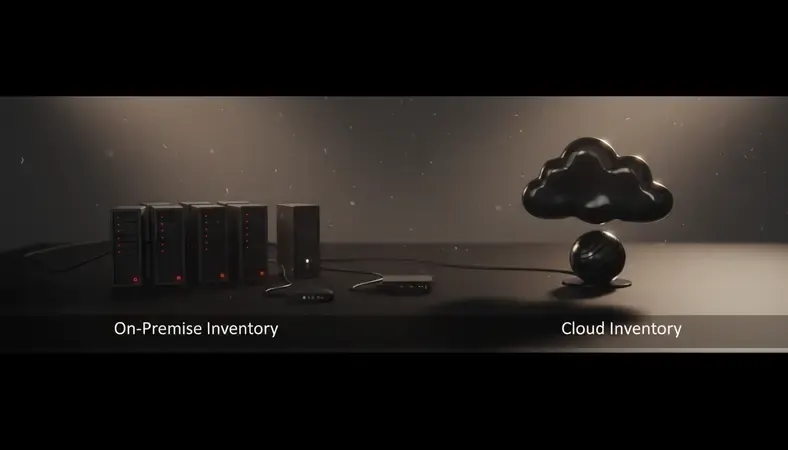
Reliability depends entirely on your infrastructure and IT capabilities. While cloud providers guarantee specific uptime levels, your on-premise reliability depends on power systems, network connectivity, hardware redundancy, and IT staff expertise. Organizations with robust IT operations often achieve excellent reliability, while those with limited resources may struggle with system availability.
Key Components of Modern Inventory Systems
Regardless of deployment model, effective inventory systems share common components that enable comprehensive inventory management. Understanding these components helps you evaluate solutions and ensure your chosen system meets all operational requirements.
Core Inventory Management Features
Every inventory system must handle fundamental inventory operations: receiving products, tracking stock levels, processing orders, and managing locations. These core features form the foundation upon which advanced capabilities build.
Product information management serves as the system's foundation, storing detailed information about each item in your inventory. This includes basic details like SKU numbers and descriptions, but modern systems also track complex attributes like dimensions, weight, supplier information, cost data, and custom fields for industry-specific requirements.
Stock level tracking monitors quantities across multiple dimensions: on-hand inventory, committed stock, available for sale, and incoming shipments. Advanced systems track inventory at multiple location levels—warehouse, zone, aisle, shelf, and bin—enabling precise location management and efficient picking operations.
Key Takeaway: The depth of product information and location tracking capabilities directly impacts operational efficiency. Systems that track inventory at granular levels enable more efficient warehouse operations and accurate availability reporting.
Transaction processing handles all inventory movements: receipts, shipments, transfers, adjustments, and cycle count corrections. Each transaction creates an audit trail showing what changed, when it changed, and who made the change. This transaction history enables accurate cost accounting and inventory reconciliation.
Advanced Analytics and Reporting
Modern inventory systems provide sophisticated analytics capabilities that transform raw transaction data into actionable business insights. These features help businesses optimize inventory levels, identify trends, and make data-driven decisions.
Demand forecasting analyzes historical sales data, seasonal patterns, and market trends to predict future demand. Advanced systems incorporate external factors like weather patterns, economic indicators, and promotional calendars to improve forecast accuracy. This capability helps businesses maintain optimal inventory levels while minimizing carrying costs and stockouts.
ABC Analysis categorizes inventory items based on their contribution to total inventory value or sales volume. This analysis helps businesses focus attention on high-impact items while streamlining management of low-value products. The 80/20 rule often applies—20% of items typically represent 80% of inventory value.
Inventory turnover analysis tracks how quickly different products sell, identifying slow-moving items that tie up capital and fast-moving products that require closer monitoring. This analysis informs purchasing decisions, pricing strategies, and promotional planning.
Integration and Automation Capabilities
Modern inventory systems excel at connecting with other business applications and automating routine processes. These capabilities reduce manual work, minimize errors, and enable real-time business operations.
E-commerce Integration synchronizes inventory levels with online sales channels, automatically updating product availability as orders process. When inventory drops below specified thresholds, the system can automatically mark products as out-of-stock on your website, preventing overselling situations.
Accounting system integration ensures inventory valuations, cost of goods sold calculations, and purchase transactions flow seamlessly into your financial records. This integration eliminates double data entry and ensures inventory and financial records remain synchronized.
Supplier integration enables electronic data interchange (EDI) or API connections with key suppliers, automating purchase order transmission, shipment notifications, and invoice processing. These connections reduce procurement cycle times and improve supplier relationship management.
Benefits and Use Cases for Each Approach
The choice between cloud and on-premise inventory systems depends heavily on your specific business context, operational requirements, and strategic priorities. Each approach offers distinct advantages that align better with certain use cases and organizational characteristics.
When Cloud Inventory Systems Excel
Cloud-based inventory systems deliver maximum value for businesses prioritizing flexibility, rapid deployment, and operational simplicity. These systems particularly benefit organizations with distributed operations, limited IT resources, or rapidly changing requirements.
Multi-location Operations represent cloud systems' sweet spot. If you operate multiple warehouses, retail locations, or distribution centers, cloud systems provide seamless coordination without complex networking infrastructure. Sales teams can check inventory levels across all locations instantly, and warehouse managers can transfer stock between facilities with real-time visibility.
Remote and Mobile Workforce scenarios favor cloud solutions. Sales representatives can access inventory information from customer sites, delivery drivers can update shipment status from their vehicles, and managers can monitor operations from anywhere with internet access. This accessibility becomes crucial for businesses with field operations or remote teams.
Pro Tip: Companies experiencing rapid growth particularly benefit from cloud inventory systems. You can add new locations, users, and functionality without infrastructure investments or lengthy implementation projects.
Seasonal businesses with fluctuating inventory volumes appreciate cloud systems' scalability. Retailers handling holiday rushes, agricultural businesses managing harvest seasons, or tourism companies dealing with peak travel periods can scale system capacity up and down as needed.
Technology-Forward Organizations that embrace software-as-a-service models find cloud inventory systems align with their broader technology strategy. These businesses prefer focusing on core competencies rather than managing IT infrastructure, making cloud solutions attractive for their operational simplicity.
When On-Premise Systems Make Sense
On-premise inventory systems excel in situations requiring maximum control, customization, or compliance with strict regulatory requirements. These systems suit organizations with stable requirements, robust IT capabilities, and specific operational needs that standard cloud offerings cannot accommodate.
Highly regulated industries often prefer on-premise solutions for compliance and audit requirements. Pharmaceutical companies tracking controlled substances, aerospace manufacturers managing parts traceability, and government contractors handling classified inventory may require data to remain within specific geographic boundaries or security environments.
Complex manufacturing operations with intricate bill-of-materials structures, work-in-process tracking, and integration with production equipment often benefit from on-premise systems' customization capabilities. These environments may require unique workflows, specialized reporting, or integration with proprietary manufacturing systems that cloud solutions cannot easily accommodate.
Large enterprises with substantial IT resources and stable requirements may achieve better economics with on-premise solutions over long time horizons. Organizations processing millions of transactions annually or managing hundreds of thousands of SKUs might find on-premise systems more cost-effective after initial implementation costs are amortized.

Data sovereignty requirements drive some organizations toward on-premise solutions. Companies operating in countries with strict data residency laws, handling personally identifiable information, or managing trade secrets may prefer keeping all data within their direct control.
Hybrid Approaches and Migration Strategies
Many organizations find success with hybrid approaches that combine cloud and on-premise elements. These strategies enable businesses to leverage cloud benefits while maintaining control over critical data or processes.
Hybrid cloud models might use cloud systems for front-end operations like order management and customer access while keeping core inventory data on-premise. This approach provides operational flexibility while maintaining data control and security.
Phased migration strategies help large organizations transition from on-premise to cloud systems gradually. Companies might start by moving non-critical inventory to cloud systems, gaining experience and confidence before migrating core operations. This approach reduces risk while enabling teams to develop cloud expertise.
Business continuity planning often incorporates both deployment models. Organizations might use cloud systems for disaster recovery, ensuring inventory operations can continue even if on-premise systems become unavailable.
Common Challenges and Solutions
Both cloud and on-premise inventory systems present unique challenges that businesses must address to achieve successful implementations. Understanding these challenges and their solutions helps organizations make informed decisions and avoid common pitfalls.
Cloud System Challenges
Internet dependency represents the most significant concern for cloud inventory systems. When internet connectivity fails, access to your inventory system disappears, potentially halting operations. This dependency particularly concerns businesses in areas with unreliable internet service or those handling time-critical operations.
The solution involves implementing redundant internet connections from multiple providers, using cellular backup connections, and developing offline procedures for critical operations. Many modern cloud systems offer limited offline functionality, allowing basic operations to continue during connectivity outages with data synchronization occurring when connectivity resumes.
Data security concerns worry many businesses considering cloud inventory systems. Questions about data encryption, access controls, and third-party security practices create hesitation, particularly for organizations handling sensitive information.
Key Insight: Reputable cloud providers typically invest more in security infrastructure than most individual organizations can afford. However, security becomes a shared responsibility requiring proper configuration, user training, and ongoing monitoring.
Addressing security concerns requires thorough vendor evaluation, including security certifications, compliance attestations, and data handling practices. Organizations should implement strong user authentication, regular access reviews, and employee training on cloud security best practices.
Limited customization frustrates businesses with unique operational requirements. Cloud systems typically offer configuration options rather than unlimited customization, potentially requiring process changes to fit software capabilities.
Solutions include careful vendor selection to find systems that closely match your requirements, process optimization to eliminate unnecessary customization, and integration with specialized applications to handle unique requirements without modifying the core inventory system.
On-Premise System Challenges
High initial costs create barriers for many organizations considering on-premise inventory systems. Hardware purchases, software licensing, implementation services, and infrastructure preparation require substantial upfront investment before realizing any operational benefits.
Organizations can address cost challenges through phased implementations, starting with core functionality and expanding over time. Leasing equipment rather than purchasing, using virtualization to maximize hardware utilization, and carefully scoping initial requirements help manage costs.
IT Resource Requirements often exceed organizational capabilities. On-premise systems require expertise in multiple technology areas: database administration, network management, security implementation, and application support. Many organizations underestimate these ongoing requirements.
Expert Tip: Before choosing on-premise systems, honestly assess your IT capabilities and budget for necessary resources. Consider whether hiring additional staff, training existing personnel, or contracting with managed service providers makes sense for your organization.
Maintenance and Updates create ongoing operational overhead that many organizations struggle to manage effectively. Security patches, software updates, hardware maintenance, and system optimization require continuous attention and expertise.
Successful on-premise implementations establish clear maintenance schedules, develop relationships with vendor support teams, and invest in monitoring tools that provide early warning of potential issues. Many organizations benefit from maintenance contracts that provide vendor support for critical updates and troubleshooting.
Scalability limitations become apparent as businesses grow or experience seasonal fluctuations. Adding capacity requires hardware purchases, installation time, and potential system downtime, making it difficult to respond quickly to changing requirements.
Planning for scalability from the beginning helps address this challenge. Organizations should size initial implementations with growth in mind, implement modular architectures that support expansion, and develop relationships with vendors who can provide rapid hardware deployment when needed.
Making the Right Choice: Decision Framework
Selecting between cloud and on-premise inventory systems requires systematic evaluation of your specific requirements, constraints, and strategic priorities. This decision framework helps you assess the key factors and make an informed choice that aligns with your business needs.
Assessment Criteria and Scoring
Begin by evaluating your organization across multiple dimensions that influence inventory system success. Rate each factor on a scale of 1-5 based on its importance to your operations and strategic goals.
Financial considerations examine both initial costs and long-term economics. Cloud systems typically require lower upfront investment but involve ongoing subscription fees, while on-premise systems demand substantial initial investment but may offer better long-term economics for stable, high-volume operations.
Operational requirements assess your need for customization, integration complexity, and performance requirements. Organizations with unique workflows or extensive integration needs may favor on-premise solutions, while those prioritizing standard functionality and rapid deployment lean toward cloud systems.
Technical capabilities honestly evaluate your IT resources, expertise levels, and infrastructure maturity. Organizations with robust IT teams and infrastructure may successfully manage on-premise systems, while those with limited technical resources often achieve better outcomes with cloud solutions.
Risk Assessment Matrix
| Risk Factor | Cloud Impact | On-Premise Impact | Mitigation Strategies |
|---|---|---|---|
| Internet Outage | High – System inaccessible | Low – Local access maintained | Redundant connections, offline procedures |
| Data Breach | Medium – Shared responsibility | High – Full responsibility | Strong security practices, regular audits |
| Vendor Lock-in | Medium – Platform dependency | Low – Full control | Data portability planning, standard formats |
| Scalability Limits | Low – Elastic scaling | High – Hardware constraints | Capacity planning, modular architecture |
| Compliance Issues | Medium – Vendor dependency | High – Internal responsibility | Regular compliance reviews, documentation |
| System Downtime | Low – Provider managed | High – Internal responsibility | Redundancy planning, maintenance contracts |
Understanding these risks helps you develop mitigation strategies and choose the deployment model that best aligns with your risk tolerance and capabilities.
Implementation Timeline Considerations
Cloud implementation typically requires 2-8 weeks for basic deployment, depending on data migration complexity and integration requirements. The implementation process focuses on configuration, data import, user training, and testing rather than infrastructure setup.
On-Premise Implementation usually takes 3-12 months, including hardware procurement, software installation, customization, integration development, and extensive testing. The longer timeline reflects the complexity of infrastructure setup and custom development requirements.
Why It Matters: Implementation timeline affects business operations, resource allocation, and opportunity costs. Faster deployment enables quicker return on investment and reduces disruption to ongoing operations.
Consider your urgency for new inventory system capabilities when evaluating options. Businesses facing immediate operational challenges or growth opportunities may prioritize cloud systems' rapid deployment, while those with stable operations and longer planning horizons might prefer on-premise systems' customization capabilities.
Future-Proofing Your Decision
Technology landscapes evolve rapidly, making it important to choose inventory systems that adapt to changing requirements. Consider how each option positions your organization for future growth, technology adoption, and market changes.
Cloud systems typically provide better future-proofing through automatic updates, new feature rollouts, and evolving integration capabilities. Vendors continuously enhance functionality, often incorporating emerging technologies like artificial intelligence and machine learning without requiring customer investment in new infrastructure.
On-Premise Systems offer future-proofing through complete control over upgrade timing and customization capabilities. Organizations can modify systems to accommodate changing requirements, integrate with new technologies, and maintain compatibility with existing infrastructure investments.

The best choice depends on your organization's technology adoption philosophy and change management capabilities. Companies embracing continuous improvement and regular technology updates often prefer cloud systems, while those preferring controlled change and extensive customization favor on-premise solutions.
Common Questions About Inventory System Deployment
What happens to my data if I choose a cloud inventory system and the vendor goes out of business?
Data portability represents a legitimate concern when considering cloud inventory systems. Reputable vendors typically provide data export capabilities and maintain escrow arrangements that protect customer data even if the company ceases operations. Before selecting a cloud provider, verify they offer standard data export formats and have established data protection policies.
Most established cloud inventory system providers maintain strong financial positions and growing customer bases, making business failure unlikely. However, you should still request information about data backup procedures, export capabilities, and business continuity plans. Many vendors provide contractual guarantees about data availability and export assistance during any transition period.
Consider developing a data backup strategy that includes regular exports of critical inventory data to your own systems. This approach provides additional protection while enabling you to benefit from cloud system advantages. The investment in backup procedures provides peace of mind without sacrificing operational efficiency.
How do cloud and on-premise systems compare for regulatory compliance in highly regulated industries?
Both deployment models can meet strict regulatory requirements, but they approach compliance differently. Cloud systems rely on vendor certifications and compliance attestations, while on-premise systems place full compliance responsibility on your organization.
Major cloud providers invest heavily in compliance certifications including SOC 2, ISO 27001, HIPAA, and industry-specific standards. These certifications often exceed what individual organizations can achieve independently. However, you must verify that vendor compliance aligns with your specific regulatory requirements and implement proper configuration to maintain compliance.
On-premise systems provide complete control over compliance implementation but require significant expertise and ongoing investment. You're responsible for security controls, audit procedures, data handling practices, and documentation. This approach works well for organizations with robust compliance teams but can be challenging for smaller businesses lacking specialized expertise.
Can I migrate from on-premise to cloud systems without losing historical data?
Yes, data migration from on-premise to cloud systems is typically possible, though the complexity depends on your current system architecture and data formats. Most cloud inventory system providers offer migration services and tools to facilitate the transition.
The migration process usually involves data extraction from your current system, format conversion to match the cloud system's requirements, data validation and cleanup, and systematic import into the new system. Historical transaction data, product information, supplier records, and configuration settings can typically be preserved during migration.
Plan for migration complexity and potential data cleanup requirements. Legacy systems often contain inconsistent data formats, duplicate records, or obsolete information that requires attention during migration. Working with experienced migration specialists helps ensure successful data transfer while minimizing business disruption.
How do total costs compare over a 5-year period for cloud versus on-premise inventory systems?
Cost comparison over 5 years depends heavily on your specific requirements, transaction volumes, and organizational characteristics. Cloud systems typically cost $50-500 per month for small to medium businesses, totaling $3,000-30,000 over 5 years. On-premise systems often require $20,000-100,000 initial investment plus ongoing maintenance costs of $5,000-15,000 annually.
For smaller organizations, cloud systems usually provide better economics due to lower upfront costs and reduced IT overhead. Medium to large organizations with stable requirements may find on-premise systems more economical after initial costs are amortized, particularly if they already have robust IT infrastructure.
Consider hidden costs in your comparison: cloud systems may involve data transfer fees, additional user charges, or premium support costs, while on-premise systems require hardware refresh cycles, software maintenance contracts, and IT staff time. Factor in opportunity costs of IT resources devoted to system maintenance versus strategic initiatives.
What level of internet connectivity do I need for cloud inventory systems to work effectively?
Cloud inventory systems require reliable internet connectivity but don't necessarily need extremely high bandwidth. Most systems work effectively with broadband connections providing 10-25 Mbps download speeds, though requirements increase with the number of simultaneous users and data-intensive operations like large report generation or bulk data imports.
Latency often matters more than raw bandwidth for inventory system performance. Cloud systems typically provide good responsiveness with internet connections offering less than 100ms latency to the provider's data centers. Most business broadband connections easily meet these requirements.
Implement redundant internet connections from different providers to ensure system availability. Many businesses use primary broadband connections with cellular backup systems that automatically activate during outages. This approach provides excellent reliability while maintaining reasonable costs.
How do I ensure data security with cloud inventory systems?
Cloud inventory system security requires a shared responsibility model where both you and the vendor contribute to overall protection. The vendor typically handles infrastructure security, data encryption, and platform security, while you're responsible for user access management, strong authentication, and proper system configuration.
Start by selecting vendors with strong security credentials including SOC 2 Type II certifications, ISO 27001 compliance, and industry-specific security standards. Review their data encryption practices, access controls, and incident response procedures. Most reputable vendors provide detailed security documentation and undergo regular third-party security audits.
Implement strong security practices on your end including multi-factor authentication, regular user access reviews, employee security training, and monitoring of system usage. Many security incidents result from weak passwords, excessive user privileges, or social engineering attacks rather than vendor security failures.
Conclusion
Choosing between cloud and on-premise inventory systems ultimately depends on your specific business context, operational requirements, and strategic priorities. Cloud systems excel for businesses prioritizing flexibility, rapid deployment, and operational simplicity, while on-premise solutions serve organizations requiring maximum control, customization, and regulatory compliance. The decision framework and comparison analysis provided here should help you evaluate options systematically and choose the approach that best aligns with your needs. Get started with LogicalDOC to explore how modern document management integrates with inventory systems for comprehensive business operations.

Latest posts by Cristian Fulger (see all)
- What Are Warehouse Management Systems? - 04/03/2026
- Project Management Tools Explained - 04/02/2026
- How to Set Up a Maintenance Management System - 04/01/2026
- Top CMMS Solutions Worth Trying - 03/31/2026
- Project Management Software: Which Is Best? - 03/30/2026