Project management software transforms chaotic workflows into organized systems that actually get things done. If you are drowning in scattered tasks, missed deadlines, and endless email chains about project updates, the right project management software can eliminate that frustration completely. This guide breaks down the top project management software options that deliver real results for teams of all sizes.
What Is Project Management Software?
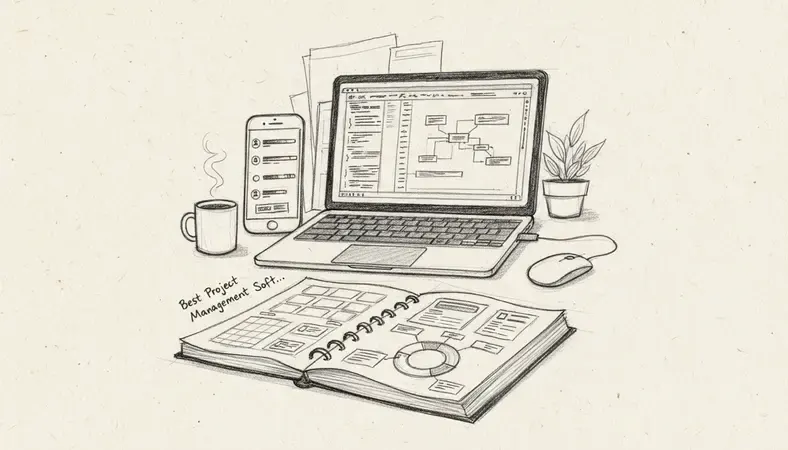
Project management software is a digital platform that helps teams plan, organize, and execute projects from start to finish. Think of it as a central command center where all project information lives—tasks, deadlines, files, communications, and progress updates all exist in one accessible location.
The software replaces the old system of spreadsheets, sticky notes, and email chains with a streamlined digital workspace. Team members can see what needs to be done, who is responsible for each task, and when everything is due. Project managers get real-time visibility into project progress without constantly asking for status updates.
Modern project management software goes beyond simple task lists. These platforms include features like time tracking, resource management, budget monitoring, and automated reporting. Some tools integrate with other business applications, creating a seamless workflow across your entire tech stack.
Key Features of Project Management Tools
Effective project management software includes several core capabilities that distinguish professional platforms from basic task managers. Understanding these features helps you evaluate which tools match your team's specific needs.
Task Management and Organization
The foundation of any project management software is robust task management. Quality platforms let you create detailed tasks, break large projects into smaller subtasks, and organize work using multiple views like lists, boards, or calendars.
Advanced task features include: * Task dependencies: Link related tasks so the system automatically adjusts schedules when one task changes * Custom fields: Add specific information relevant to your industry or workflow * Task templates: Save time by reusing common task structures across similar projects * Bulk editing: Make changes to multiple tasks simultaneously
Collaboration and Communication
Project management software centralizes team communication around specific tasks and projects. Instead of hunting through email threads, team members can discuss work directly within the context where it happens.
Key collaboration features include: * Comments and mentions: Tag specific team members in task discussions * File sharing: Attach documents, images, and other files directly to tasks * Real-time updates: See changes as they happen across the platform * Activity feeds: Track what happened on projects while you were away
Reporting and Analytics
Data-driven project management requires visibility into how work actually gets done. Professional project management software provides detailed insights into team performance, project progress, and resource utilization.
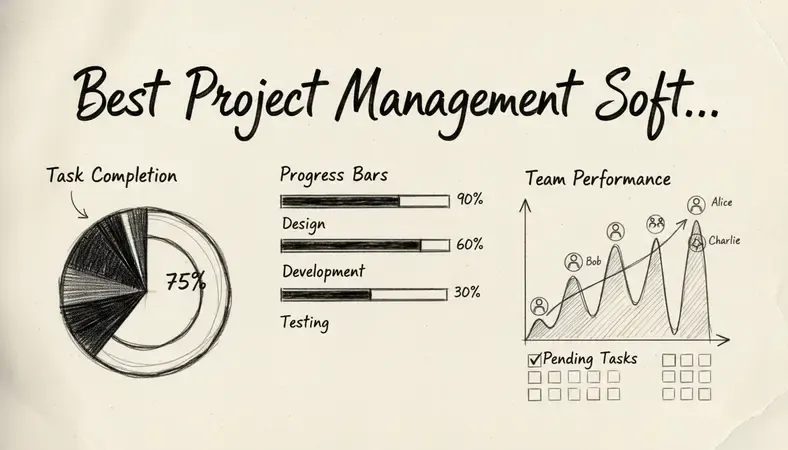
Essential reporting capabilities include: * Time tracking: Monitor how long tasks actually take versus estimates * Progress dashboards: Visual representations of project completion status * Resource allocation reports: See who is overloaded and who has capacity * Budget tracking: Compare actual costs against project budgets
Types of Project Management Software
Different project management methodologies require different software approaches. Understanding these categories helps you choose tools that align with how your team naturally works.
Traditional Project Management Tools
Traditional project management software follows the classic waterfall approach with clear phases, dependencies, and milestone-based planning. These tools excel at complex projects with well-defined requirements and sequential workflows.
Features typically include Gantt charts, critical path analysis, and resource leveling. Traditional tools work well for construction, manufacturing, and other industries where projects follow predictable sequences.
Agile and Scrum Platforms
Agile project management software supports iterative development with features like sprint planning, backlog management, and burndown charts. These platforms accommodate changing requirements and emphasize rapid delivery of working results.
Agile tools include features like story points, velocity tracking, and retrospective planning. Software development teams, marketing agencies, and other creative organizations often prefer agile approaches.
Hybrid and Flexible Solutions
Many modern project management software platforms support multiple methodologies within the same tool. Teams can choose the approach that fits each project while maintaining consistency in their primary platform.
Hybrid solutions let you switch between Kanban boards, Gantt charts, and calendar views depending on what makes sense for specific work. This flexibility helps organizations that manage diverse project types.
Project Management Software vs Traditional Methods
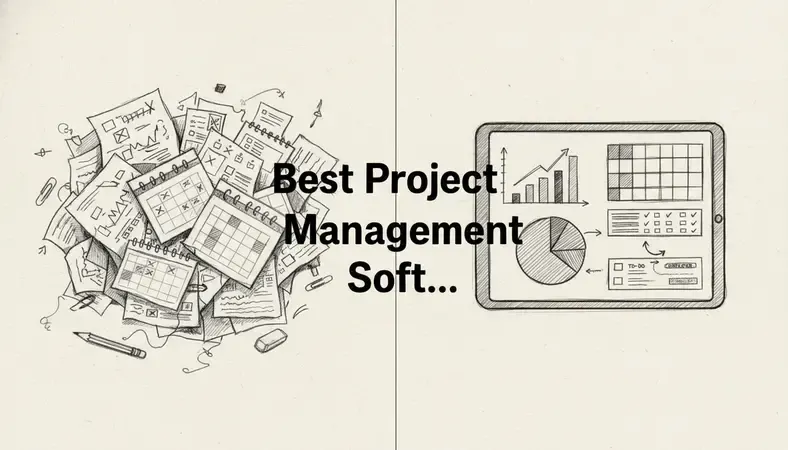
The shift from traditional project management methods to digital software represents a fundamental change in how teams coordinate work. Understanding these differences helps justify the investment in proper project management software.
Spreadsheet Limitations
Many teams start with spreadsheets for project tracking, but this approach quickly breaks down as projects grow in complexity. Spreadsheets cannot handle real-time collaboration effectively—multiple people editing the same file creates version control nightmares.
Spreadsheets also lack automated notifications, dependency tracking, and integrated communication features. Team members must manually update progress, creating opportunities for outdated information and missed deadlines.
Email Chain Problems
Email-based project management creates information silos where important decisions get buried in long thread histories. New team members cannot easily access project context, and critical information often exists only in individual inboxes.
Email lacks structured task management, making it impossible to track completion status or measure progress systematically. Project managers spend excessive time consolidating information from various email conversations.
Paper-Based System Issues
Physical project management systems using whiteboards, sticky notes, or paper forms cannot scale across distributed teams. Remote work becomes impossible when project information exists only in physical locations.
Paper systems provide no automated backup, making them vulnerable to loss or damage. Reporting and analysis become manual processes that consume significant time and often contain errors.
Digital Advantages
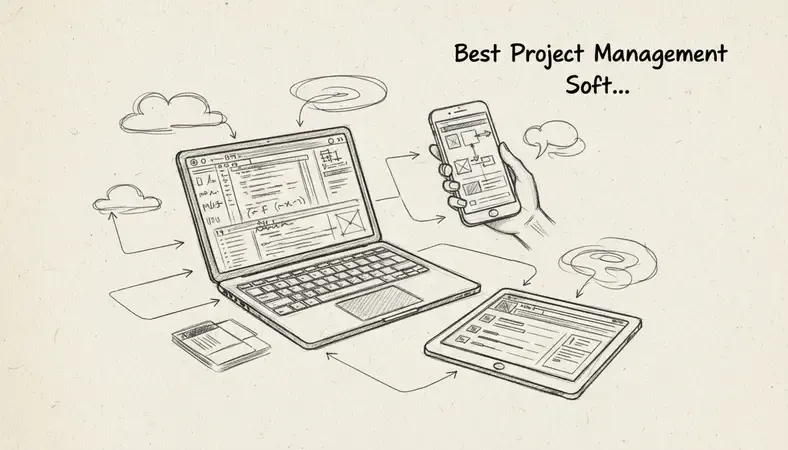
Project management software addresses these traditional limitations through centralized information storage, automated workflows, and real-time collaboration capabilities. Teams can work from anywhere while maintaining complete project visibility.
Digital platforms provide audit trails, automated reporting, and integration with other business tools. These capabilities transform project management from a reactive process into a proactive system that prevents problems before they occur.
How to Choose the Right Project Management Software
Selecting project management software requires careful evaluation of your team's specific needs, existing workflows, and growth plans. The wrong choice can disrupt productivity and waste significant resources.
Assess Your Team Size and Structure
Small teams need different features than large organizations. Simple tools with minimal overhead work well for teams under 10 people, while enterprise organizations require advanced user management, security controls, and scalability.
Consider your team structure—flat organizations benefit from collaborative tools, while hierarchical teams need approval workflows and role-based permissions. Remote teams require strong mobile apps and offline capabilities.
Evaluate Integration Requirements
Modern project management software must work with your existing business tools. Identify critical integrations like email platforms, file storage systems, accounting software, and communication tools.
Native integrations typically work better than third-party connectors. Evaluate the quality and reliability of available integrations before making your final decision.
Consider Budget and Pricing Models
Project management software pricing varies dramatically based on features, user count, and storage requirements. Some platforms charge per user per month, while others offer flat-rate pricing for unlimited users.
Factor in implementation costs, training time, and potential productivity losses during the transition period. Cheaper tools that require extensive customization may cost more than premium platforms that work immediately.
Test User Experience and Adoption
The best project management software is the one your team will actually use consistently. Complex interfaces and steep learning curves lead to poor adoption and wasted investments.
Request trials or demos that let your actual team members test core workflows. Pay attention to how quickly new users can become productive and whether the interface feels intuitive for your specific use cases.
Popular Project Management Software Options
The project management software market includes dozens of quality options, each with distinct strengths and ideal use cases. These platforms represent the most widely adopted solutions across different team sizes and industries.
Comprehensive Comparison
| Platform | Best For | Key Strengths | Pricing Model |
|---|---|---|---|
| Asana | Marketing teams and creative projects | Intuitive interface, strong collaboration features | Per user, freemium available |
| Monday.com | Visual project tracking | Customizable workflows, colorful interface | Per user, multiple tiers |
| Trello | Simple task management | Kanban boards, easy learning curve | Per user, freemium available |
| Jira | Software development teams | Advanced agile features, bug tracking | Per user, scalable pricing |
| Microsoft Project | Traditional project management | Gantt charts, resource management | Per user, enterprise focus |
| Basecamp | Client collaboration | Simple interface, client access features | Flat rate, unlimited users |
Enterprise Solutions
Large organizations require project management software with advanced security, compliance features, and enterprise-grade support. These platforms handle complex user hierarchies, custom workflows, and integration with existing enterprise systems.
Enterprise solutions typically include features like single sign-on, advanced reporting, and dedicated customer success managers. Implementation often requires professional services to configure the platform for specific organizational needs.
Small Business Options
Small business project management software prioritizes ease of use, quick setup, and affordable pricing over advanced enterprise features. These tools often include built-in templates and guided setup processes that get teams productive quickly.
Many small business platforms offer freemium tiers that provide basic functionality at no cost. This approach lets teams test the software before committing to paid plans as they grow.
Industry-Specific Tools
Some project management software platforms focus on specific industries like construction, marketing, or software development. These specialized tools include industry-specific templates, terminology, and workflow patterns.
Industry-specific platforms often integrate with specialized tools used in those sectors. Construction project management software might integrate with building information modeling tools, while marketing platforms connect with social media management systems.
Benefits of Using Project Management Software
Organizations that implement quality project management software typically see measurable improvements in productivity, communication, and project success rates. Understanding these benefits helps justify the investment and set appropriate expectations.
Improved Team Productivity
Project management software eliminates many time-consuming administrative tasks that drain productivity. Automated status updates, centralized communication, and streamlined approval processes free up time for actual work.
Teams report spending less time in status meetings and email exchanges when using effective project management software. The software provides real-time visibility that reduces the need for constant check-ins and progress requests.
Research indicates that organizations using project management software complete projects 20-25% faster than those relying on traditional methods. This improvement comes from better coordination, reduced rework, and clearer accountability.
Enhanced Communication and Collaboration
Centralized project communication reduces misunderstandings and ensures everyone has access to current information. Team members can see project context, understand their role, and collaborate effectively regardless of location.
Project management software creates permanent records of decisions, changes, and discussions. This documentation proves valuable when questions arise later or when new team members join ongoing projects.
The software enables asynchronous collaboration where team members in different time zones can contribute effectively. Comments, file sharing, and status updates happen continuously without requiring everyone to be online simultaneously.
Better Resource Management
Project management software provides visibility into team capacity, workload distribution, and resource allocation. Managers can identify bottlenecks, balance workloads, and make informed decisions about project assignments.
Time tracking features help organizations understand how long different types of work actually take versus estimates. This data improves future project planning and helps identify opportunities for process improvement.
Budget tracking capabilities let teams monitor project costs in real-time and make adjustments before exceeding approved budgets. This visibility prevents cost overruns and improves financial planning.
Increased Project Success Rates
Organizations using project management software report higher project completion rates and better adherence to deadlines. The structured approach and automated reminders help teams stay on track throughout project lifecycles.
The software provides early warning systems that alert managers to potential problems before they become critical issues. This proactive approach prevents small problems from derailing entire projects.
Standardized processes and templates ensure consistent project execution across the organization. New project managers can leverage proven approaches rather than starting from scratch each time.
Common Questions About Project Management Software
What is the difference between project management software and task management tools?
Project management software provides comprehensive features for planning, executing, and monitoring entire projects with multiple phases, dependencies, and team members. Task management tools focus primarily on individual task tracking and simple to-do lists.
Project management software includes features like Gantt charts, resource allocation, budget tracking, and advanced reporting. Task management tools typically offer basic task lists, due dates, and simple collaboration features.
The distinction matters because project management software handles complex workflows and dependencies that task management tools cannot support effectively. Organizations managing multi-phase projects with interdependent tasks need the additional capabilities that project management software provides.
How long does it take to implement project management software?
Implementation timelines vary based on team size, software complexity, and existing process maturity. Simple tools like Trello or Asana can be operational within days, while enterprise platforms may require weeks or months for full deployment.
Basic implementation involves account setup, user onboarding, and initial project creation. This phase typically takes 1-2 weeks for small teams using straightforward software.
Advanced implementation includes data migration, custom workflow configuration, integration setup, and comprehensive team training. Enterprise deployments often require 4-8 weeks with dedicated project managers and professional services support.
Can project management software integrate with existing business tools?
Most modern project management software offers extensive integration capabilities with popular business applications. Common integrations include email platforms, file storage systems, accounting software, and communication tools.
Quality platforms provide native integrations that sync data automatically and maintain consistency across systems. Third-party integration platforms like Zapier can connect tools that lack direct integration options.
Evaluate integration quality during your selection process—some connections work better than others. Test critical integrations with your actual data and workflows to ensure they meet your requirements.
What happens if team members resist using new project management software?
User adoption challenges are common when implementing new project management software. Success requires strong leadership support, comprehensive training, and clear communication about benefits.
Start with willing early adopters who can demonstrate value and help train others. Provide multiple training sessions and ongoing support during the transition period.
Consider the software's learning curve when making your selection. Tools with intuitive interfaces and familiar concepts typically see better adoption than complex platforms requiring extensive training.
How much should we budget for project management software?
Project management software costs range from free for basic tools to hundreds of dollars per user per month for enterprise platforms. Most organizations spend $10-50 per user per month for quality business-grade software.
Factor in implementation costs including training time, data migration, and potential productivity losses during transition. These one-time costs often exceed the first year's software fees.
Consider the total cost of ownership including ongoing training, support, and potential customization needs. Cheaper tools that require extensive workarounds may cost more than premium platforms that work immediately.
The Bottom Line
The right project management software transforms how teams work together, eliminating the chaos of scattered communications and missed deadlines that plague traditional project management approaches. Whether you choose a simple tool like Trello for basic task management or a comprehensive platform like Asana for complex project coordination, the key is selecting software that matches your team's actual workflow needs and adoption capabilities.
Streamline your document workflow at LogicalDOC — organize, share, and secure all your project documents in one powerful platform designed for growing businesses. Ready to get started? Visit LogicalDOC to learn more.

Latest posts by Cristian Fulger (see all)
- Document Management Tools: A Practical Guide - 10/19/2026
- Open Source Document Management Systems - 10/05/2026
- Document Management Explained - 09/01/2026
- Open Source Document Management System - 08/25/2026
- Business Document Management Explained - 08/19/2026