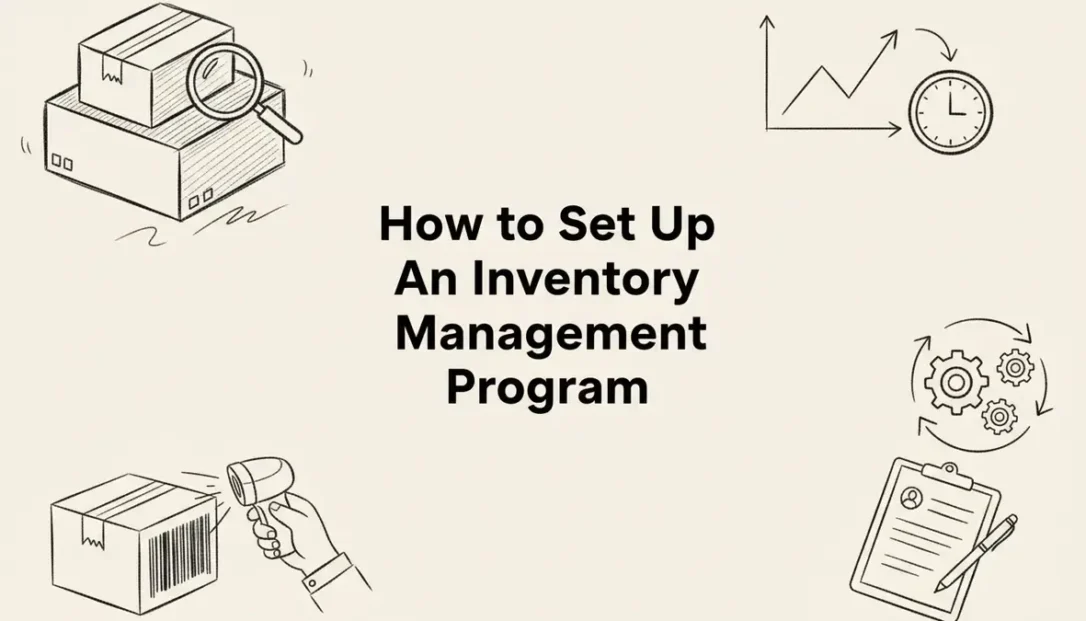
Tracking your business inventory manually through spreadsheets leads to stockouts, overstocking, and lost revenue. An inventory management program automates stock tracking, monitors inventory levels in real-time, and integrates with your existing business systems to eliminate human error. This guide walks you through selecting, implementing, and optimizing an inventory management program that scales with your business needs.

What Is Inventory Management Software?
An inventory management program is a digital system that tracks your stock levels, monitors product movement, and automates reordering processes across all storage locations. Unlike basic spreadsheet tracking, these programs provide real-time visibility into what you have, where it is located, and when you need to reorder.
The software connects to your sales channels, suppliers, and accounting systems to create a unified view of your inventory operations. When a customer purchases a product online, the system automatically updates stock levels across all platforms and triggers reorder alerts when quantities drop below predetermined thresholds.
Modern inventory management programs handle everything from simple stock counting to complex warehouse operations with multiple locations, serialized tracking, and automated purchasing workflows. They eliminate the guesswork from inventory decisions by providing accurate data about stock movement patterns, seasonal trends, and optimal reorder points.
Key Insight: Businesses using inventory management programs typically reduce carrying costs by 20-30% while improving order fulfillment accuracy to over 99%.
Key Features of Inventory Management Programs
Effective inventory management programs share several core capabilities that distinguish them from basic tracking tools. Understanding these features helps you evaluate which system best fits your operational requirements.
Real-Time Stock Tracking
The foundation of any inventory management program is accurate, real-time stock visibility. The system tracks every item movement, whether through sales, returns, transfers between locations, or manual adjustments. When someone scans a barcode or enters a transaction, stock levels update instantly across all connected systems.
This real-time tracking extends to multiple warehouse locations, retail stores, and even consignment inventory at customer sites. You can see exactly how many units are available, reserved for pending orders, or in transit between locations.
Automated Reorder Management
Smart reorder functionality analyzes historical sales data, seasonal trends, and lead times to calculate optimal reorder points for each product. The system automatically generates purchase orders when stock levels reach predetermined thresholds, ensuring you never run out of fast-moving items.
Advanced programs factor in supplier lead times, minimum order quantities, and volume discounts to optimize purchasing decisions. They can even adjust reorder points based on upcoming promotions or seasonal demand patterns.
Barcode and QR Code Integration
Barcode scanning eliminates manual data entry errors and speeds up inventory transactions. Most inventory management programs support standard barcode formats and allow you to generate custom labels for products that do not have existing codes.
Modern systems also support QR codes, which can store more information than traditional barcodes, including batch numbers, expiration dates, and location details. Mobile scanning capabilities let warehouse staff update inventory using smartphones or tablets.
Multi-Location Management
Businesses with multiple warehouses, retail stores, or distribution centers need inventory visibility across all locations. Comprehensive inventory management programs track stock levels at each site and facilitate transfers between locations when needed.
The system maintains separate stock counts for each location while providing consolidated reporting across your entire operation. You can set location-specific reorder points and manage supplier relationships at the facility level.
Integration Capabilities
Your inventory management program should connect seamlessly with existing business systems including point-of-sale terminals, e-commerce platforms, accounting software, and supplier portals. These integrations eliminate duplicate data entry and ensure information stays synchronized across all systems.
Popular integrations include connections to platforms like Shopify, Amazon, QuickBooks, and major shipping carriers for automated order fulfillment and tracking updates.
Inventory Management vs Document Management Integration
While inventory management programs focus on tracking physical goods, document management systems like LogicalDOC handle the paperwork that supports your inventory operations. These systems work together to create a comprehensive business management solution.
Complementary Functionality
Inventory management programs excel at tracking stock quantities, locations, and movements, but they often lack robust document handling capabilities. Document management systems fill this gap by organizing purchase orders, supplier contracts, product specifications, compliance certificates, and warranty information.
When integrated properly, these systems create a complete audit trail for every inventory transaction. You can access all relevant documentation for a product directly from the inventory record, streamlining compliance reporting and supplier communications.
Document Workflow Integration
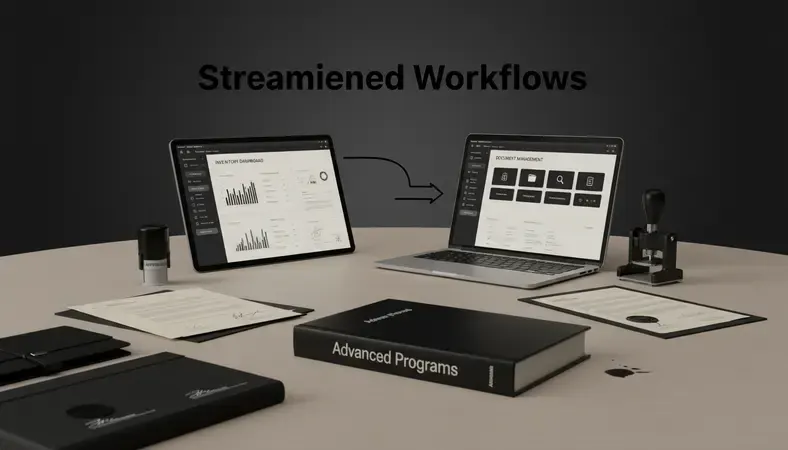
LogicalDOC can automate document workflows that support inventory operations. For example, when your inventory system generates a purchase order, LogicalDOC can automatically route it through your approval process, collect electronic signatures, and file the completed document in the appropriate vendor folder.
This integration becomes particularly valuable for businesses in regulated industries where maintaining proper documentation is critical for compliance audits and quality certifications.
Comparison of System Roles
| Function | Inventory Management Program | Document Management System |
|---|---|---|
| Stock Tracking | Real-time quantities and locations | Supporting documentation storage |
| Purchase Orders | Generation and basic tracking | Approval workflows and archival |
| Supplier Management | Contact info and lead times | Contract storage and compliance docs |
| Compliance Reporting | Transaction history and audit logs | Document retention and retrieval |
| Quality Control | Inspection tracking and results | Certificate storage and expiration alerts |
The combination of both systems provides complete visibility into your inventory operations while maintaining the documentation necessary for regulatory compliance and business continuity.
Best Inventory Management Programs for Your Business
Selecting the right inventory management program depends on your business size, industry requirements, and integration needs. Different solutions excel in specific areas, from basic stock tracking to complex warehouse operations.
Small Business Solutions
TradeGecko (now QuickBooks Commerce) works well for small retailers and wholesalers who need basic inventory tracking with strong e-commerce integration. The system handles multiple sales channels, automates reordering, and connects directly to QuickBooks for seamless accounting integration.
Zoho inventory offers affordable inventory management with built-in order management and shipping integration. It includes barcode scanning, multi-warehouse support, and connects to popular e-commerce platforms like Shopify and Amazon.
Mid-Market Options
NetSuite provides comprehensive business management including advanced inventory features like lot tracking, serial number management, and complex pricing rules. The system scales well as businesses grow and need more sophisticated inventory controls.
Fishbowl inventory specializes in manufacturing and warehouse operations with strong QuickBooks integration. It handles bill of materials, work orders, and complex inventory assemblies while maintaining detailed cost tracking.
Enterprise Solutions
SAP Business One offers robust inventory management as part of a complete ERP system. It handles complex multi-location operations, advanced reporting, and integrates with existing enterprise systems.
Oracle NetSuite provides cloud-based inventory management with real-time visibility across global operations. The system supports complex pricing, multi-currency transactions, and advanced analytics for large-scale operations.
Industry-Specific Considerations
Manufacturing businesses need programs that handle bill of materials, work-in-progress tracking, and component allocation. Retail operations require strong point-of-sale integration and customer-facing inventory availability.
Food and pharmaceutical companies must track expiration dates, lot numbers, and maintain detailed audit trails for regulatory compliance. These requirements often necessitate specialized inventory management programs designed for regulated industries.
How to Implement an Inventory Management System
Successful inventory management program implementation requires careful planning, data preparation, and systematic rollout to minimize business disruption while maximizing system benefits.
Pre-Implementation Planning
Start by conducting a complete physical inventory count to establish accurate baseline data. Document your current inventory processes, including receiving procedures, stock counting methods, and reorder workflows. This documentation helps identify improvement opportunities and ensures nothing gets overlooked during the transition.
Map out your product catalog structure, including categories, subcategories, and product attributes. Standardize product naming conventions and SKU formats before importing data into the new system. Clean data entry at this stage prevents ongoing issues with duplicate records and inconsistent product information.
System Configuration Steps
Set Up Product Catalog: Import your product list with accurate descriptions, SKU numbers, and initial stock quantities. Configure product categories and attributes that support your reporting and analysis needs.
Configure Warehouse Locations: Define all storage locations, including warehouses, retail stores, and any off-site inventory. Set up location-specific settings like reorder points and preferred suppliers.
Establish Reorder Parameters: Calculate optimal reorder points and quantities for each product based on historical sales data, lead times, and storage constraints. Factor in seasonal variations and growth projections.
Connect Integrations: Link your inventory management program to existing systems like point-of-sale terminals, e-commerce platforms, and accounting software. Test all data flows to ensure information synchronizes correctly.
Train Your Team: Provide comprehensive training on new processes, including barcode scanning, stock adjustments, and report generation. Create standard operating procedures that staff can reference during daily operations.
Data Migration Strategy
Export existing inventory data from spreadsheets or legacy systems in a clean, standardized format. Verify data accuracy before importing, as errors multiply quickly once the system goes live. Consider running parallel systems for a short period to validate that the new program produces accurate results.
Back up all existing data before beginning the migration process. Plan the cutover for a time when inventory activity is minimal, such as after a complete physical count or during a slow sales period.
Testing and Validation
Conduct thorough testing of all system functions before going live. Process test transactions, generate reports, and verify that integrations work correctly. Have key staff members perform their daily tasks using the new system while the old system remains available as backup.
Test edge cases and error conditions to ensure the system handles unusual situations gracefully. Verify that security settings and user permissions work as intended to protect sensitive inventory and financial data.

Inventory Management Program Pricing and ROI
Understanding the total cost of ownership and expected return on investment helps justify the expense of implementing an inventory management program and guides your selection process.
Pricing Models and Costs
Most inventory management programs use subscription-based pricing that scales with your business size and feature requirements. Basic systems start around $50-100 per month for small businesses, while enterprise solutions can cost thousands of dollars monthly.
Per-User Pricing: Many systems charge based on the number of users who need access. Costs typically range from $25-100 per user per month, depending on the feature set and level of functionality required.
Transaction-Based Pricing: Some programs charge based on the number of orders processed or inventory transactions. This model works well for businesses with seasonal fluctuations or variable transaction volumes.
Flat-Rate Pricing: Larger businesses often negotiate flat-rate pricing that includes unlimited users and transactions. These arrangements typically require annual commitments but provide cost predictability.
Implementation and Ongoing Costs
Beyond software licensing, factor in implementation costs including data migration, system configuration, staff training, and potential hardware requirements like barcode scanners or mobile devices.
Ongoing costs include system maintenance, user training for new employees, and periodic upgrades or feature additions. Budget for integration costs if you add new business systems that need to connect to your inventory management program.
Return on Investment Calculations
Inventory reduction: Most businesses reduce total inventory investment by 15-25% through better demand forecasting and automated reordering. Calculate your current inventory value and apply this percentage to estimate potential savings.
Labor savings: Automated processes eliminate manual stock counting, reduce data entry errors, and streamline receiving and shipping operations. Track current labor hours spent on inventory tasks to quantify potential savings.
Stockout prevention: Calculate lost sales from stockouts by analyzing historical data on backorders and customer complaints. Inventory management programs typically reduce stockouts by 60-80% through better visibility and automated reordering.
Carrying cost reduction: Lower inventory levels reduce storage costs, insurance premiums, and obsolescence write-offs. These savings often exceed the software costs within the first year of implementation.
Bottom Line: Businesses typically see full ROI within 6-12 months through reduced inventory investment, labor savings, and improved customer satisfaction from better stock availability.
Document Management Integration with Inventory Systems
Connecting your inventory management program with a document management system like LogicalDOC creates a comprehensive solution that handles both physical inventory and the supporting documentation required for efficient operations.
Essential Document Types
Inventory operations generate numerous documents that require organized storage and easy retrieval. Purchase orders, receiving reports, supplier invoices, and quality certificates all support inventory transactions but often get lost in email folders or filing cabinets.
Product specifications, safety data sheets, and compliance certificates must be readily accessible during audits or customer inquiries. Warranty information and service manuals help support teams resolve customer issues quickly without hunting through multiple systems.
Automated Workflow Benefits
LogicalDOC can automatically capture and file documents generated by your inventory system. When a purchase order is created, the system can route it through approval workflows, collect electronic signatures, and file the completed document in the appropriate supplier folder.
Incoming supplier documents like invoices and packing slips can be automatically matched to purchase orders and filed with the corresponding inventory transactions. This automation eliminates manual filing while ensuring documents are always available when needed.
Integration Architecture
Modern inventory management programs support API connections that allow document management systems to access transaction data and trigger automated workflows. When an inventory event occurs, LogicalDOC can automatically create document folders, apply metadata tags, and initiate approval processes.
The integration works both ways – LogicalDOC can push completed documents back to the inventory system, updating transaction records with links to supporting documentation. This bidirectional data flow ensures complete audit trails for all inventory activities.
Compliance and Audit Support
Regulated industries require detailed documentation for every inventory transaction. The combination of inventory tracking and document management provides auditors with complete visibility into your operations, from initial purchase through final customer delivery.
Document retention policies ensure critical records are preserved for the required time periods while automatically purging outdated files to reduce storage costs and security risks.

Common Questions About Inventory Management Programs
How long does it take to implement an inventory management program?
Implementation timelines vary based on business complexity and data quality. Small businesses with clean data can often go live within 2-4 weeks, while larger operations with multiple locations and complex integrations may require 2-3 months.
The key factor is data preparation time. Businesses with accurate, well-organized inventory data can implement faster than those needing extensive data cleanup. Plan for additional time if you need to conduct physical inventory counts or standardize product information.
Most vendors provide implementation support including data migration assistance, system configuration, and staff training. Take advantage of these services to ensure a smooth transition and avoid common pitfalls that can delay your go-live date.
Can inventory management programs handle multiple warehouse locations?
Yes, modern inventory management programs are designed to handle multiple locations including warehouses, retail stores, and distribution centers. The system maintains separate stock counts for each location while providing consolidated reporting across your entire operation.
Advanced features include inter-location transfers, location-specific reorder points, and the ability to fulfill orders from the optimal location based on inventory availability and shipping costs. Some systems can even split orders across multiple locations to ensure complete fulfillment.
Multi-location functionality becomes particularly valuable for businesses with seasonal inventory patterns or regional demand variations. You can optimize stock placement to minimize shipping costs while ensuring adequate inventory coverage across all markets.
How do inventory management programs integrate with e-commerce platforms?
Most inventory management programs offer pre-built integrations with popular e-commerce platforms like Shopify, Amazon, eBay, and WooCommerce. These integrations automatically synchronize inventory levels, update product information, and import orders for fulfillment.
When a customer places an online order, the inventory system immediately reserves the products and updates available quantities across all sales channels. This prevents overselling and ensures accurate inventory visibility regardless of where customers shop.
Advanced integrations can also push product information, pricing updates, and promotional details from your inventory system to multiple e-commerce platforms simultaneously, eliminating the need for manual updates across different channels.
What happens if the inventory management program goes down?
Reliable inventory management programs include backup systems and disaster recovery procedures to minimize downtime. Cloud-based solutions typically offer 99.9% uptime guarantees with automatic failover to backup servers if primary systems experience issues.
During planned maintenance or unexpected outages, most businesses can continue basic operations using backup procedures like manual order processing and spreadsheet tracking. The key is having documented emergency procedures that staff can follow until normal operations resume.
Choose vendors that provide 24/7 technical support and clear service level agreements for issue resolution. Regular data backups ensure you can restore operations quickly even in worst-case scenarios.
How accurate are automated reorder calculations?
Automated reorder calculations typically achieve 85-95% accuracy when properly configured with clean historical data and appropriate parameters. The system analyzes sales patterns, seasonal trends, and supplier lead times to predict optimal reorder timing and quantities.
Accuracy improves over time as the system collects more transaction data and refines its algorithms. Businesses should monitor reorder suggestions initially and adjust parameters based on actual results and changing business conditions.
Factors that can affect accuracy include sudden demand changes, new product launches, and supply chain disruptions. Regular review of reorder settings ensures the system adapts to evolving business conditions and maintains optimal inventory levels.
Do I need special hardware for inventory management programs?
Basic inventory management can work with existing computers and mobile devices, but most businesses benefit from dedicated barcode scanners for faster, more accurate data entry. Handheld scanners cost $100-500 depending on features and durability requirements.
Warehouse operations may require mobile computers or tablets that combine barcode scanning with wireless connectivity for real-time inventory updates. These devices typically cost $1,000-3,000 but significantly improve productivity in high-volume environments.
Label printers become essential if you need to create custom barcode labels for products without existing codes. Thermal printers designed for warehouse use cost $200-1,000 and can produce thousands of labels per day with minimal maintenance.
What This Means for You
An inventory management program transforms chaotic stock tracking into an automated system that reduces costs while improving customer satisfaction. The right system pays for itself through reduced inventory investment, eliminated stockouts, and streamlined operations that free up your team for higher-value activities.
Streamline your business operations with LogicalDOC — organize inventory documentation, automate approval workflows, and maintain compliance records in one integrated platform that grows with your business. Ready to get started? Visit LogicalDOC to learn more.

Latest posts by Cristian Fulger (see all)
- How to Set Up an Inventory Management Program - 04/08/2026
- Essential Program Management Software Resources - 04/07/2026
- Inventory Management Software: Top Solutions - 04/06/2026
- Best Content Management Systems Worth Trying - 04/05/2026
- Warehouse System Tools and Resources - 04/04/2026