Managing inventory effectively requires the right combination of software, documentation systems, and operational frameworks. An inventory management program streamlines how businesses track stock levels, monitor warehouse operations, and coordinate supply chain activities. This comprehensive resource guide brings together the essential tools, platforms, and systems that help organizations optimize their inventory processes while maintaining accurate documentation throughout their operations.
What Is Inventory Management Software?
An inventory management program is a digital system that tracks, controls, and optimizes stock levels across multiple locations and channels. These programs integrate with existing business systems to provide real-time visibility into inventory movements, automate reordering processes, and generate detailed reports for decision-making.
Modern inventory management systems go beyond simple stock counting. They incorporate advanced features like demand forecasting, supplier management, and integration capabilities with document management systems like LogicalDOC. This integration becomes crucial when businesses need to maintain detailed records of purchase orders, supplier contracts, and compliance documentation alongside their inventory data.
Key Insight: The most effective inventory management programs combine stock tracking with robust document management capabilities, ensuring that all related paperwork and compliance records remain organized and accessible.
Key Features of Inventory Management Programs
Understanding the core capabilities of inventory management software helps businesses select the right solution for their specific needs. Here are the essential features that separate professional-grade systems from basic tracking tools:
Real-Time Stock Tracking
- Barcode Integration: Scan items in and out of inventory with mobile devices or dedicated scanners
- Multi-Location Support: Track inventory across warehouses, retail locations, and distribution centers
- Lot and Serial Number Tracking: Maintain detailed records for quality control and recall management
- Automated Alerts: Receive notifications when stock levels reach predetermined reorder points
Advanced Reporting and Analytics
- Inventory Valuation Reports: Calculate stock value using FIFO, LIFO, or weighted average methods
- Movement Analysis: Identify fast-moving and slow-moving products to optimize purchasing decisions
- Demand Forecasting: Predict future inventory needs based on historical data and trends
- Cost Analysis: Track carrying costs, storage expenses, and inventory turnover rates
Integration Capabilities
- ERP System Connectivity: Sync with enterprise resource planning platforms for comprehensive business management
- E-commerce Platform Links: Automatically update online store inventory levels across multiple sales channels
- Document Management Integration: Connect with systems like LogicalDOC to maintain organized records of all inventory-related documentation
- Accounting Software Sync: Automatically update financial records when inventory values change
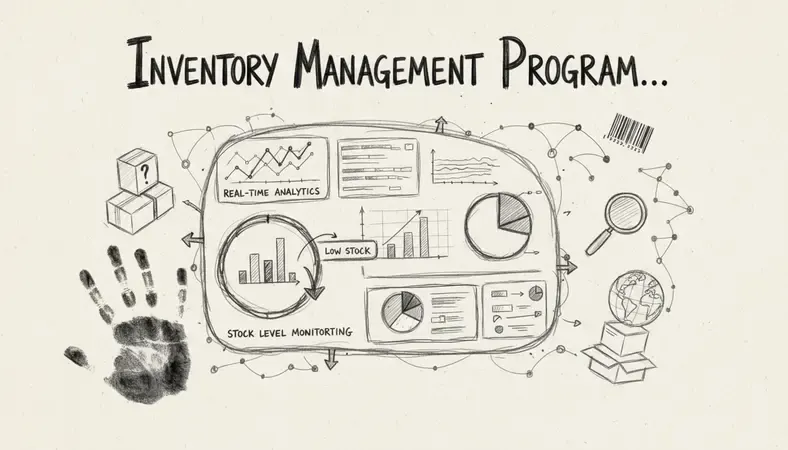
Inventory Management vs Document Management Integration
The relationship between inventory management and document management creates significant operational advantages. While inventory management programs track physical goods, document management systems organize the paperwork that supports those operations.
Critical Document Types in Inventory Management
| Document Category | Examples | Storage Requirements |
|---|---|---|
| Purchase Orders | Supplier agreements, delivery schedules | Searchable by vendor, date, product |
| Quality Certificates | FDA approvals, safety inspections | Linked to specific product batches |
| Compliance Records | Audit trails, regulatory filings | Version-controlled with approval workflows |
| Supplier Documentation | Contracts, insurance certificates | Organized by vendor with renewal alerts |
Businesses using integrated systems report 40% faster document retrieval times and 60% fewer compliance-related issues. The combination allows teams to quickly access supporting documentation when reviewing inventory discrepancies or preparing for audits.
Integration Benefits
The synergy between inventory management programs and document management systems creates several operational improvements:
- Streamlined Audits: Auditors can access both inventory records and supporting documentation from a single interface
- Faster Problem Resolution: When inventory discrepancies occur, teams can immediately review related purchase orders and delivery receipts
- Improved Compliance: Regulatory requirements often demand both accurate inventory records and proper documentation storage
- Enhanced Supplier Management: Complete vendor profiles include both performance metrics and contract documentation
Best Inventory Management Programs for Your Business
Selecting the right inventory management program depends on business size, industry requirements, and integration needs. Here's a breakdown of leading solutions across different business categories:
Enterprise-Level Solutions
NetSuite Inventory Management * Best For: Large businesses with complex multi-location operations * Key Features: Advanced demand planning, comprehensive reporting, full ERP integration * Document Integration: Native document management with workflow automation * Pricing Model: Subscription-based with user licensing
SAP Business One * Best For: Mid-to-large enterprises in manufacturing and distribution * Key Features: Real-time inventory tracking, production planning, financial integration * Document Integration: Built-in document management with approval workflows * Pricing Model: Per-user licensing with implementation costs
Mid-Market Solutions
Fishbowl inventory * Best For: Growing businesses that need QuickBooks integration * Key Features: Manufacturing capabilities, barcode scanning, multi-location tracking * Document Integration: Third-party integrations available for document management * Pricing Model: One-time license fee plus annual support
inFlow Inventory * Best For: Small to medium businesses with straightforward inventory needs * Key Features: Purchase order management, sales order processing, reporting tools * Document Integration: Basic file attachment capabilities * Pricing Model: Monthly subscription tiers based on features
Industry-Specific Programs
TradeGecko (now QuickBooks Commerce) * Best For: E-commerce businesses with multiple sales channels * Key Features: Multi-channel inventory sync, B2B portal, automated reordering * Document Integration: Cloud-based document storage with order attachments
Cin7 * Best For: Retailers with both online and brick-and-mortar locations * Key Features: Point-of-sale integration, EDI capabilities, 3PL connectivity * Document Integration: Comprehensive document management with supplier portals
How to Implement an Inventory Management System
Successful implementation of an inventory management program requires careful planning and systematic execution. The process typically takes 3-6 months depending on business complexity and data migration requirements.
Pre-Implementation Planning
- Current State Assessment: Document existing inventory processes, identify pain points, and establish baseline metrics
- Requirements Gathering: Define specific features needed, integration requirements, and user access levels
- Data Cleanup: Standardize product codes, verify inventory counts, and organize supplier information
- Team Preparation: Identify key users, plan training schedules, and establish change management protocols
System Configuration and Testing
- Initial Setup: Configure user accounts, establish location hierarchies, and set up product categories
- Data Migration: Import existing inventory data, supplier information, and historical transaction records
- Integration Testing: Verify connections with existing systems like accounting software and document management platforms
- User Acceptance Testing: Have end users test core workflows and provide feedback on system performance
Go-Live and Optimization
- Phased Rollout: Start with one location or product category before expanding system-wide
- Performance Monitoring: Track key metrics like data accuracy, user adoption, and system response times
- Continuous Training: Provide ongoing support and advanced feature training as users become comfortable
- Process Refinement: Adjust workflows based on user feedback and operational requirements
Pro Tip: Companies that invest in comprehensive user training during implementation see 75% higher system adoption rates and 50% fewer data accuracy issues in the first year.
Inventory Management Program Pricing and ROI
Understanding the total cost of ownership for inventory management programs helps businesses make informed investment decisions. Pricing models vary significantly based on deployment method, user count, and feature requirements.
Pricing Structure Comparison
| Pricing Model | Typical Range | Best For | Hidden Costs |
|---|---|---|---|
| Per User/Month | $25-150 per user | Scalable businesses | Training, customization |
| Flat Rate Monthly | $200-2,000/month | Fixed team sizes | Integration, support |
| One-Time License | $5,000-50,000 | Long-term stability | Annual maintenance, updates |
| Transaction-Based | $0.10-1.00 per transaction | High-volume operations | Peak usage overages |
ROI Calculation Framework
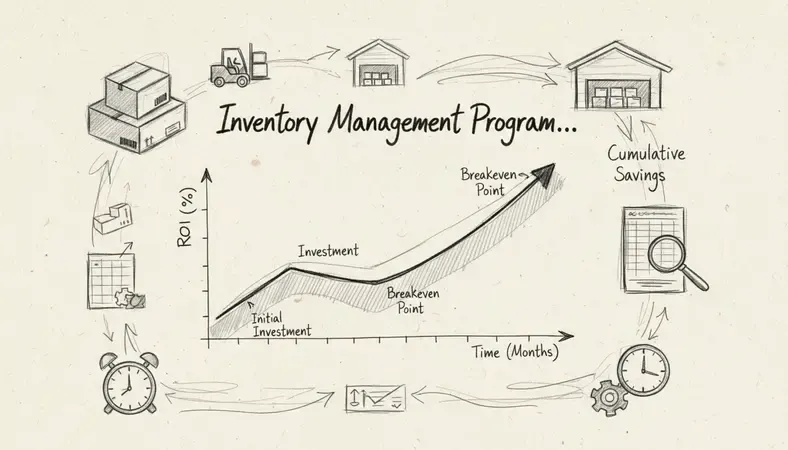
Businesses typically see return on investment within 12-18 months through several key areas:
- Labor Cost Reduction: Automated processes reduce manual data entry and stock counting time by 60-80%
- Inventory Optimization: Better demand forecasting reduces excess inventory by 20-30% while preventing stockouts
- Improved Accuracy: Reduced human errors in order fulfillment save 2-5% of annual revenue through fewer returns and corrections
- Supplier Management: Streamlined purchasing processes and better supplier relationships reduce procurement costs by 10-15%
Document Management Integration with Inventory Systems
The integration between inventory management programs and document management systems creates a comprehensive operational framework. This connection ensures that all inventory-related documentation remains organized, accessible, and properly linked to relevant transactions.
Essential Document Categories
Purchase and Procurement Documents * Purchase orders and requisitions linked to specific inventory receipts * Supplier contracts with automatic renewal reminders * Quality certificates and inspection reports tied to product batches * Shipping and receiving documentation with automated matching
Compliance and Regulatory Records * FDA certificates and safety documentation for regulated products * Audit trails showing inventory movement history * Insurance certificates for high-value inventory items * Environmental compliance records for hazardous materials
Operational documentation * Standard operating procedures for inventory handling * Training materials for warehouse staff * Equipment maintenance records for inventory systems * Emergency response procedures for inventory incidents
Integration Best Practices
When connecting inventory management programs with document management systems like LogicalDOC, consider these implementation strategies:
- Automated Document Creation: Generate purchase orders, receiving reports, and inventory adjustments automatically
- Intelligent Filing: Use metadata from inventory transactions to organize documents in logical folder structures
- Version Control: Maintain historical versions of supplier contracts and compliance certificates
- Search Optimization: Enable users to find documents using inventory-specific criteria like product codes or supplier names
The combination of inventory tracking and document management creates a single source of truth for all inventory-related information, reducing the time spent searching for documentation from hours to minutes.
Common Questions About Inventory Management Programs
What's the difference between inventory management and warehouse management systems?
Inventory management programs focus on tracking stock levels, reorder points, and basic movement data across multiple locations. Warehouse management systems (WMS) dive deeper into the physical operations within a specific warehouse, including picking routes, storage optimization, and labor management. Many businesses start with inventory management and add warehouse management capabilities as they grow.
How do inventory management programs handle multi-location businesses?
Modern inventory management programs treat each location as a separate entity while providing consolidated reporting across all sites. Users can transfer inventory between locations, set location-specific reorder points, and generate reports by individual location or company-wide. The system tracks which location holds specific items and can suggest optimal fulfillment locations based on customer proximity and stock availability.
Can inventory management programs integrate with existing accounting software?
Most professional inventory management programs offer direct integration with popular accounting platforms like QuickBooks, Xero, and Sage. This integration automatically updates inventory values in the accounting system when stock levels change, creates journal entries for inventory adjustments, and synchronizes vendor information between systems. The integration eliminates double data entry and ensures financial records accurately reflect inventory positions.
What happens to inventory data if I need to switch systems?
Reputable inventory management programs provide data export capabilities in standard formats like CSV or XML. Before selecting a system, verify that it can export all critical data including product information, transaction history, and supplier details. Many vendors also offer migration services to help transfer data to new systems. Planning for data portability from the beginning prevents vendor lock-in and provides flexibility for future system changes.
How do inventory management programs handle seasonal demand fluctuations?
Advanced inventory management programs use historical sales data to identify seasonal patterns and adjust reorder points accordingly. The system can automatically increase safety stock levels before peak seasons and reduce them during slower periods. Some programs also integrate with external data sources like weather forecasts or economic indicators to refine demand predictions further.
Do inventory management programs work offline?
Many cloud-based inventory management programs offer limited offline functionality through mobile apps or local caching. Users can typically scan items, record transactions, and access basic inventory information without internet connectivity. Once connection is restored, the system synchronizes offline transactions with the central database. However, real-time reporting and multi-user collaboration require active internet connections.
Conclusion
Selecting the right inventory management program requires balancing current operational needs with future growth plans. The most successful implementations combine robust inventory tracking capabilities with comprehensive document management integration, creating a unified system that supports both operational efficiency and regulatory compliance.
Streamline your inventory documentation at LogicalDOC — organize purchase orders, supplier contracts, and compliance records in one secure platform that integrates seamlessly with your inventory management system. Ready to get started? Visit LogicalDOC to learn more.

Latest posts by Cristian Fulger (see all)
- Document Management Explained - 09/01/2026
- Open Source Document Management System - 08/25/2026
- Business Document Management Explained - 08/19/2026
- Document Management Benefits Explained - 08/11/2026
- Best Document Management Systems Compared - 08/05/2026