Most organizations are drowning in documents — contracts buried in email threads, invoices saved under inconsistent names, compliance records scattered across shared drives. Finding the right file when you need it takes longer than it should, and the cost of that inefficiency adds up fast.
If you have ever wondered whether there is a better way to organize, store, and control your business documents, a document management system is the answer worth understanding. This article explains exactly what a document management system is, how it works, what to look for, and whether your organization actually needs one.
What Is a Document Management System?
A document management system (DMS) is software that stores, organizes, tracks, and controls access to digital documents within an organization. Rather than saving files across desktop folders, email attachments, and shared drives, a document management system centralizes everything in one searchable, secure repository.
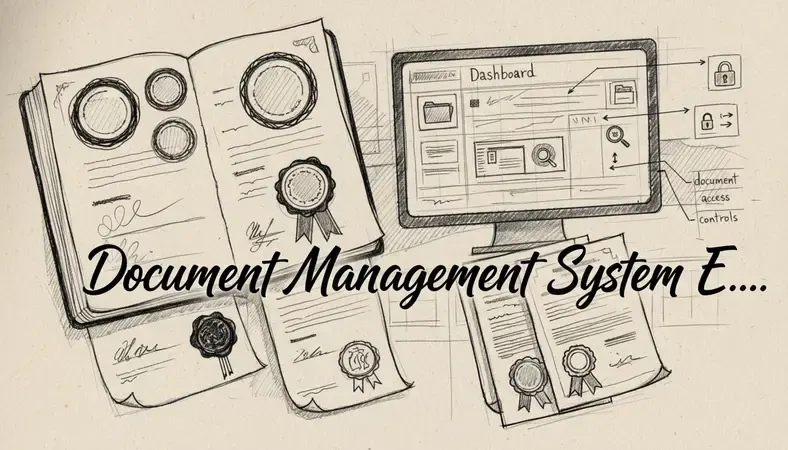
Think of it as a highly intelligent digital filing cabinet — one that remembers where every document is, who touched it last, and what version is current. Unlike a basic cloud storage folder, a document management system adds structure: metadata tagging, version control, access permissions, audit trails, and workflow automation.
Key Insight: A document management system is not just storage. It is a controlled environment where documents are created, reviewed, approved, distributed, and archived according to defined rules.
The distinction matters. Dropbox or Google Drive can store files. A document management system manages the entire lifecycle of those files.
Key Features of Document Management Systems
Not all document management systems are built the same, but the strongest platforms share a consistent set of core capabilities.
Core Capabilities to Expect
- Centralized document repository: All files live in one place, accessible from any authorized device, eliminating the scattered folder problem entirely.
- Full-text search: Find any document by keyword, metadata, date, author, or tag — not just by file name. This alone saves hours every week.
- Document version control: Every edit creates a new version. You can see the full history of a document, compare changes, and restore a previous version if something goes wrong. For a deeper look at how this works in practice, see our guide on Document Version Control.
- Access permissions: Control exactly who can view, edit, download, or delete specific documents. Different roles get different levels of access.
- Audit trails: Every action — who opened a file, who changed it, when it was shared — is logged automatically. This is non-negotiable for regulated industries.
- Workflow automation: Route documents for review and approval without manual follow-up. A contract can move from draft to legal review to executive sign-off automatically.
- Integration capabilities: Connect with the tools your team already uses. LogicalDOC, for example, supports integration with productivity suites like OnlyOffice, which enhances document management by allowing users to edit documents directly within the platform without switching applications.
Benefits of Using a Document Management System
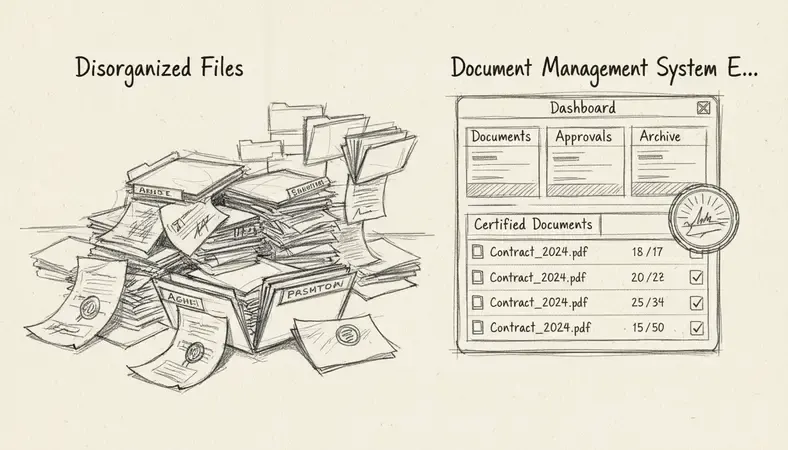
The practical gains from adopting a document management system are measurable. Research from McKinsey suggests that employees spend nearly 20% of their workweek searching for internal information. A document management system directly attacks that problem.
What You Actually Gain
- Time savings: Instant search replaces manual hunting. Teams retrieve documents in seconds rather than minutes.
- Reduced errors: Version control ensures everyone works from the latest document. No more "which version is final?" confusion.
- Stronger compliance: Regulated industries require documented proof of who accessed what and when. Audit trails and retention policies handle this automatically.
- Better collaboration: Multiple team members can work on documents simultaneously, with changes tracked and conflicts resolved cleanly.
- Lower risk: Secure permissions mean sensitive contracts and HR records do not end up in the wrong hands.
- Business continuity: A sudden power outage or hardware failure does not destroy years of records when documents are stored in a cloud-based or properly backed-up document management system. An interruption in operations is far less damaging when your documents are protected and recoverable.
Document Management System vs. File Storage Solutions
This is the comparison most people need answered before making a decision.
DMS vs. Basic File Storage: Key Differences
| Feature | Document Management System | Basic File Storage (Drive, Dropbox) |
|---|---|---|
| Version control | Full history, rollback capability | Limited or manual |
| Access permissions | Granular, role-based | Basic folder-level sharing |
| Audit trail | Automatic, detailed logging | Minimal or none |
| Full-text search | Yes, including inside documents | File name only |
| Workflow automation | Built-in approval routing | Not available |
| Compliance support | Retention policies, audit reports | Not designed for compliance |
| Metadata tagging | Structured, searchable tags | Manual folder organization only |
Basic file storage is fine for personal use or very small teams with simple needs. Once your organization handles contracts, regulated data, multi-step approvals, or sensitive records, a document management system is the appropriate tool.
How to Choose the Right Document Management System
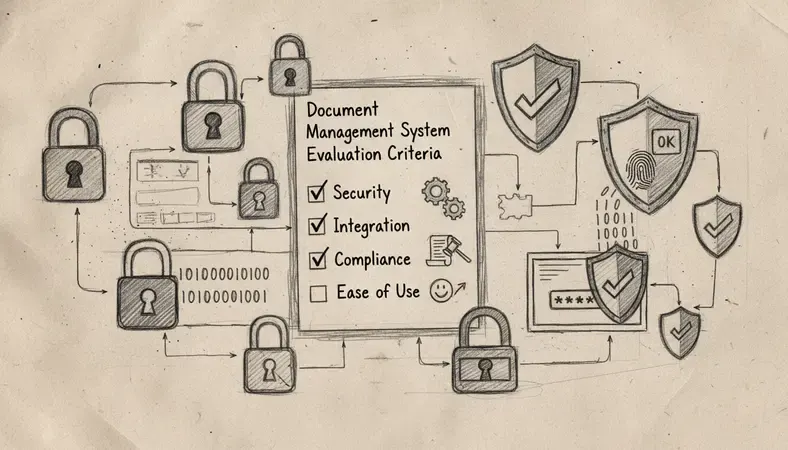
Choosing a document management system is a practical decision, not a technical one. Start with your organization's actual pain points.
Questions Worth Asking Before You Choose
What problem are you solving first? If compliance is the driver, prioritize audit trails and retention policies. If collaboration is the issue, focus on version control and simultaneous editing.
How will your team access documents? Cloud-based systems like LogicalDOC offer access from any device without IT infrastructure overhead. On-premise options give you full control but require internal maintenance.
What does your team already use? A document management system that integrates with your existing tools — email, accounting software, CRM — reduces friction and speeds up adoption.
How many users need access? Pricing models vary. Understand whether you are paying per user, per storage, or per feature set.
What are your compliance requirements? Healthcare, legal, finance, and government sectors have specific retention and access requirements. Verify the system supports them before committing.
Document Management System for Different Industries
A document management system is not sector-specific, but the way it gets used varies considerably across industries.
- Healthcare: Patient records, consent forms, and clinical documentation require strict access controls and retention schedules to meet regulatory standards.
- Legal: Contract management, case files, and correspondence demand version control and searchability. Law firms process high document volumes where retrieval speed directly affects billable efficiency.
- Finance and accounting: Invoices, audit reports, and tax documents need organized storage, approval workflows, and audit trails for regulatory review.
- Manufacturing: Technical specifications, quality control documents, and supplier contracts benefit from centralized access and version control across distributed teams.
- Education and government: Large volumes of administrative records, policy documents, and compliance files require structured retention and access management.
LogicalDOC serves organizations across all of these sectors, with deployment options and feature sets that scale from small businesses to enterprise-level document-intensive environments.
Common Document Management System Challenges and Solutions
Adopting a document management system is not without friction. Here are the most common obstacles and how to address them.
- Low user adoption: The most capable system fails if people do not use it. Solve this by involving your team in the selection process, providing clear training, and making the system genuinely easier than the old method — not harder.
- Migration complexity: Moving years of documents from shared drives into a structured system takes planning. Start with active documents and current projects. Archive older material in batches rather than attempting a single massive migration.
- Inconsistent naming and tagging: A document management system is only as searchable as its metadata. Establish naming conventions and tagging standards before you go live, not after.
- Integration gaps: If your document management system does not connect to the tools your team uses daily, expect workarounds and duplicate effort. Prioritize integration capabilities during evaluation.
- Security misconfiguration: Overly broad permissions undermine the value of access controls. Assign permissions by role from the start and review them periodically as teams change.
Common Questions About Document Management Systems
What is the difference between a DMS and an ECM?
A document management system focuses specifically on storing, organizing, and controlling documents. An enterprise content management (ECM) system is broader — it manages all types of organizational content, including documents, emails, images, and unstructured data. For most small and medium-sized organizations, a document management system covers everything they need.
Is a document management system the same as a CMS?
No. A content management system (CMS) is built for publishing web content — blog posts, web pages, and digital media. A document management system manages internal business documents: contracts, reports, invoices, and operational records. The two tools serve completely different purposes.
How secure is a cloud-based document management system?
Reputable cloud-based document management systems use encryption in transit and at rest, role-based access controls, and regular security audits. For most organizations, a well-configured cloud document management system is more secure than a local shared drive, which often has minimal access controls and no audit trail.
Can a small business benefit from a document management system?
A small business with even a dozen employees handling contracts, invoices, or client records benefits from a document management system. The efficiency gains and reduced risk of document loss or version confusion pay back the investment quickly. LogicalDOC offers scalable options designed specifically for smaller organizations.
How long does it take to implement a document management system?
A cloud-based document management system can be operational within days for a small team. Larger deployments with complex integrations, custom workflows, and large-scale migrations typically take several weeks to a few months. The AI Revolution in Document Management is also accelerating setup through intelligent auto-classification and metadata extraction, which reduces manual configuration time significantly.
Final Thoughts
A document management system replaces the daily frustration of lost files, outdated versions, and compliance gaps with a structured, searchable, and secure environment for every document your organization creates. The efficiency gains are real, and the risk reduction is measurable.
Organize, secure, and retrieve your documents without the chaos at LogicalDOC — purpose-built document management software that scales with your team from day one.

Latest posts by Cristian Fulger (see all)
- Open Source Document Management Systems - 10/05/2026
- Document Management Explained - 09/01/2026
- Open Source Document Management System - 08/25/2026
- Business Document Management Explained - 08/19/2026
- Document Management Benefits Explained - 08/11/2026