
Project management soft ware has become the backbone of successful team collaboration and project delivery. Whether you’re managing a small team or coordinating complex enterprise initiatives, the right project management soft ware can transform how your organization operates. You’ll discover which solutions truly deliver value, what features matter most, and how to choose the perfect fit for your specific needs.

1. Asana: The Visual Workflow Champion
Asana stands out as one of the most intuitive project management soft ware solutions available today, particularly for teams that value visual organization and seamless collaboration. This platform excels at transforming complex projects into manageable, visual workflows that everyone can understand at a glance.
Core Features That Set Asana Apart
The platform’s strength lies in its multiple project views. You can switch between lists, boards, timeline, and calendar views depending on your preference and project type. The timeline view, similar to a Gantt chart, provides excellent visual representation of project dependencies and deadlines. Teams can easily spot bottlenecks and adjust timelines accordingly.
Asana’s task management capabilities are particularly robust. Each task can include subtasks, attachments, comments, and custom fields. The ability to assign tasks to multiple team members and set different permission levels makes it ideal for complex projects with varied stakeholder involvement.
Collaboration and Communication Excellence
What makes Asana exceptional is its approach to team communication. Instead of relying on endless email chains, team members can communicate directly within tasks and projects. The proofing feature allows for visual feedback on creative assets, streamlining the review process significantly.
The platform’s notification system is intelligently designed. Users receive updates about relevant changes without being overwhelmed by unnecessary notifications. This balance helps maintain productivity while keeping everyone informed.
Why It Matters: Asana’s visual approach to project management reduces the learning curve significantly. Teams can start using it effectively within days rather than weeks, leading to faster adoption and better ROI.
Best Use Cases and Pricing Considerations
Asana works exceptionally well for creative teams, marketing departments, and product development groups. Its visual nature makes it perfect for campaigns, content creation, and product launches where multiple stakeholders need to track progress.
The free tier supports up to 15 team members with basic features, making it excellent for small teams. Paid plans start at $10.99 per user per month, offering advanced features like custom fields, timeline view, and advanced search capabilities.
Pros:
* Intuitive interface with minimal learning curve
* Excellent visual project tracking
* Strong free tier for small teams
* Robust mobile applications
Cons:
* Limited reporting capabilities in lower tiers
* Can become overwhelming with very large projects
* Advanced features require paid subscriptions
2. Monday.com: The Customization Powerhouse
Monday.com has revolutionized how teams approach project management soft ware by offering unprecedented customization options. This platform treats every project as unique, providing the flexibility to create workflows that match your exact business processes rather than forcing you to adapt to rigid structures.
Unmatched Flexibility and Customization
The platform’s board-based approach allows teams to create custom workflows for virtually any use case. Whether you’re tracking sales pipelines, managing HR processes, or coordinating complex product launches, Monday.com adapts to your needs. The drag-and-drop interface makes it easy to modify boards without technical expertise.
Custom columns are where Monday.com truly shines. You can create status columns, timeline columns, number columns, and even formula columns that automatically calculate values based on other data. This flexibility means the platform can serve as both a project management tool and a lightweight database.
Automation That Actually Works
Monday.com’s automation capabilities eliminate repetitive tasks and ensure nothing falls through the cracks. You can set up rules like “when status changes to complete, notify the client and move to the next board.” These automations can trigger notifications, create new items, change statuses, or even send data to external applications.
The platform integrates with over 40 popular tools including Slack, Google Workspace, Microsoft Teams, and Zoom. These integrations aren’t just basic connections – they’re deep integrations that sync data bidirectionally and trigger actions across platforms.
Visual Project Tracking and Reporting
The dashboard feature provides real-time insights into project progress, team workload, and upcoming deadlines. Charts and graphs update automatically as data changes, giving managers instant visibility into project health. The Gantt chart view helps with dependency management and timeline planning.
Pro Tip: Start with Monday.com’s templates for your industry or use case, then customize gradually. This approach helps teams understand the platform’s capabilities while avoiding the overwhelm that can come with too much customization upfront.
Pricing and Scalability
Monday.com’s pricing starts at $8 per user per month for the basic plan, with more advanced features available at higher tiers. The platform scales well from small teams to enterprise organizations, with enterprise features including advanced security, reporting, and integration capabilities.
Best for: Teams that need highly customized workflows, companies with unique processes, and organizations that want one platform for multiple use cases.
Pros:
* Exceptional customization capabilities
* Powerful automation features
* Beautiful, intuitive interface
* Strong integration ecosystem
Cons:
* Can be expensive for large teams
* Learning curve increases with customization complexity
* Some advanced features require higher-tier plans
3. Trello: The Simplicity Master
Trello proves that sometimes the best project management soft ware is the simplest one. Built around the Kanban board methodology, Trello transforms complex project management into an intuitive card-based system that anyone can master in minutes. This simplicity makes it particularly valuable for teams that have struggled with overly complex project management solutions.
The Power of Visual Simplicity
Trello’s three-column approach – To Do, Doing, Done – mirrors how most people naturally think about work. Cards represent tasks, and moving them between columns shows progress visually. This simplicity eliminates the cognitive overhead that often comes with more complex project management soft ware.
Each card can contain detailed information including descriptions, checklists, due dates, attachments, and team member assignments. Labels provide quick visual categorization, while the activity feed keeps everyone updated on changes. Despite its simplicity, Trello can handle surprisingly complex projects when organized thoughtfully.
Collaboration Made Easy
Team collaboration in Trello feels natural and unforced. Team members can comment on cards, mention colleagues using @mentions, and receive notifications about relevant updates. The ability to attach files directly from Google Drive, Dropbox, or OneDrive streamlines document sharing.
Board permissions allow for flexible team structures. You can create public boards for transparency, private boards for sensitive projects, and team boards with specific access controls. This flexibility makes Trello suitable for both internal projects and client collaboration.
Power-Ups and Integrations
While Trello starts simple, Power-Ups extend its functionality significantly. Calendar views, time tracking, voting, and advanced checklists transform basic boards into powerful project management tools. The Butler automation Power-Up can automate repetitive tasks like moving cards, creating recurring tasks, and sending notifications.
Popular integrations include Slack for team communication, Google Calendar for deadline management, and time tracking tools like Toggl. These integrations maintain Trello’s simplicity while adding necessary functionality for professional use.
Key Takeaway: Trello’s strength lies in its ability to get teams started immediately. While other platforms require training and setup time, teams can begin using Trello productively within their first session.
When Trello Works Best
Trello excels in scenarios where visual workflow management is more important than detailed reporting or resource management. Marketing teams use it for content calendars, development teams for sprint planning, and event planners for coordinating complex logistics.
The free version supports unlimited personal boards and up to 10 team boards, making it excellent for small teams or personal project management. Paid plans start at $5 per user per month, adding features like unlimited Power-Ups, larger file attachments, and advanced security options.
Best for: Small to medium teams, visual learners, teams new to project management software, and projects that benefit from Kanban methodology.
Pros:
* Extremely intuitive interface
* Quick setup and adoption
* Excellent free tier
* Strong mobile experience
Cons:
* Limited reporting capabilities
* Not suitable for complex project dependencies
* Lacks advanced resource management features
4. Jira: The Developer’s Choice
Jira has earned its reputation as the go-to project management soft ware for software development teams, but its capabilities extend far beyond coding projects. Originally designed for bug tracking, Jira has evolved into a comprehensive project management platform that excels at handling complex workflows, detailed issue tracking, and agile methodologies.
Agile Methodology Excellence
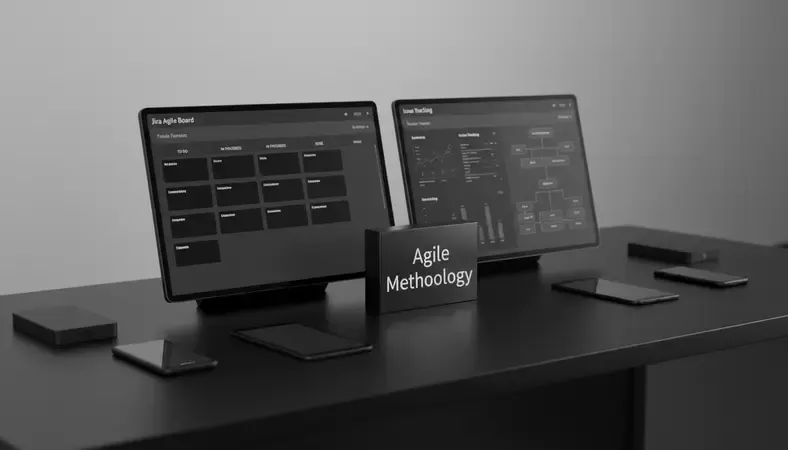
Jira’s strength lies in its deep understanding of agile development practices. Scrum boards provide sprint planning, backlog management, and burndown charts that help teams track velocity and predict delivery dates. Kanban boards offer continuous flow management with work-in-progress limits and cumulative flow diagrams.
The platform’s issue types system allows teams to categorize work appropriately – stories, bugs, tasks, epics, and subtasks each have different fields and workflows. This granular approach ensures that different types of work are tracked and managed according to their specific requirements.
Advanced Workflow Management
Jira’s workflow engine is incredibly sophisticated, allowing teams to model complex business processes with multiple approval stages, conditional transitions, and automated actions. Workflows can include validators, post-functions, and conditions that ensure work moves through the proper channels.
Custom fields and screens can be configured for different issue types and projects, ensuring teams capture the right information at the right time. This flexibility makes Jira suitable for various industries beyond software development, including legal case management, manufacturing quality control, and research project tracking.
Comprehensive Comparison of Jira Features
| Feature Category | Capability | Why It Matters |
|---|---|---|
| Issue Tracking | Detailed bug and task management | Ensures nothing gets lost in complex projects |
| Agile Boards | Scrum and Kanban support | Native support for modern development methodologies |
| Workflow Engine | Custom approval processes | Adapts to any business process requirement |
| Reporting | Advanced analytics and dashboards | Data-driven decision making and progress tracking |
| Integration | 3000+ marketplace apps | Connects with entire development toolchain |
Reporting and Analytics Power
Jira’s reporting capabilities are among the most comprehensive in project management soft ware. Burndown charts, velocity charts, and cumulative flow diagrams provide insights into team performance and project health. Custom dashboards can combine multiple reports and filters to create executive-level overviews.
The advanced search functionality using JQL (Jira Query Language) allows power users to create complex queries for finding specific issues or generating custom reports. This capability is particularly valuable for large organizations with thousands of issues and complex project structures.
Expert Tip: Start with Jira’s built-in workflows and gradually customize them based on your team’s actual processes. Trying to implement complex custom workflows immediately often leads to adoption challenges and user frustration.
Integration Ecosystem and Scalability
Jira’s marketplace offers over 3,000 apps and integrations, making it the center of many development toolchains. Popular integrations include Confluence for documentation, Bitbucket for code repositories, and Slack for team communication. These integrations create seamless workflows where information flows automatically between tools.
The platform scales from small teams to enterprise organizations with thousands of users. Jira Data Center and Jira Cloud offer different deployment options with varying performance and security features. Advanced security features include two-factor authentication, IP allowlisting, and detailed audit logs.
Best for: Software development teams, organizations with complex workflows, teams using agile methodologies, and companies requiring detailed issue tracking and reporting.
Pros:
* Excellent agile methodology support
* Powerful workflow customization
* Comprehensive reporting and analytics
* Massive integration ecosystem
Cons:
* Steep learning curve for non-technical users
* Can become complex quickly with customization
* Pricing can be expensive for large teams
5. Microsoft Project: The Enterprise Standard
Microsoft Project remains the gold standard for enterprise project management soft ware, particularly in industries where detailed resource management, complex scheduling, and comprehensive reporting are essential. This platform brings decades of project management expertise to modern cloud-based collaboration, making it indispensable for large-scale initiatives.
Comprehensive Project Planning and Scheduling
Microsoft Project’s scheduling engine is unmatched in its sophistication. The platform can handle complex project dependencies, resource constraints, and critical path analysis with ease. Gantt charts provide detailed timeline visualization, while the network diagram view shows task relationships clearly.
Resource management capabilities include skill-based resource matching, capacity planning, and cost tracking. Project managers can model different scenarios using what-if analysis, helping them make informed decisions about resource allocation and timeline adjustments. The platform automatically recalculates schedules when changes occur, ensuring plans remain realistic.
Integration with Microsoft Ecosystem
The deep integration with Microsoft 365 creates seamless workflows for organizations already using Microsoft tools. Project data automatically syncs with Excel for advanced analysis, while Teams integration enables real-time collaboration within the context of project tasks. SharePoint integration provides document management and version control.
Power BI integration transforms project data into interactive dashboards and reports. These visualizations help executives understand portfolio performance, resource utilization, and project health across the entire organization. The combination of Project and Power BI creates a comprehensive project analytics solution.
Portfolio Management Excellence
Microsoft Project’s portfolio management capabilities help organizations prioritize initiatives, allocate resources effectively, and track strategic objectives. Portfolio dashboards provide executive-level visibility into project performance, budget utilization, and resource capacity across multiple projects.
The platform’s demand management features allow organizations to capture, evaluate, and prioritize project requests systematically. This capability ensures that resources are allocated to the most valuable initiatives while maintaining visibility into the project pipeline.
Why It Matters: Microsoft Project’s enterprise features become essential when managing multiple complex projects simultaneously. The platform’s ability to handle resource conflicts, budget tracking, and cross-project dependencies saves project managers countless hours of manual coordination.
Advanced Resource and Cost Management
Resource management in Microsoft Project goes beyond simple task assignment. The platform tracks resource availability, skill sets, and costs across projects. Resource leveling automatically resolves conflicts when team members are overallocated, while resource substitution suggests alternatives when specific resources aren’t available.
Cost tracking includes both resource costs and project expenses, with earned value analysis providing insights into project performance against budget. Baseline comparison helps project managers understand how current performance compares to original plans, enabling proactive course corrections.
Best for: Large organizations, complex multi-phase projects, industries with strict compliance requirements, and teams requiring detailed resource and cost management.
Pros:
* Industry-leading scheduling and resource management
* Deep Microsoft 365 integration
* Comprehensive reporting and analytics
* Excellent for complex, large-scale projects
Cons:
* Steep learning curve requiring training
* Expensive licensing for large teams
* Can be overkill for simple projects
* Requires dedicated project management expertise
6. Basecamp: The Communication-First Solution
Basecamp takes a fundamentally different approach to project management soft ware by prioritizing team communication and collaboration over complex project tracking features. This philosophy makes it particularly effective for teams that struggle with information scattered across multiple tools and platforms.
Simplified Project Organization
Basecamp organizes work into projects, with each project containing six key tools: Message Boards for discussions, To-do Lists for task management, Schedules for important dates, Documents & Files for asset storage, Campfire for real-time chat, and Check-in Questions for regular team updates. This consistent structure means team members always know where to find information.
The Hill Charts feature provides a unique way to visualize project progress. Instead of traditional percentage-complete tracking, Hill Charts show whether work is in the problem-solving phase (going uphill) or the execution phase (going downhill). This approach gives stakeholders better insight into actual project status.
Team Communication Excellence
Message Boards replace email for project-related discussions, keeping conversations organized and accessible to all relevant team members. Automatic check-ins prompt team members to share updates regularly, creating accountability without micromanagement. The Campfire chat feature enables quick questions and informal collaboration.
Client access features allow external stakeholders to participate in projects without seeing internal discussions or sensitive information. This capability makes Basecamp excellent for agencies and consultants who need to collaborate with clients while maintaining internal team privacy.
Focus on Simplicity and Adoption
Basecamp deliberately avoids feature complexity that can overwhelm users. There are no Gantt charts, time tracking, or advanced reporting features. This simplicity ensures high adoption rates and reduces the training time required for new team members.
The flat-rate pricing model ($99 per month for unlimited users) eliminates the complexity of per-user pricing calculations. This approach makes Basecamp particularly attractive for growing teams or organizations with varying project involvement levels.
Pro Tip: Basecamp works best when teams commit to using it as their primary communication hub. The platform’s value comes from centralizing discussions and information, which requires consistent adoption across the entire team.
When Basecamp Shines
Basecamp excels in creative agencies, consulting firms, and remote teams where communication and collaboration are more important than detailed project analytics. The platform works particularly well for client work, marketing campaigns, and projects where stakeholder communication is critical.
The 30-day free trial allows teams to test whether Basecamp’s communication-first approach fits their working style. The platform’s simplicity means teams can evaluate its effectiveness quickly without extensive setup or configuration.
Best for: Small to medium teams, client-facing work, remote teams, and organizations prioritizing communication over complex project tracking.
Pros:
* Excellent team communication features
* Simple, intuitive interface
* Flat-rate pricing for unlimited users
* Strong client collaboration capabilities
Cons:
* Limited project management features
* No time tracking or advanced reporting
* May be too simple for complex projects
* Lacks integration with many business tools

7. ClickUp: The All-in-One Ambitious Platform
ClickUp positions itself as the ultimate project management soft ware by attempting to replace multiple tools with one comprehensive platform. This ambitious approach includes task management, document creation, goal tracking, time management, and team communication all within a single interface. While this comprehensive approach can be overwhelming, it offers significant value for teams willing to invest in the learning curve.
Feature-Rich Task Management
ClickUp’s task management capabilities are exceptionally detailed. Tasks can include subtasks, checklists, custom fields, time estimates, and multiple assignees. The platform supports over 35 different custom field types, allowing teams to capture virtually any type of project information.
Multiple view options include List, Board, Gantt, Calendar, and Timeline views, with each view offering different perspectives on the same data. The Everything view provides a unified task list across all projects, helping team members manage their workload holistically rather than switching between different project contexts.
Comprehensive Workspace Organization
ClickUp’s hierarchy system organizes work into Workspaces, Spaces, Folders, Lists, and Tasks. This structure provides flexibility for complex organizational needs while maintaining clarity about where information belongs. Teams can customize this hierarchy to match their specific organizational structure and project types.
Goals and OKRs (Objectives and Key Results) can be tracked directly within ClickUp, with progress automatically calculated based on completed tasks and milestones. This feature helps teams maintain strategic alignment while executing tactical work.
Advanced Automation and Integration
ClickUp’s automation capabilities can eliminate repetitive work and ensure consistent processes. Automations can trigger based on status changes, due dates, assignee changes, or custom field updates. These automations can create tasks, send notifications, update fields, or move items between different project areas.
The platform integrates with over 1,000 tools through native integrations and Zapier connections. Popular integrations include Google Workspace, Slack, GitHub, and various time tracking applications. These integrations help teams maintain their existing tool ecosystem while centralizing project management.
Comparison of ClickUp’s Key Features
| Feature Category | Basic Plan | Unlimited Plan | Business Plan |
|---|---|---|---|
| Storage | 100MB | Unlimited | Unlimited |
| Integrations | Limited | All available | All available + API |
| Custom Fields | Limited | Unlimited | Unlimited + Advanced |
| Dashboards | 1 | Unlimited | Unlimited + Advanced |
| Goals | Not included | Included | Included + Portfolios |
Document Management and Knowledge Base
ClickUp Docs provides collaborative document creation with real-time editing, commenting, and sharing capabilities. Documents can be linked to tasks and projects, creating connections between planning documents and execution work. The wiki feature helps teams build knowledge bases and standard operating procedures.
Whiteboards enable visual collaboration for brainstorming, process mapping, and strategic planning. These whiteboards can be connected to tasks and projects, ensuring that creative work translates into actionable items.
Key Insight: ClickUp’s strength lies in its ability to adapt to virtually any workflow, but this flexibility requires significant setup time and ongoing maintenance. Teams should plan for a longer implementation period compared to simpler project management solutions.
Pricing and Value Proposition
ClickUp offers a generous free tier supporting unlimited tasks and users with 100MB storage. Paid plans start at $7 per user per month, providing unlimited storage, integrations, and advanced features. The Business plan at $12 per user per month includes advanced reporting, custom fields, and goal tracking.
The platform’s value proposition becomes compelling for teams currently using multiple tools for project management, document creation, and goal tracking. Consolidating these functions can reduce software costs and improve information flow between different aspects of work.
Best for: Teams wanting to consolidate multiple tools, organizations with complex project requirements, and teams willing to invest time in platform customization and training.
Pros:
* Comprehensive feature set replacing multiple tools
* Highly customizable to match any workflow
* Generous free tier for small teams
* Strong automation capabilities
Cons:
* Overwhelming interface for new users
* Requires significant setup and training time
* Performance can be slow with complex configurations
* Feature complexity can lead to user confusion
Common Questions About Project Management Software
What’s the difference between project management software and task management tools?
Project management soft ware provides comprehensive planning, resource management, and tracking capabilities for complex initiatives with multiple phases, dependencies, and stakeholders. These platforms typically include Gantt charts, resource allocation, budget tracking, and portfolio management features. Task management tools focus primarily on organizing and tracking individual tasks and simple workflows.
The distinction becomes important when choosing between solutions. If you’re coordinating a product launch with multiple teams, external vendors, and strict deadlines, project management soft ware like Microsoft Project or Monday.com provides the necessary sophistication. For managing daily tasks and simple team workflows, task management tools like Todoist or simple Kanban boards might suffice.
Most modern project management soft ware includes robust task management capabilities, making them suitable for both simple and complex needs. However, dedicated task management tools often provide better user experience for straightforward task tracking without the complexity overhead.
How do I choose the right project management software for my team?
Start by evaluating your team’s specific needs and working style. Consider factors like project complexity, team size, collaboration requirements, and integration needs with existing tools. Teams working on simple projects with clear deliverables might benefit from visual tools like Trello or Asana, while complex projects requiring detailed resource management need more sophisticated platforms like Microsoft Project or Jira.
Assess your team’s technical expertise and willingness to learn new tools. Platforms like Basecamp prioritize simplicity and quick adoption, while tools like Jira offer powerful features but require more training. Consider conducting trials with 2-3 platforms to see which one feels most natural for your team’s workflow.
Budget considerations include both licensing costs and implementation time. Some platforms like ClickUp offer generous free tiers, while enterprise solutions like Microsoft Project require significant investment. Factor in training time and potential productivity loss during the transition period.
Pro Tip: Start with a simple solution and evolve to more complex platforms as your needs grow. Many teams make the mistake of choosing overly sophisticated tools that create adoption barriers and reduce productivity initially.
Can project management software replace email for team communication?
Modern project management soft ware can significantly reduce email dependency by centralizing project-related communication within the context of specific tasks and projects. Platforms like Basecamp, Asana, and Monday.com include robust communication features that keep discussions organized and accessible to relevant team members.
However, complete email replacement depends on organizational culture and the types of communication your team requires. Project management platforms excel at task-related discussions, status updates, and collaborative decision-making. They’re less suitable for formal communications, external stakeholder management, or sensitive discussions requiring privacy controls.
The most effective approach combines project management soft ware for project-related communication with email for formal, external, or sensitive communications. This hybrid approach reduces email volume while maintaining appropriate communication channels for different types of interactions.
How important are integrations when selecting project management software?
Integrations become crucial when your team relies on multiple specialized tools for different aspects of work. Development teams using GitHub, Slack, and continuous integration tools need project management soft ware that connects seamlessly with their existing toolchain. Marketing teams using design tools, social media platforms, and analytics software benefit from similar integration capabilities.
Evaluate integrations based on your actual tool usage rather than theoretical needs. Focus on integrations that eliminate manual data entry, provide automated notifications, or create seamless workflows between platforms. Native integrations typically provide better functionality and reliability compared to third-party connection services.
Consider the long-term integration strategy as your tool ecosystem evolves. Platforms with extensive integration marketplaces like Jira or ClickUp provide flexibility as your needs change, while simpler platforms might limit future tool adoption.
What security features should I look for in project management software?
Essential security features include data encryption both in transit and at rest, two-factor authentication for user accounts, and role-based access controls that limit information access based on team member responsibilities. These features protect sensitive project information and ensure compliance with data protection regulations.
For organizations handling sensitive data or operating in regulated industries, additional security features become important. Look for platforms offering single sign-on (SSO) integration, IP allowlisting, detailed audit logs, and compliance certifications like SOC 2 or ISO 27001.
Cloud-based platforms should provide transparent information about data storage locations, backup procedures, and disaster recovery capabilities. Understanding where your data is stored and how it’s protected helps ensure compliance with regional data protection laws and organizational security policies.
How can project management software improve team productivity?
Project management soft ware improves productivity by eliminating information silos and reducing time spent searching for project information. When all project-related discussions, documents, and updates are centralized, team members spend less time in meetings and email exchanges trying to understand current status and next steps.
Automation features in modern project management platforms eliminate repetitive administrative tasks. Automated status updates, deadline reminders, and workflow transitions ensure nothing falls through the cracks while freeing team members to focus on high-value work. These automations also improve consistency in project execution.
Visual project tracking helps teams identify bottlenecks and resource conflicts before they impact deliverables. Real-time visibility into project status enables proactive problem-solving rather than reactive crisis management, leading to smoother project execution and better outcomes.
Conclusion
Choosing the right project management soft ware transforms how your team collaborates, tracks progress, and delivers results. Each platform offers distinct advantages – from Asana’s visual simplicity to Microsoft Project’s enterprise sophistication. The key is matching the tool’s capabilities with your team’s specific needs, working style, and growth trajectory. Get started with LogicalDOC to see how effective document management enhances your project management workflows. Ready to get started? Visit LogicalDOC to learn more.

Latest posts by Cristian Fulger (see all)
- Open Source Document Management Systems - 10/05/2026
- Document Management Explained - 09/01/2026
- Open Source Document Management System - 08/25/2026
- Business Document Management Explained - 08/19/2026
- Document Management Benefits Explained - 08/11/2026